How to Upload Your File and Choose Content Type in FilmScribe
In this tutorial, you'll learn how to upload your audio or video file to FilmScribe and how to choose the correct content type to get the best transcription and analysis results.
Explore other features
Supported Content
21 content types with exclusive emotional vocabulary. AI adapts to your project's context.
Dialogue & Emotion Analysis
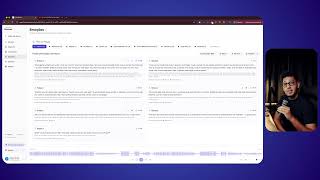
Emotions, intensity, and speakers identified in every segment. Find the exact moment you need.
Narrative Hooks
Moments with the highest narrative potential, identified by AI with impact scoring and narrative function.
Smart Chapters
Your audio automatically divided into thematic chapters with mood, topics, and exportable timestamps.
Project Organization
Folders with colors, tags, and descriptions. All your clients and projects in one place.
Clear Narrative Timeline
Transcription, emotions, and hooks in a unified timeline with visual navigation.
Download Audio by Emotion/Lines
Bookmark clips, export as MP3, WAV, TXT, or SRT. Cut audio ready to use.
Supported Languages
100+ languages with automatic detection and per-word timestamps.
Supported Formats
MP3, WAV, M4A, AAC, OGG, OPUS, WEBM. Upload as is, no conversion needed.
Subtitle & Content Translation
Translate subtitles and full content into 9 languages. Export translated SRT or FCPXML.
Auto & Manual Clips
Ready-to-post clips derived from hooks and emotions, with an inline editor to trim time and remove words before exporting MP4.
Burned-in & Animated Captions
Various classic and animated templates, 23 fonts, keyword highlighting, and a preview identical to the final video.
Vertical Reframing + Auto-Pan
Convert to 9:16, 1:1, or 4:5 with the camera automatically following whoever is speaking. Hard cuts between speakers.
Image & Text Overlays
Add your logo, images, and text over your clips, drag, resize, and set the time window right in the preview.
Visual Knowledge / Diagrams
Turn any transcript into a mind map, a flow, and a timeline. Click any node to jump to the moment and repurpose it.