
Getting started
How to organize your files in folders

Short answer
Open Folders in the menu and click New Folder. Give it a name and click Create Folder. To add a file, open the file's menu in Files and choose Move to folder. Deleting a folder doesn't delete the files: they stay in Files, outside any folder.
Step by step
-
Step 1: Create the folder
In the menu, open Folders and click New Folder. Type the name and click Create Folder.
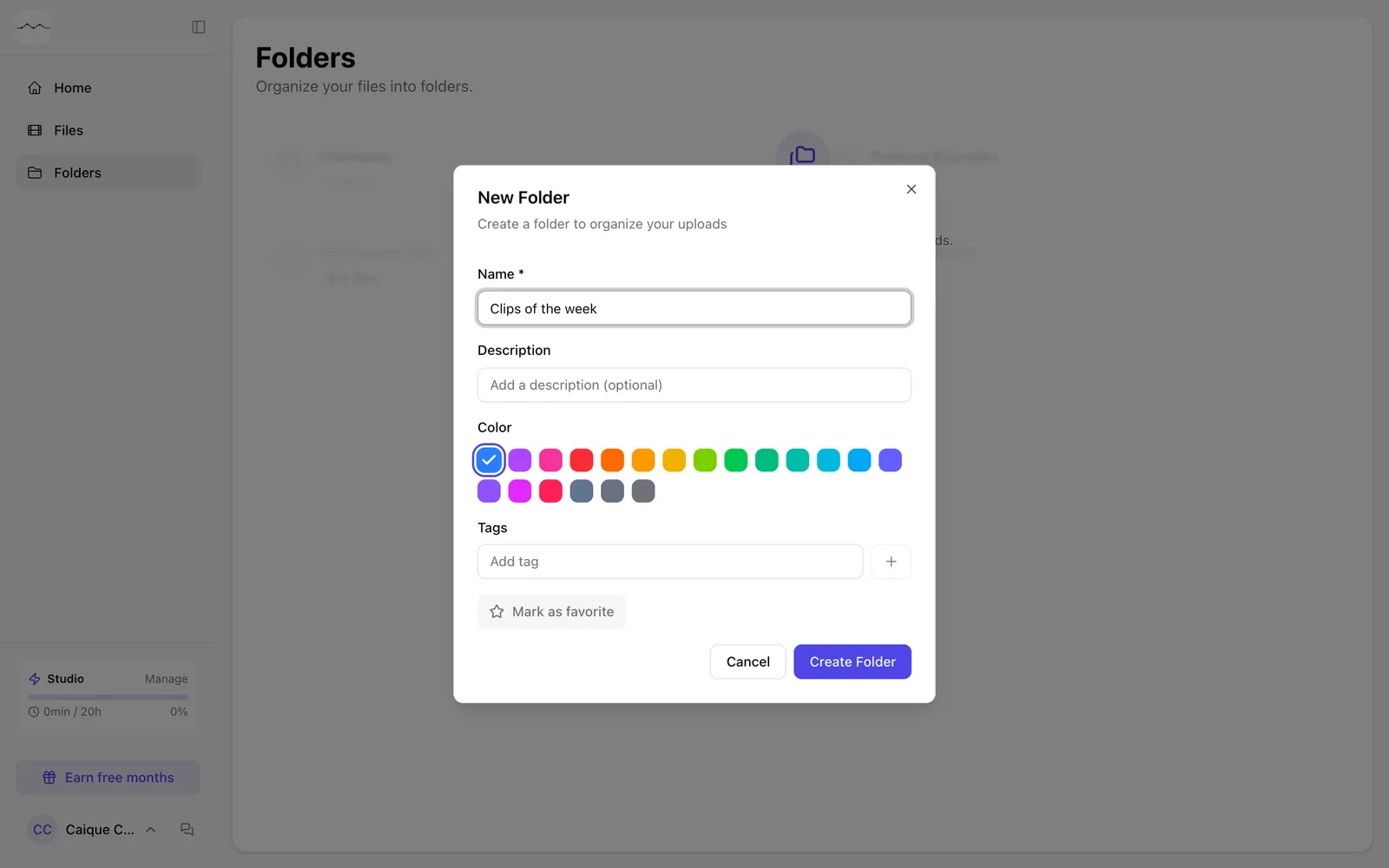
App screenshot The New Folder window. -
Step 2: Move a file into the folder
In Files, open the file's menu (the three dots) and click Move to folder. Choose the folder.
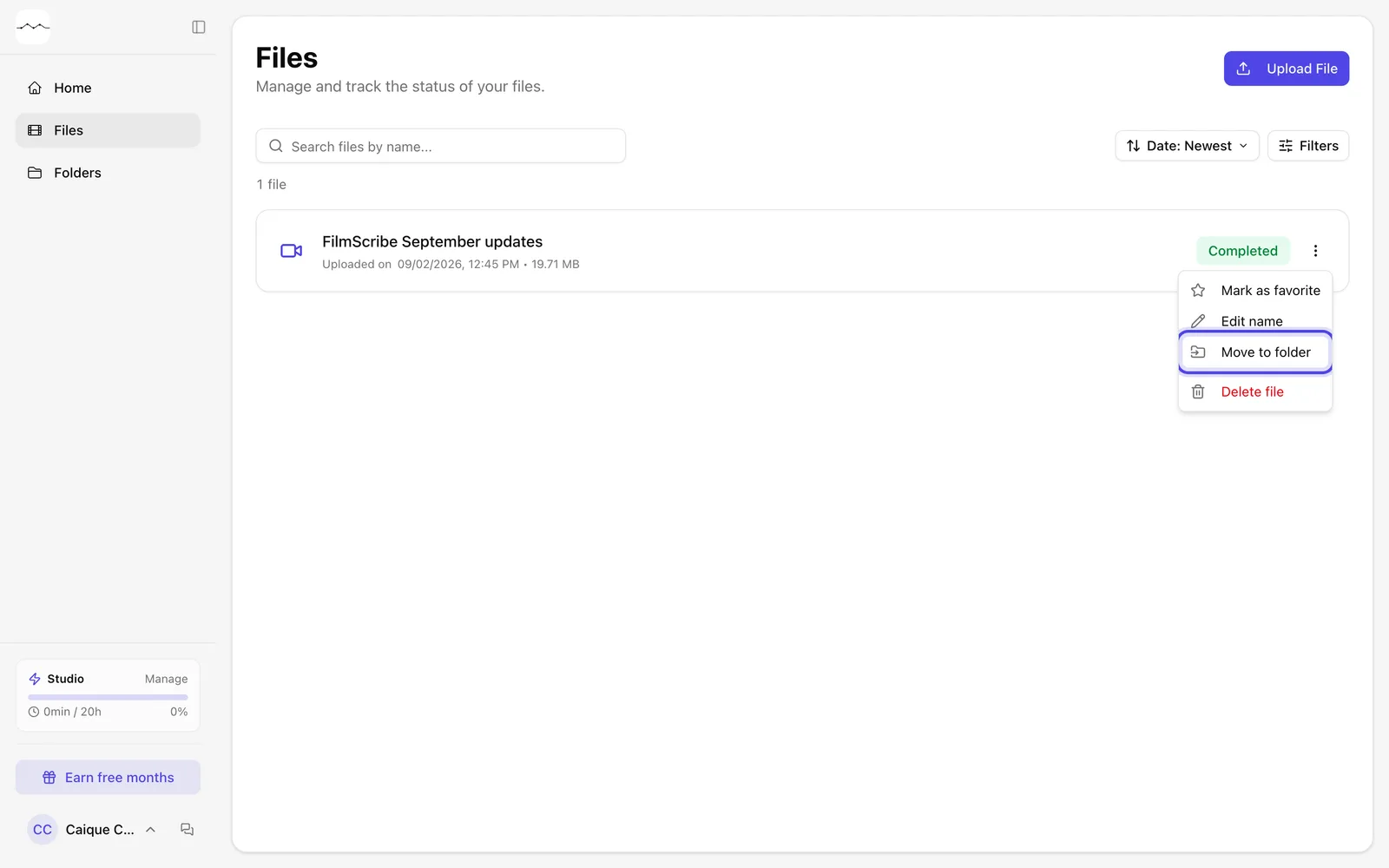
App screenshot The file's menu, with Move to folder.
Optional steps
You don't need these steps to finish the task. Use them if you want.
-
OptionalDescribe and tag the folder
When creating it, fill in Description and Tags to find the folder later.
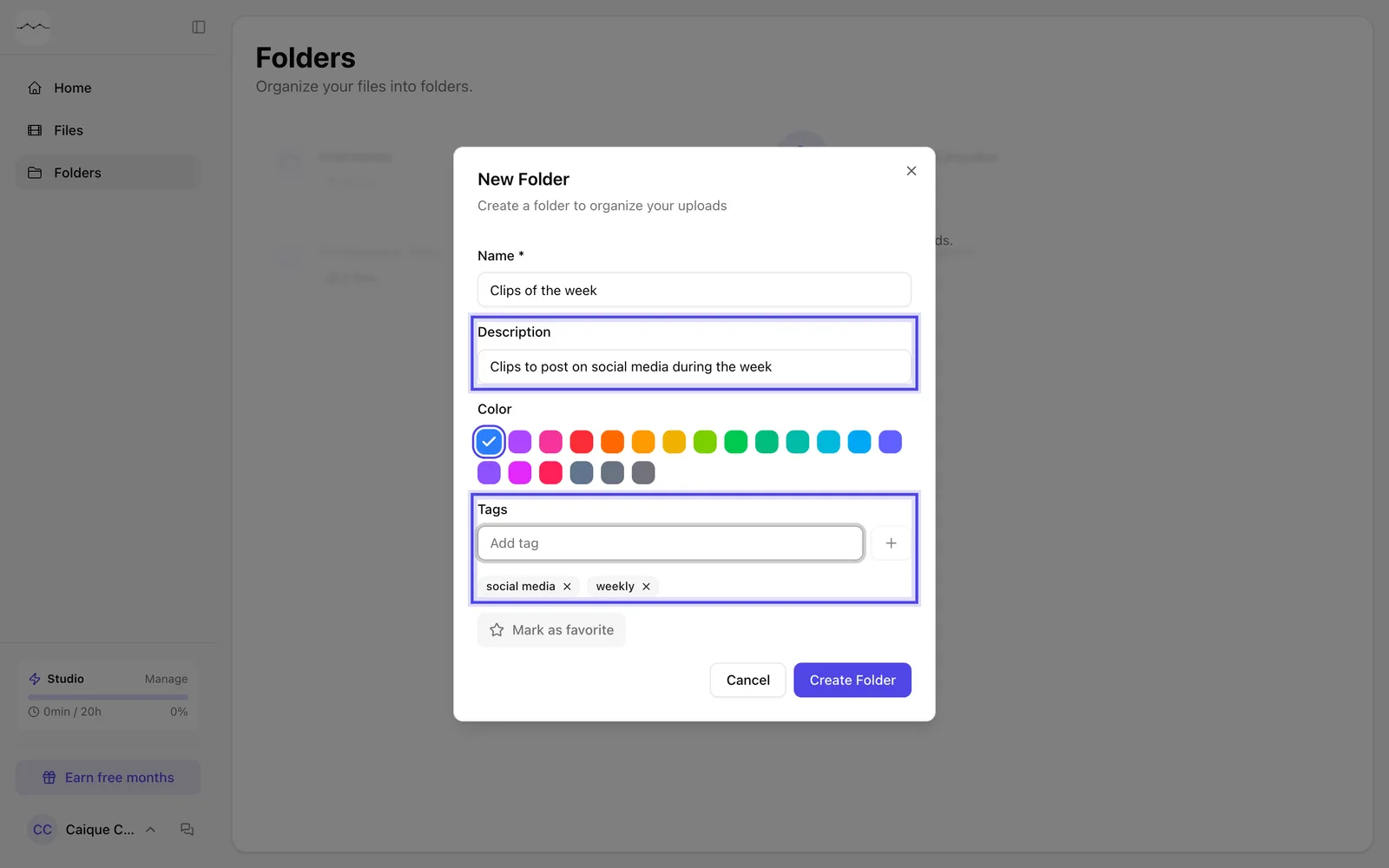
App screenshot The New Folder window with a description and tags. -
OptionalTake a file out of the folder
In the file's menu, click Remove from folder.
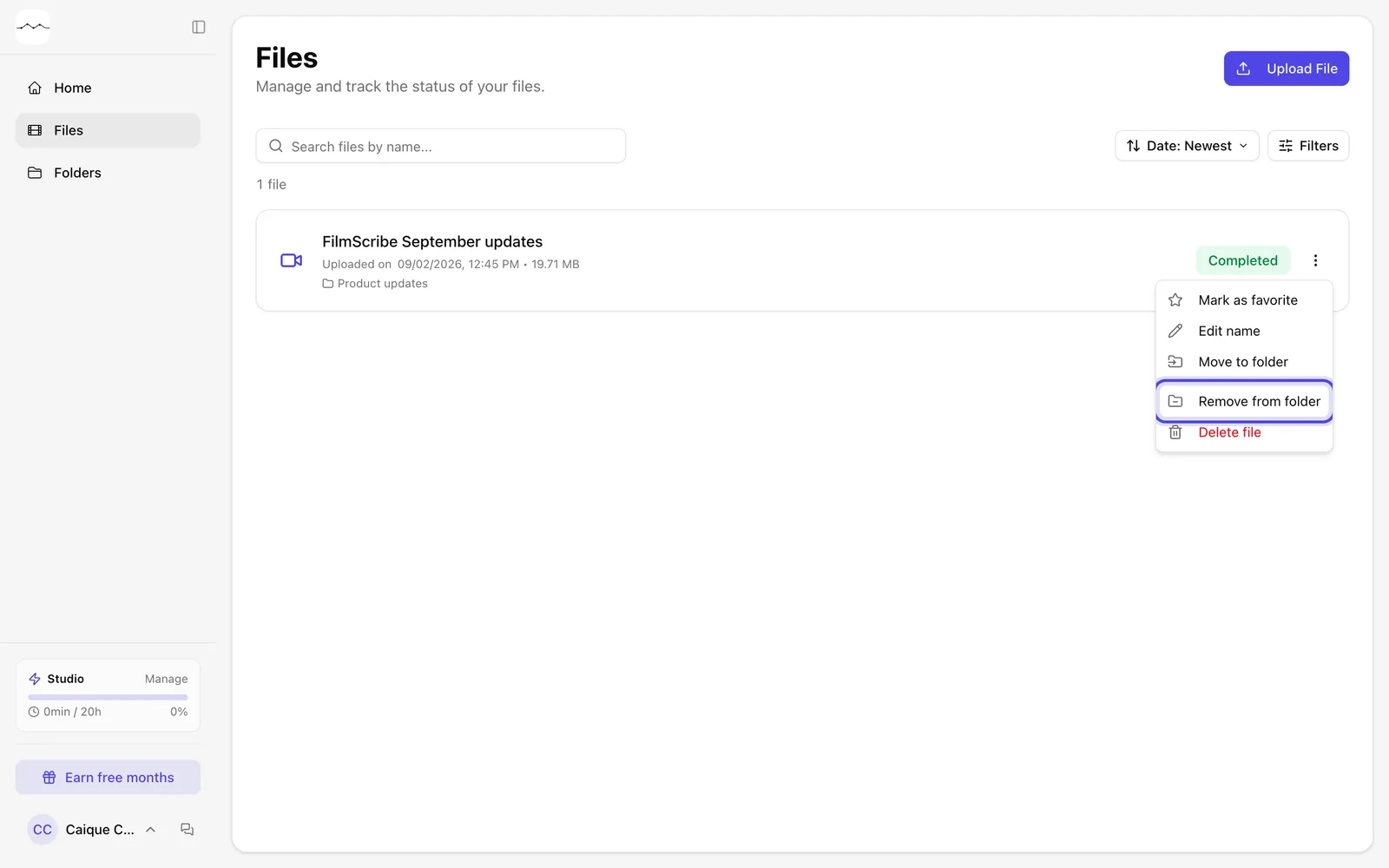
App screenshot The menu of a file that is in a folder, with Remove from folder.