Skip to content

How to organize your files in projects

Updated

Short answer

Open Projects in the menu and click New Project. Give it a name and click Create Project. To add a file, open the file's menu in Files and choose Move to project. Deleting a project doesn't delete the files: they go back to Files, out of any project.

Step by step

  1. Step 1: Create the project

    In the menu, open Projects and click New Project. Type the name and click Create Project.
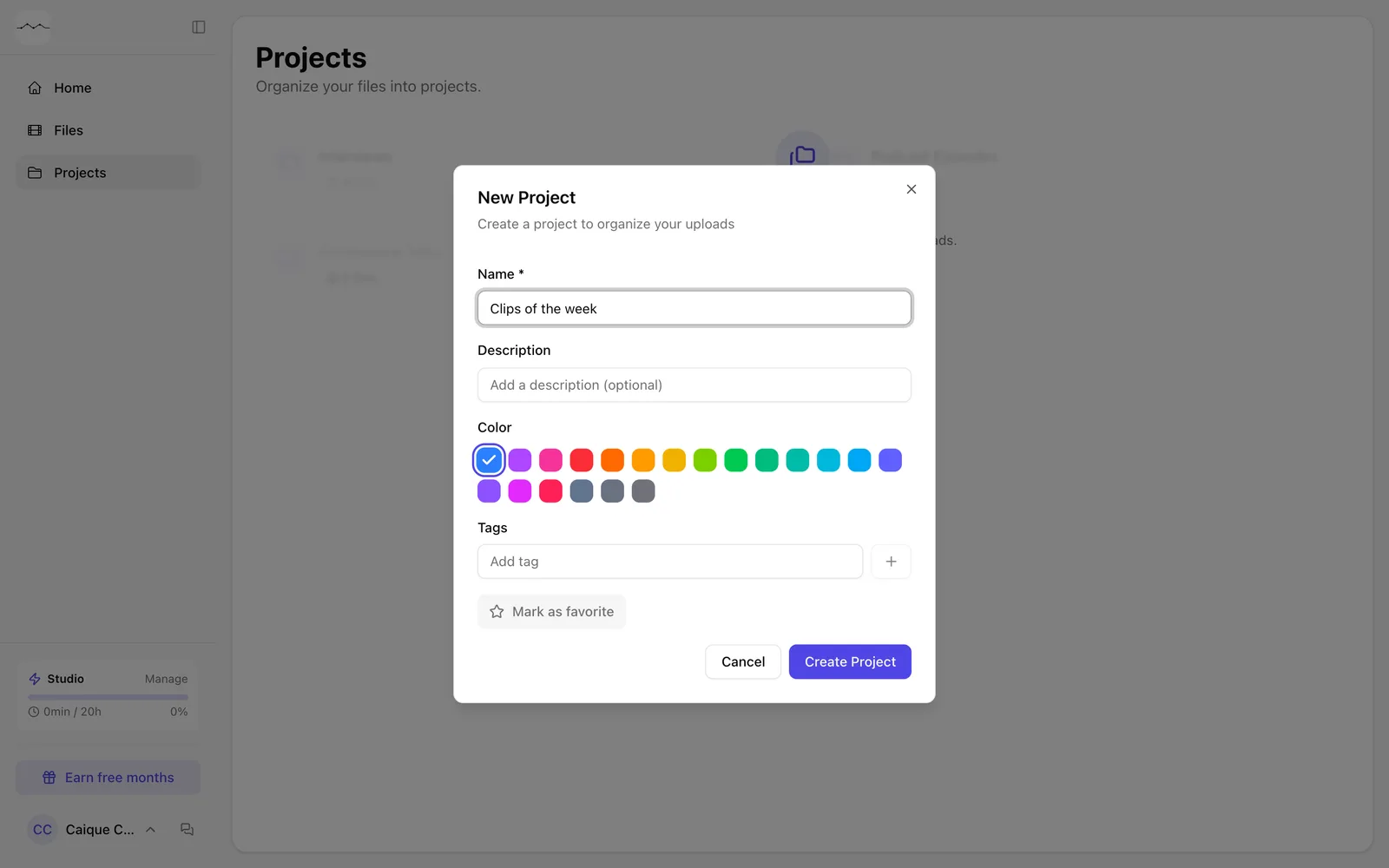
    The New Project window.
    App screenshot The New Project window.
  2. Step 2: Move a file into the project

    In Files, open the file's menu (the three dots) and click Move to project. Choose the project.
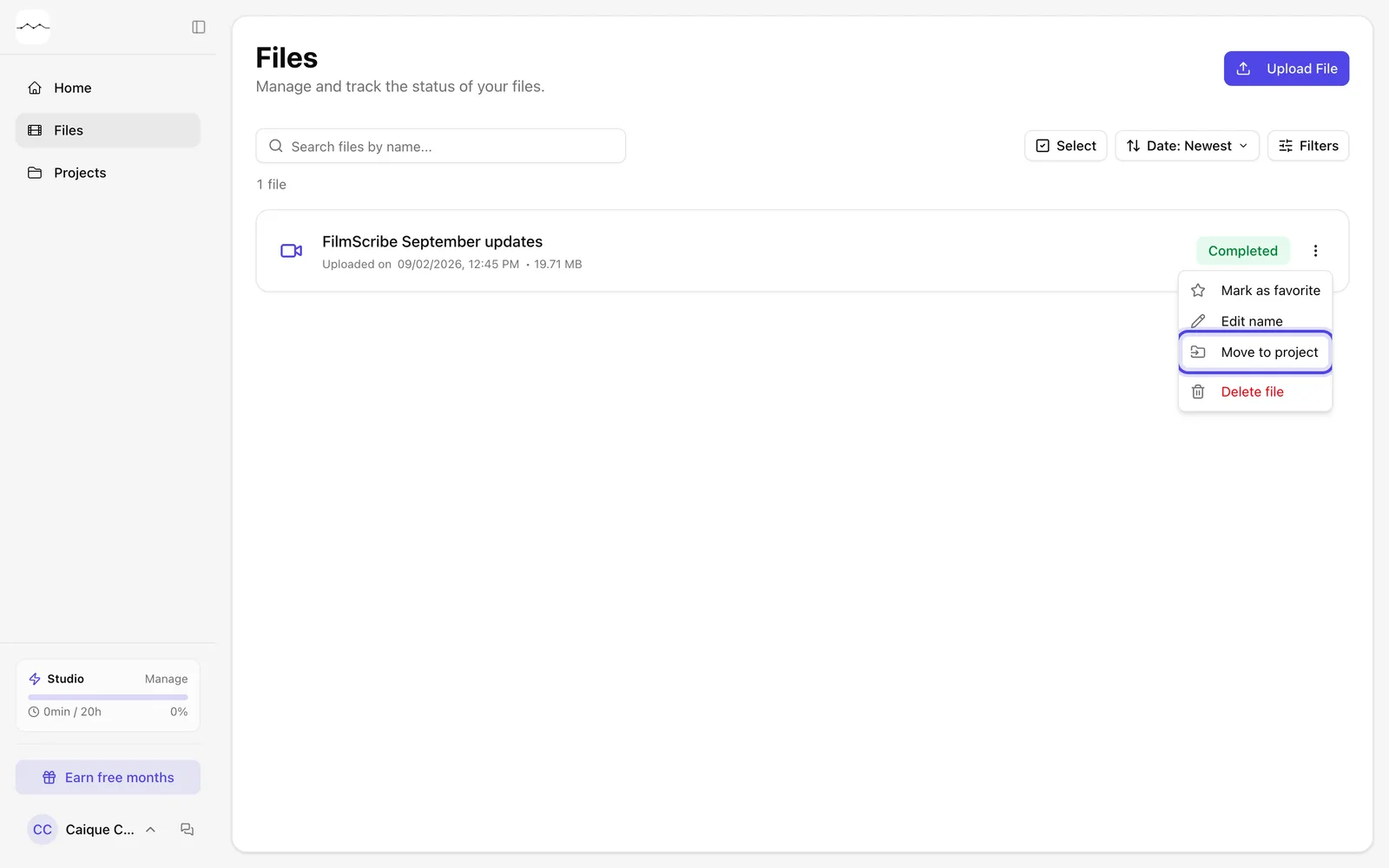
    The file's menu, with Move to project.
    App screenshot The file's menu, with Move to project.

Optional steps

You don't need these steps to finish the task. Use them if you want.

  • OptionalDescribe and tag the project

    When creating it, fill in Description and Tags to find the project later.
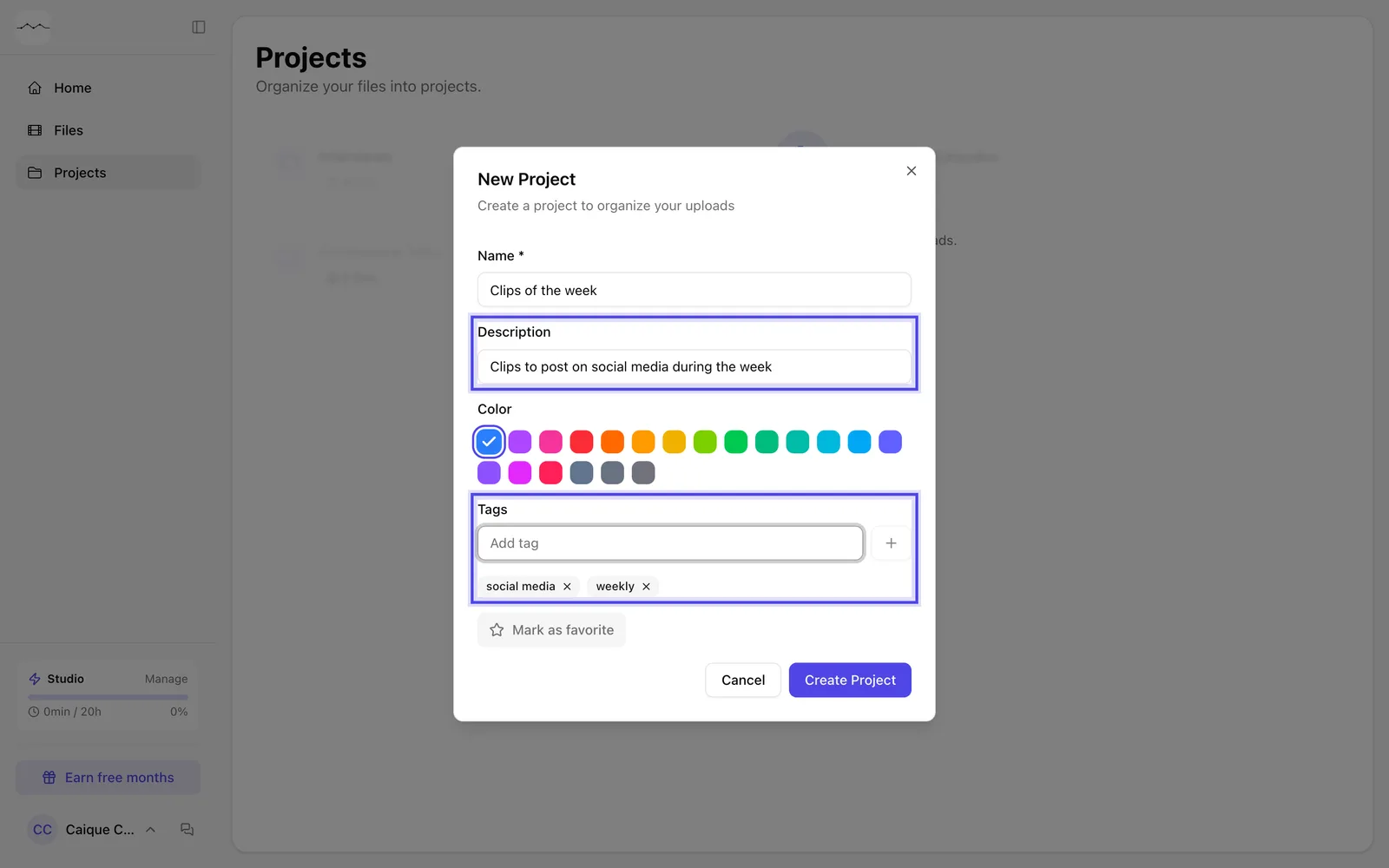
    The New Project window with a description and tags.
    App screenshot The New Project window with a description and tags.
  • OptionalTake a file out of the project

    In the file's menu, click Remove from project.
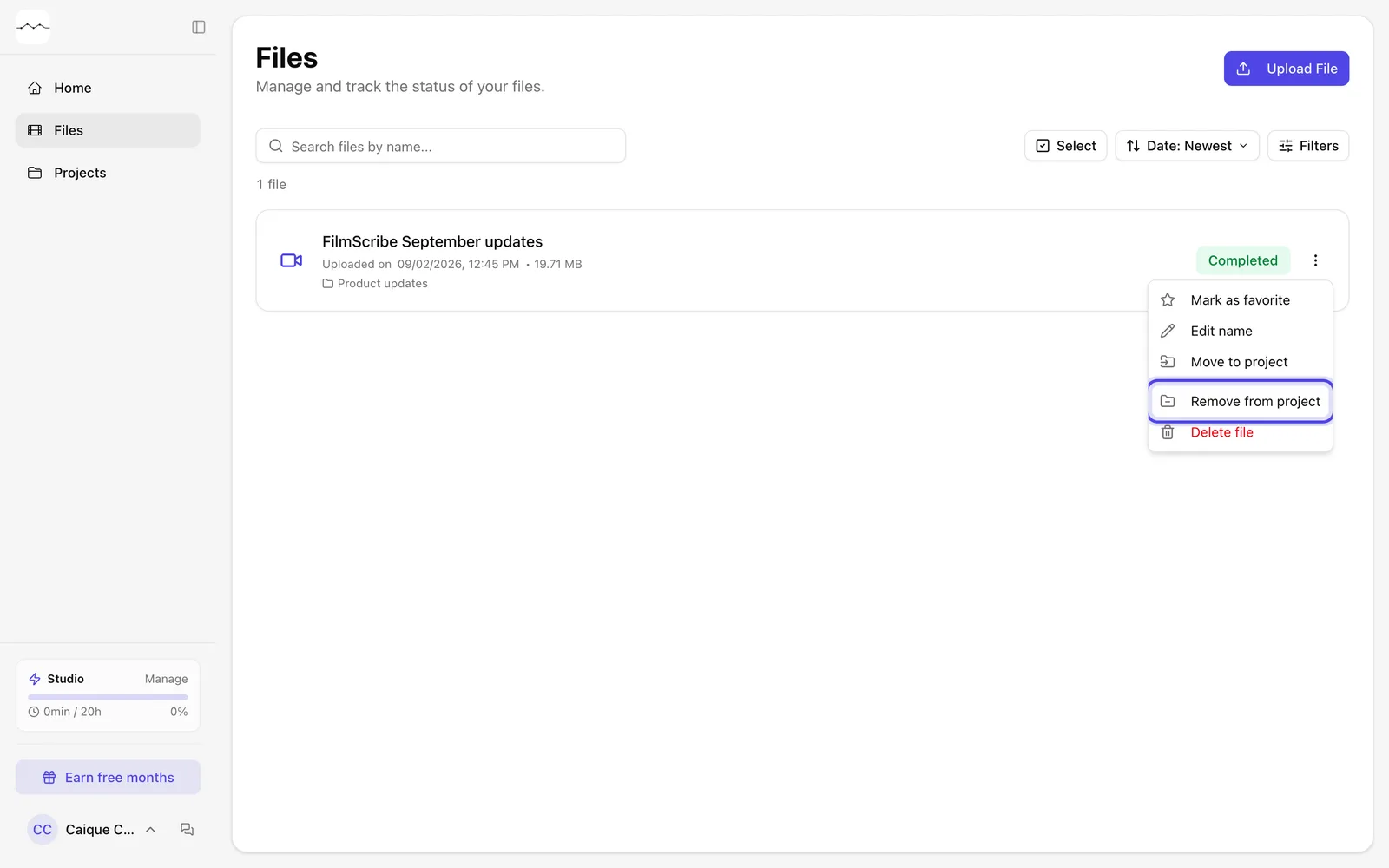
    The menu of a file that is in a project, with Remove from project.
    App screenshot The menu of a file that is in a project, with Remove from project.

Frequently asked questions

Does deleting the project delete the files?

No. The files go back to Files, out of any project. If you joined the project's files, the scripts and diagrams made in the joined project are deleted.

Can I add files from inside the project?

Yes. Inside the project, use Add file.

How do I find a project?

On the Projects page, search by name or by tags.

Can I move or delete several files at once?

Yes. In Files or inside a project, click Select, check the files and use the bar that shows up at the bottom: Favorite, Move to project, Remove from project or Delete. In Projects, the same button favorites, deletes and changes the color and tags of several projects together.

Is there a limit of files in a project?

No. A file sits in one project only, and a project can hold as many files as you want.

Still need help?

Talk to us. We answer on WhatsApp and by email.

Your next story is already waiting.

Upload a file or paste a YouTube link and see the transcript, chapters and clips from your own recording.