
How to invite people to your team

In Profile, open the Team tab and click Invite someone. Send the invitation by email or create the team link. Each person signs in with their own login, Google or email, and uses the same files, plan and hours, without needing your password. Teams come with Studio and Agency.
Step by step
-
Step 1: Open the Team tab
Click your name, at the bottom of the menu, then Profile. Open the Team tab. It lists the people, how much each one used this cycle and the pending invitations.
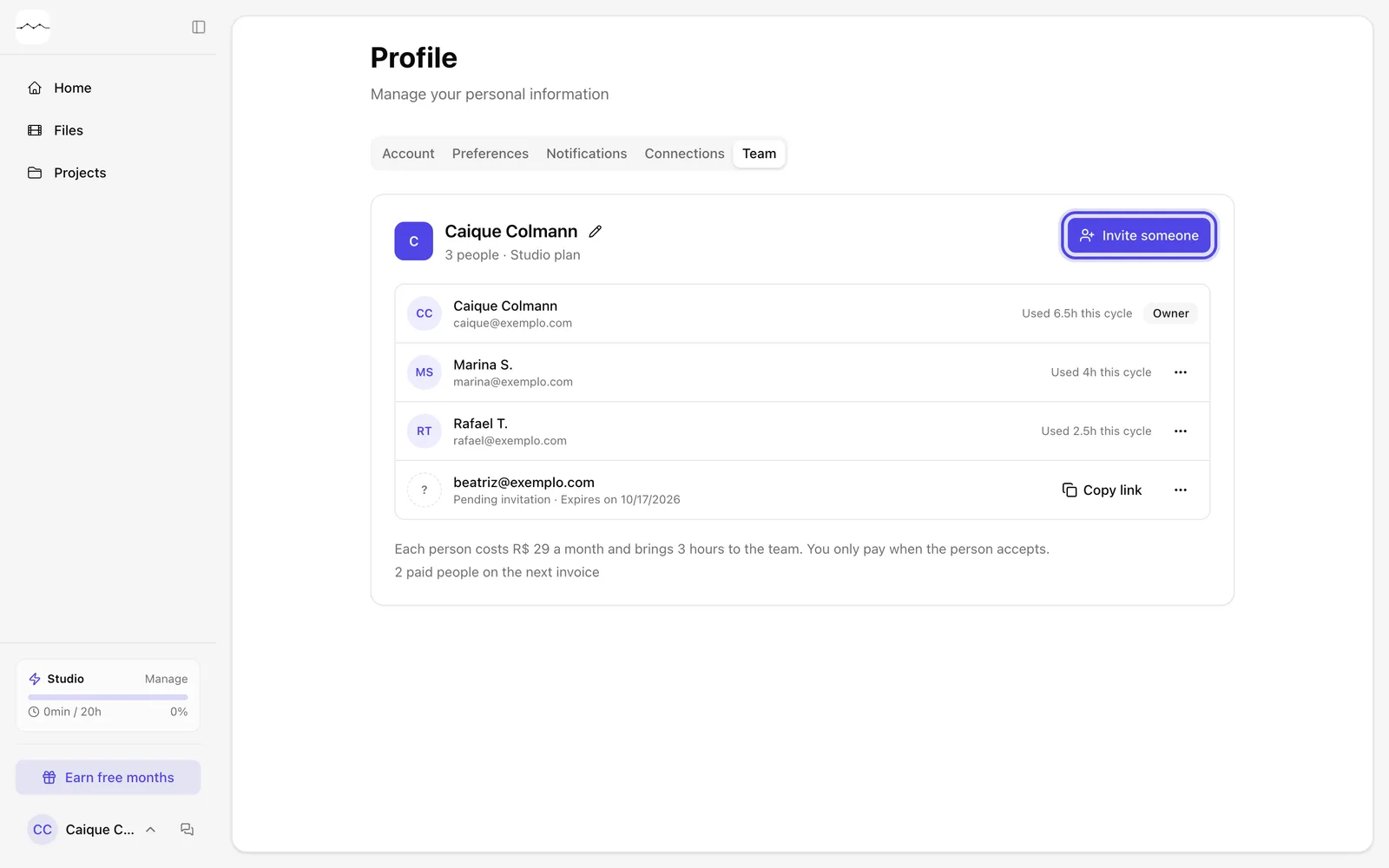
App screenshot The Team tab in Profile, with example people. -
Step 2: Click Invite someone
Click Invite someone. Before you invite, the window shows what the person costs today and the team's hours before and after.
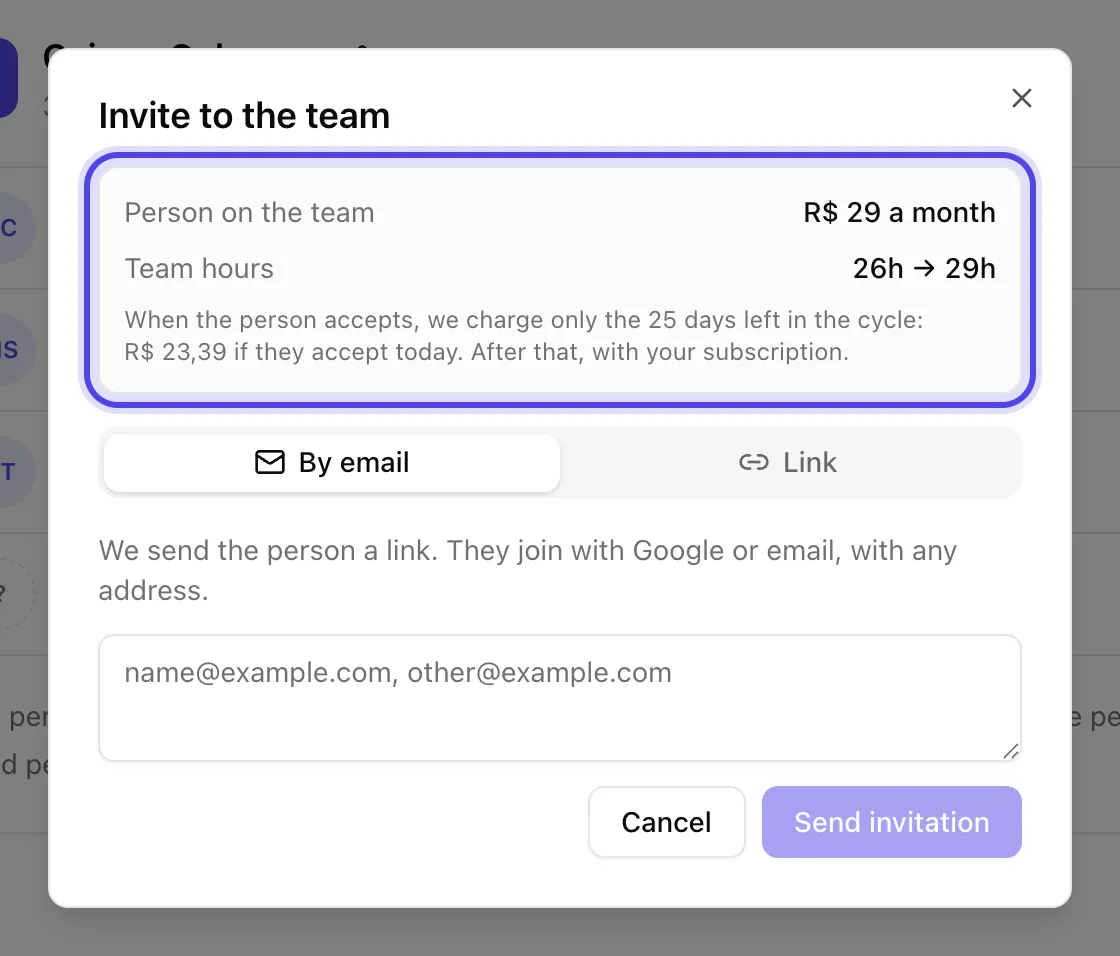
App screenshot The Invite to the team window, with the cost of one more person. -
Step 3: Send the invitation by email
On the By email tab, type one or more emails and click Send invitation. The person gets an email with a button to join.
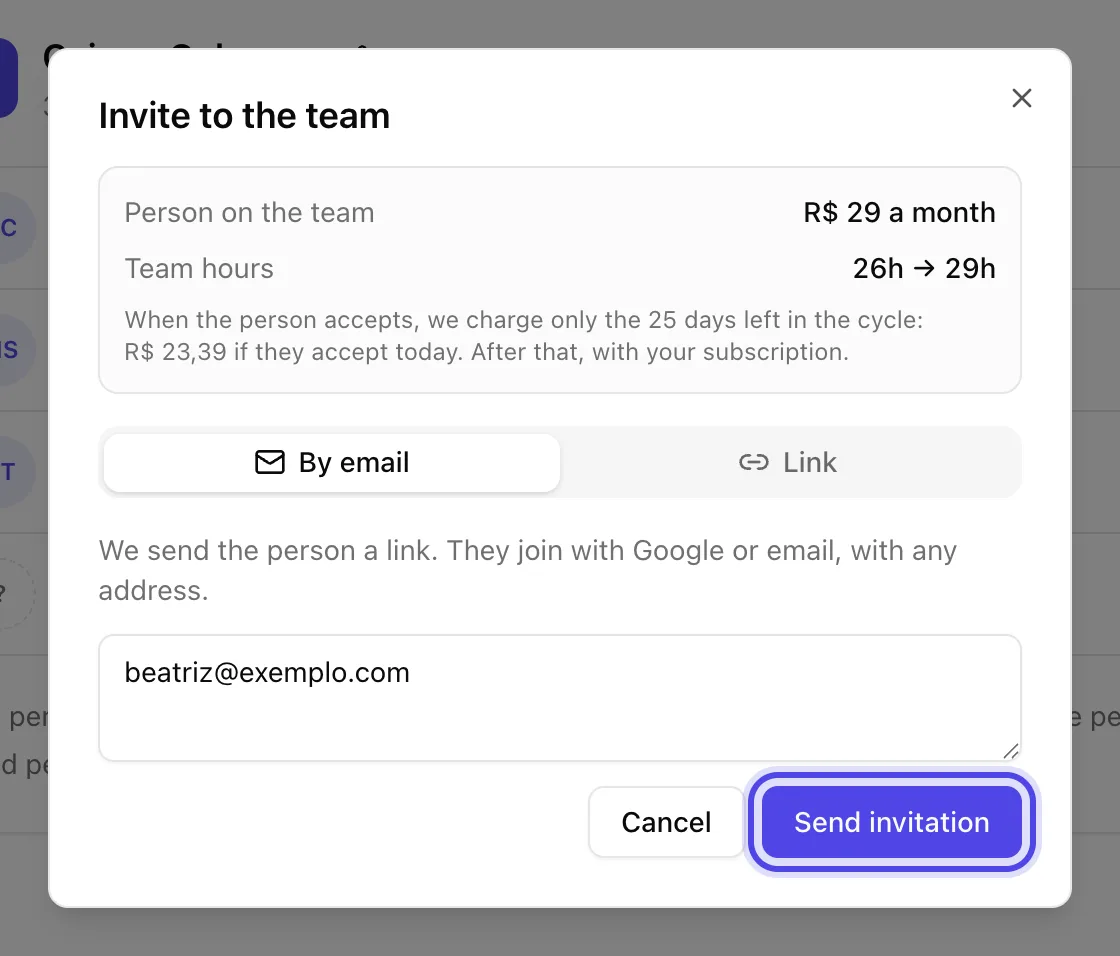
App screenshot An example email ready to get the invitation.
Optional steps
You don't need these steps to finish the task. Use them if you want.
-
OptionalUse the team link
On the Link tab, click Create link and send it to whoever you want. Anyone who opens the link joins the team, and you get an email each time someone joins.
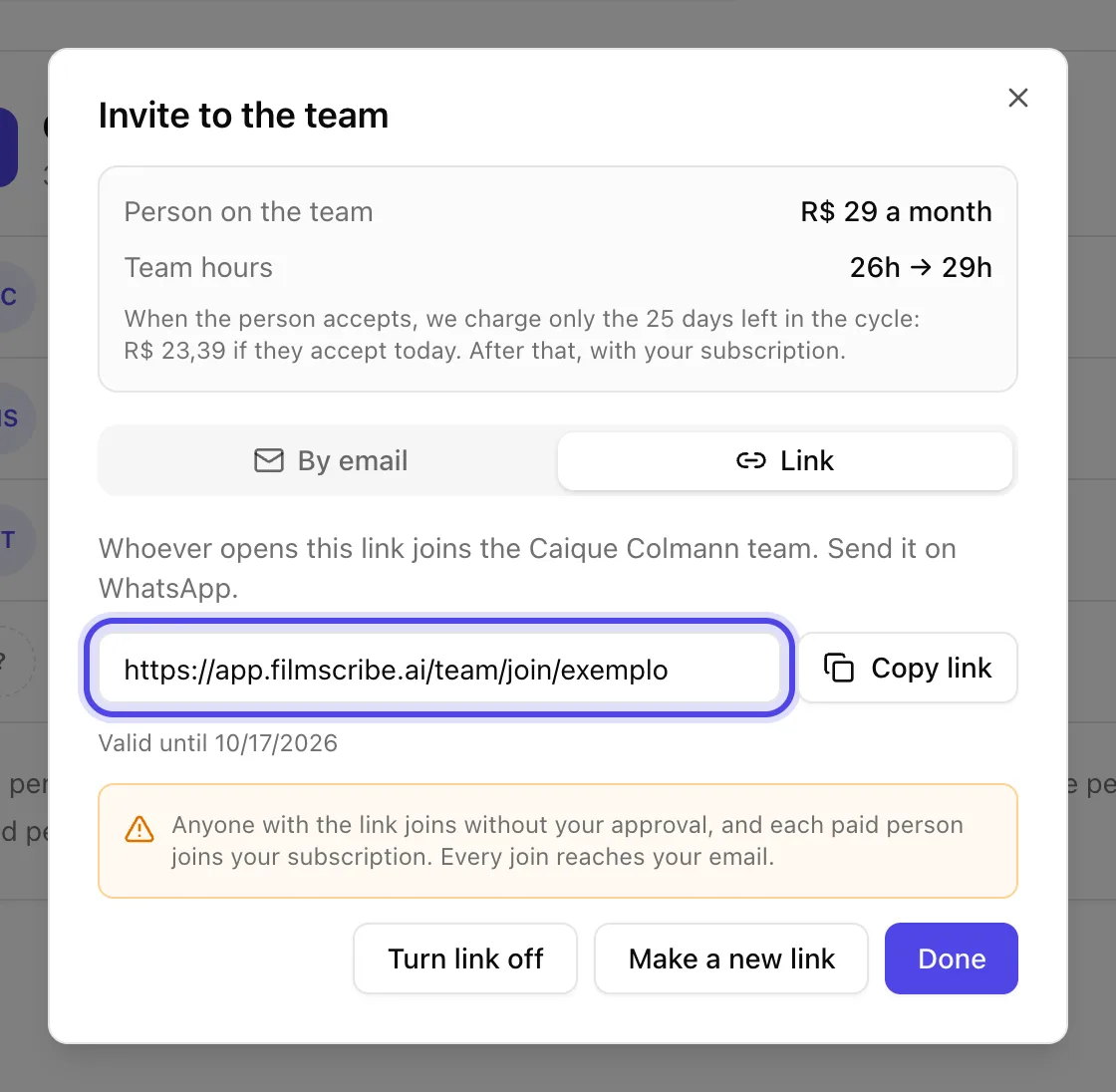
App screenshot The team link, with an example address. -
OptionalRemove someone
In the person's menu, click Remove from the team and confirm. They lose access right away, and the files they sent stay with the team.
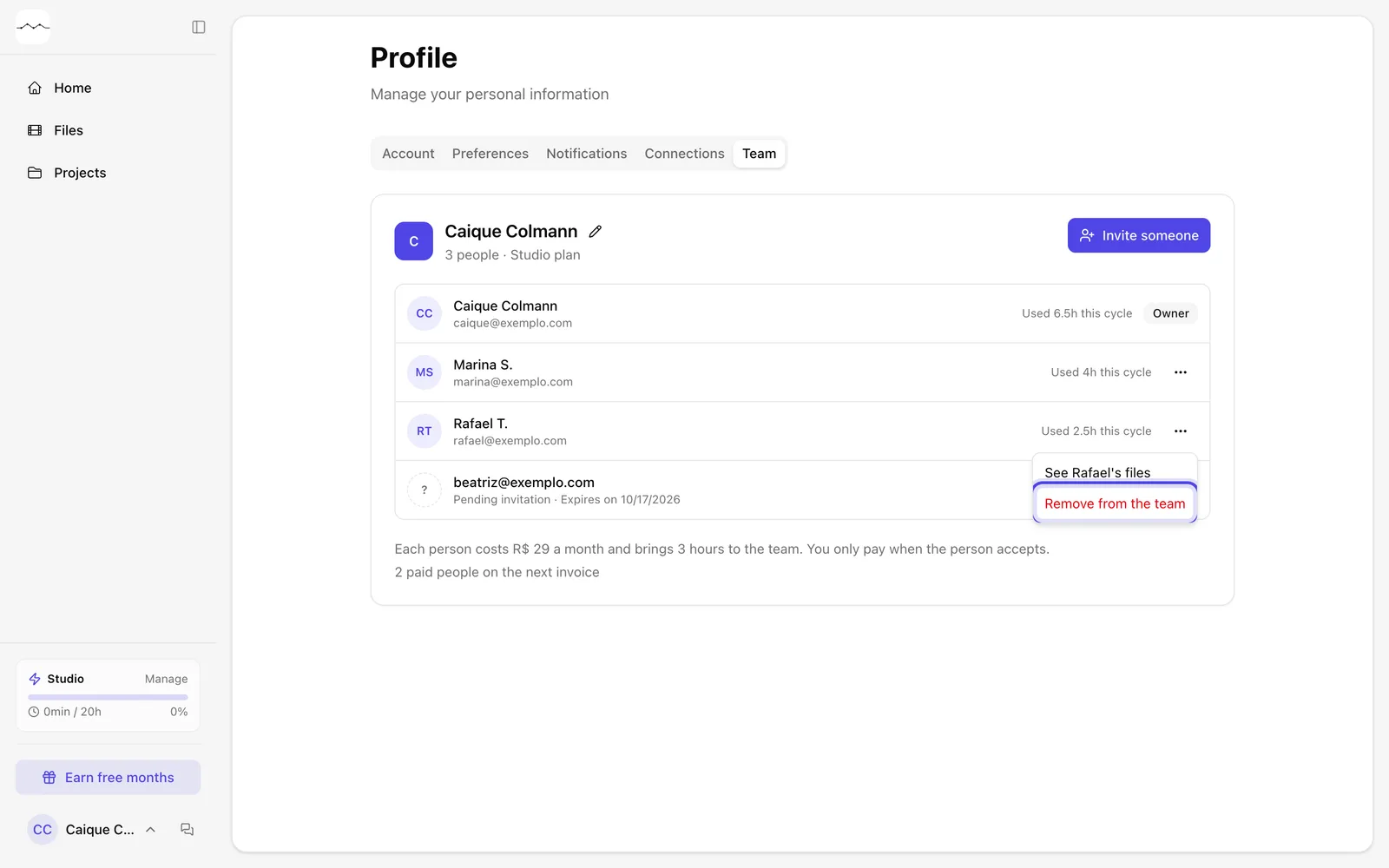
App screenshot Remove from the team, in the menu of an example person.