
Plan and account
How to edit your profile and change your password

Short answer
Open Profile in your account menu. On the Account tab, edit the Profile Information fields, such as name, phone and CPF or CNPJ, and click Save. To change your password, click Reset password and follow the link we send you by email.
Step by step
-
Step 1: Edit your profile
Click your name, at the bottom of the menu, and then Profile. On the Account tab, edit Profile Information and click Save.
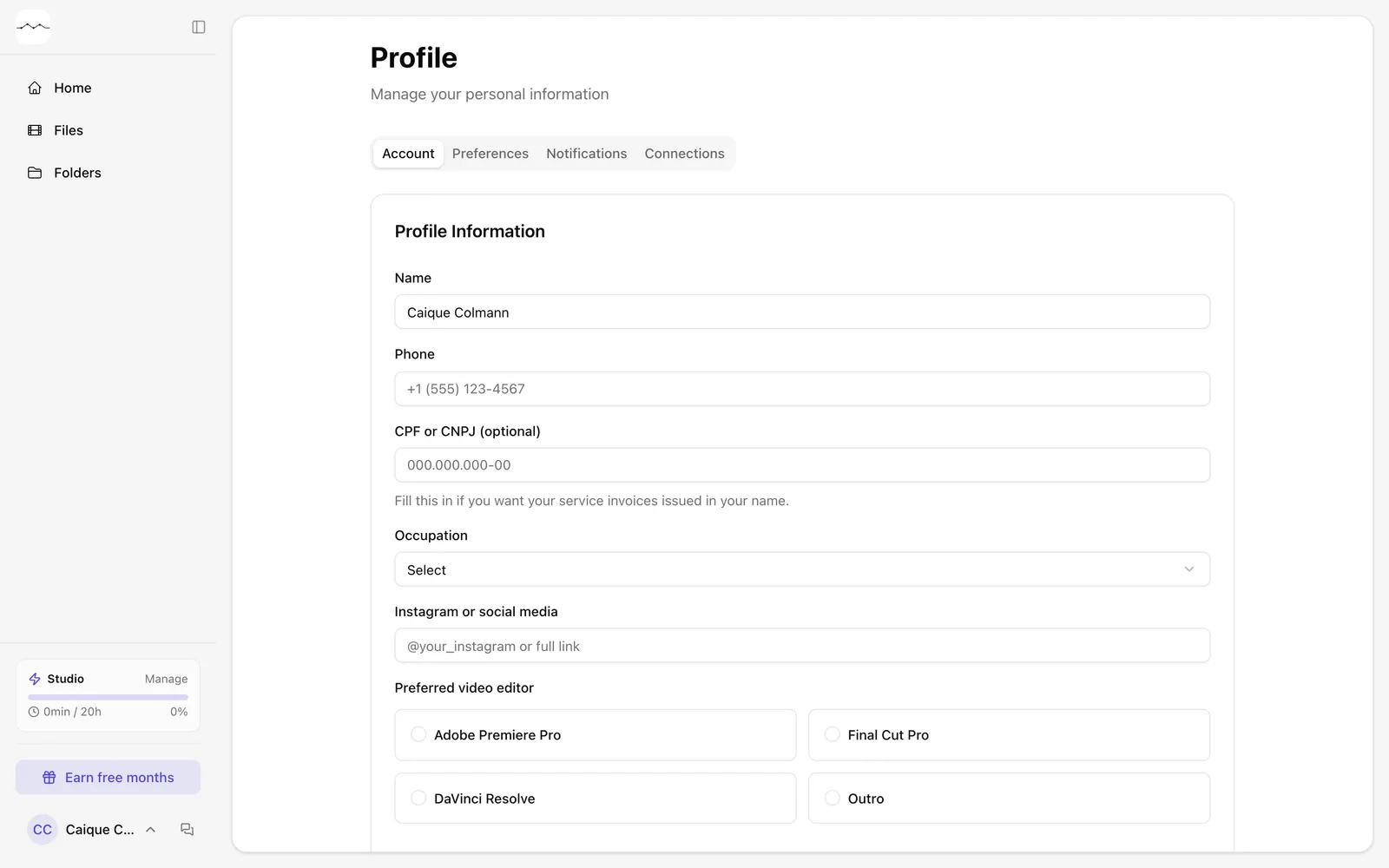
App screenshot The Account tab of the Profile. -
Step 2: Change your password
In Account Information, click Reset password. Send the link to your email with Send reset link, open the link and choose the new password.
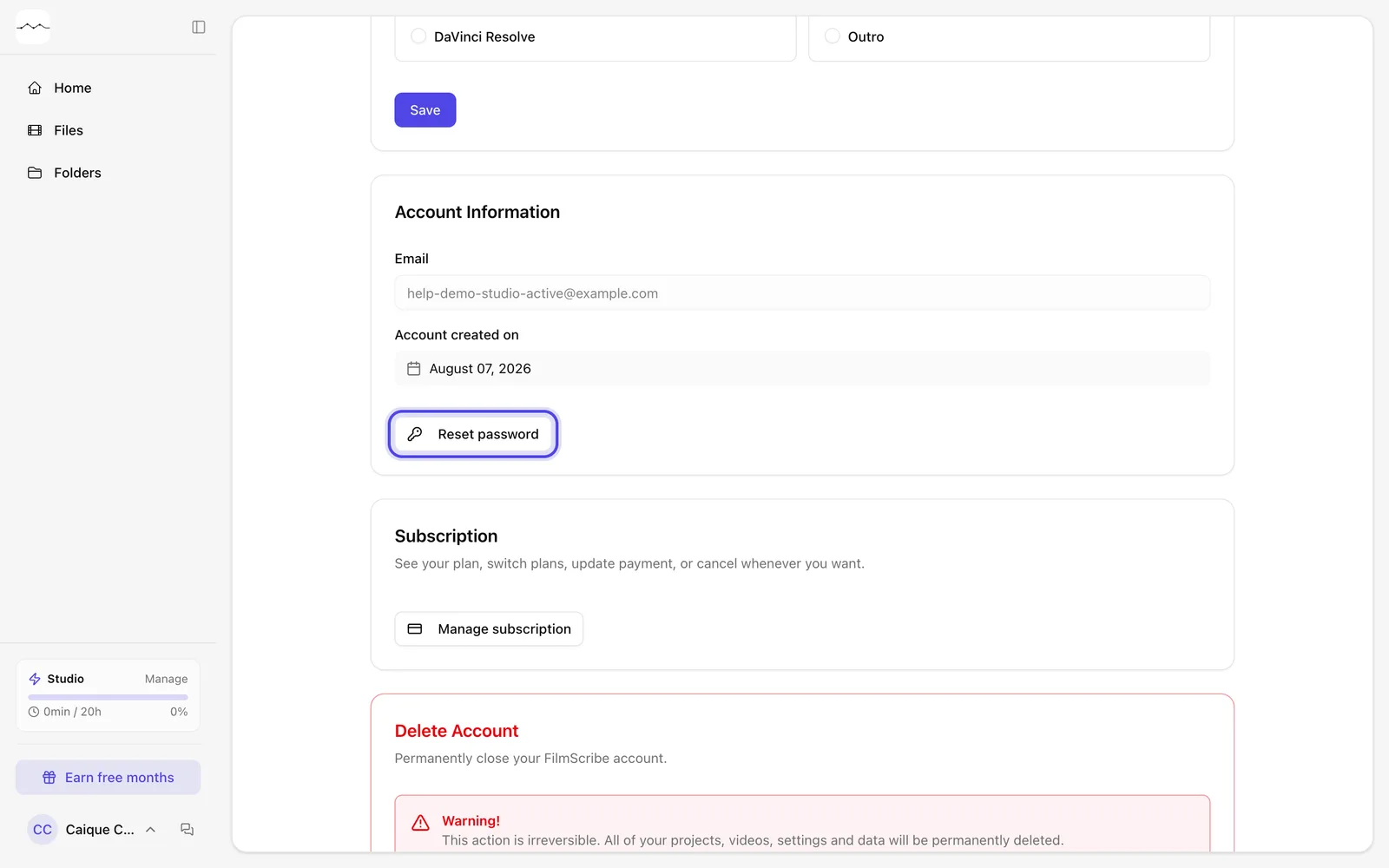
App screenshot Reset password, in Account Information.