
Plan and account
How to change the app language

Short answer
Click your name, at the bottom of the menu, open Language and choose Português, English or Español. You can also change it on the Preferences tab of your Profile. The app language doesn't change the transcription language: the speech is still recognized in the language it was recorded in.
Step by step
-
Step 1: Open the account menu
Click your name, at the bottom of the menu, and open Language. Choose the language.
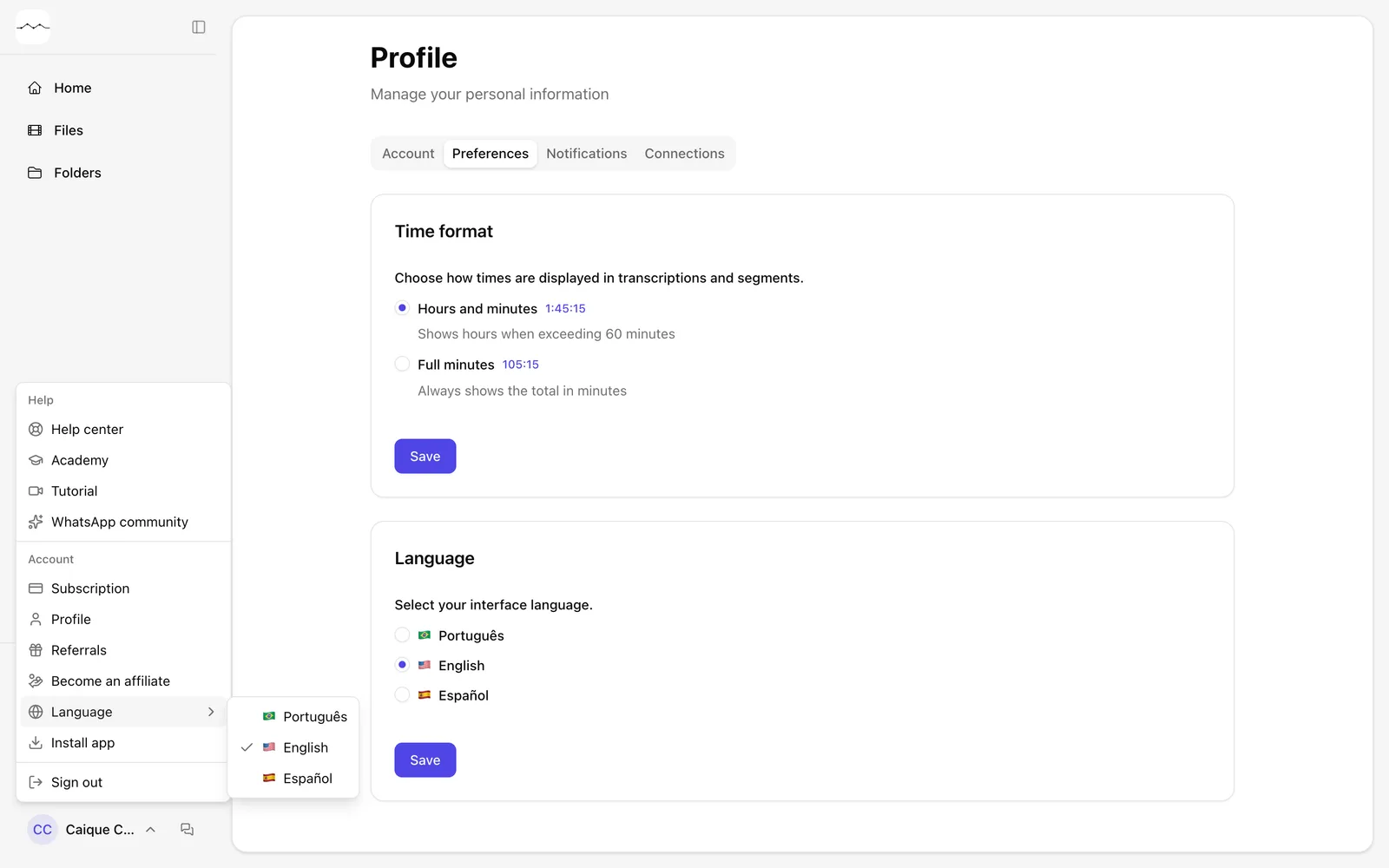
App screenshot The account menu, with Language open. -
Step 2: Or use Preferences
On the Preferences tab of your Profile, choose the language in Language and click Save.
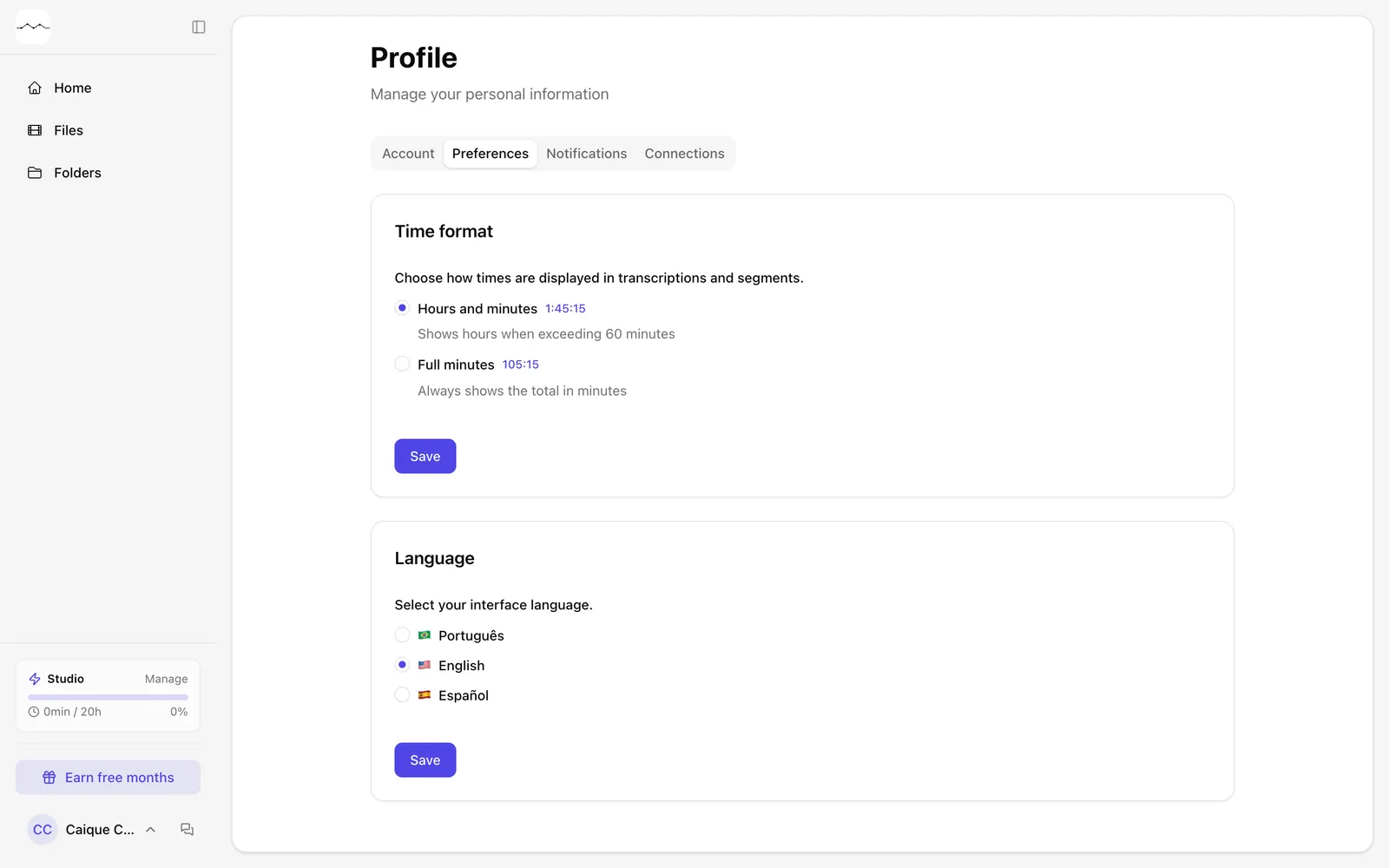
App screenshot The Preferences tab of the Profile.