
Plan and account
How to delete your account

Short answer
On the Account tab of your Profile, scroll down to Delete Account and click Delete my account. Choose the reason, write a comment and click Yes, delete permanently. Deleting can't be undone: projects, videos, settings and data are erased. To just stop paying and keep your files, cancel your subscription.
Step by step
-
Step 1: Find Delete Account
On the Account tab of your Profile, scroll down to Delete Account and click Delete my account.
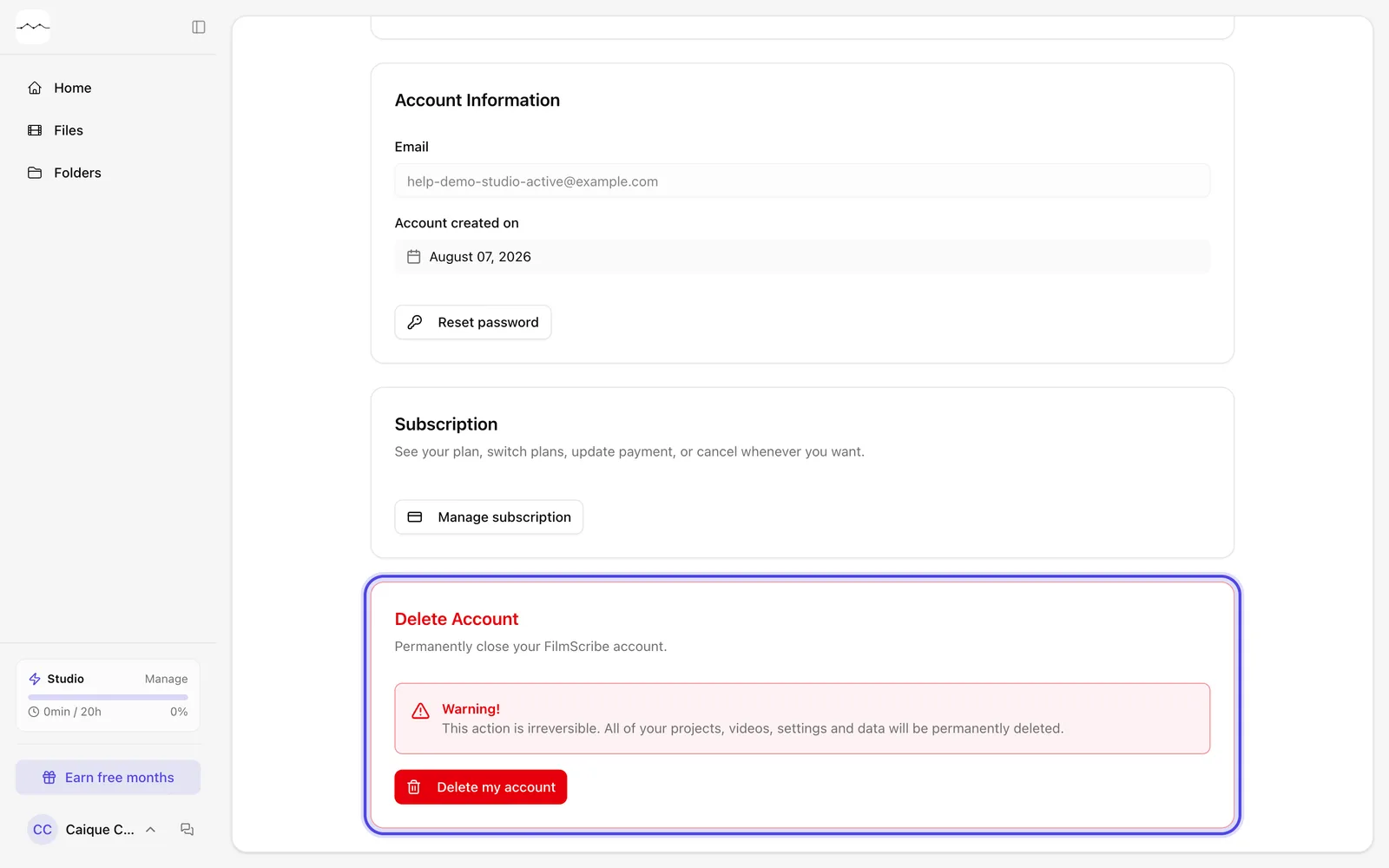
App screenshot The Delete Account card in the Profile. -
Step 2: Confirm
In Why are you deleting your account?, choose the reason and write a comment; both are required. Click Yes, delete permanently.
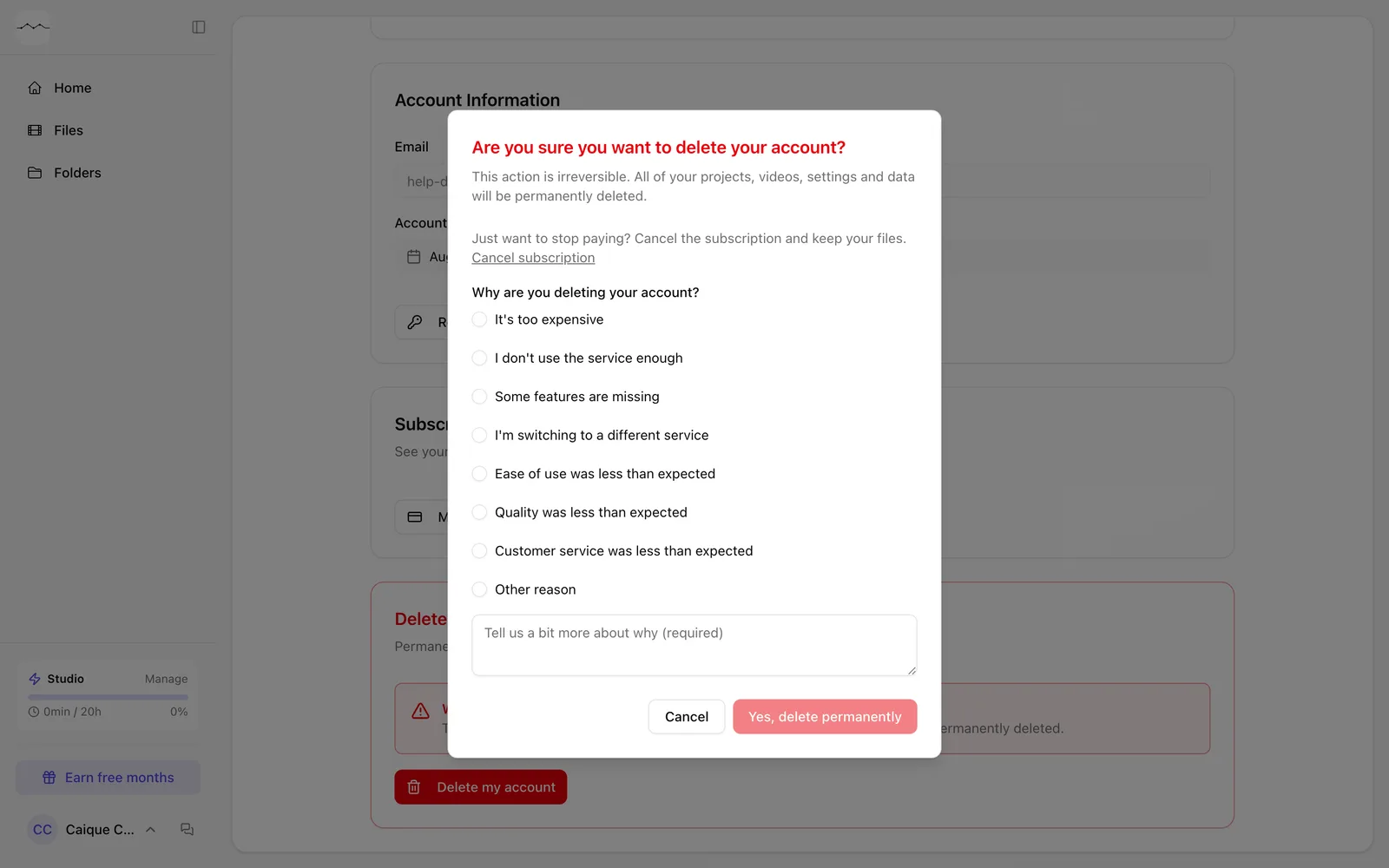
App screenshot The account deletion confirmation.