
Plan and account
How to request a refund

Short answer
If your case falls under the refund policy, the Cancel with refund button shows up in the cancellation flow, at the reason step. Outside these cases, and within the 7-day legal period after your first purchase, contact support on WhatsApp or by email. The money goes back to the same payment method, usually within 5 to 10 business days.
Step by step
-
Step 1: Start the cancellation
On the Subscription page, click Manage subscription, then Cancel subscription and Continue cancellation.
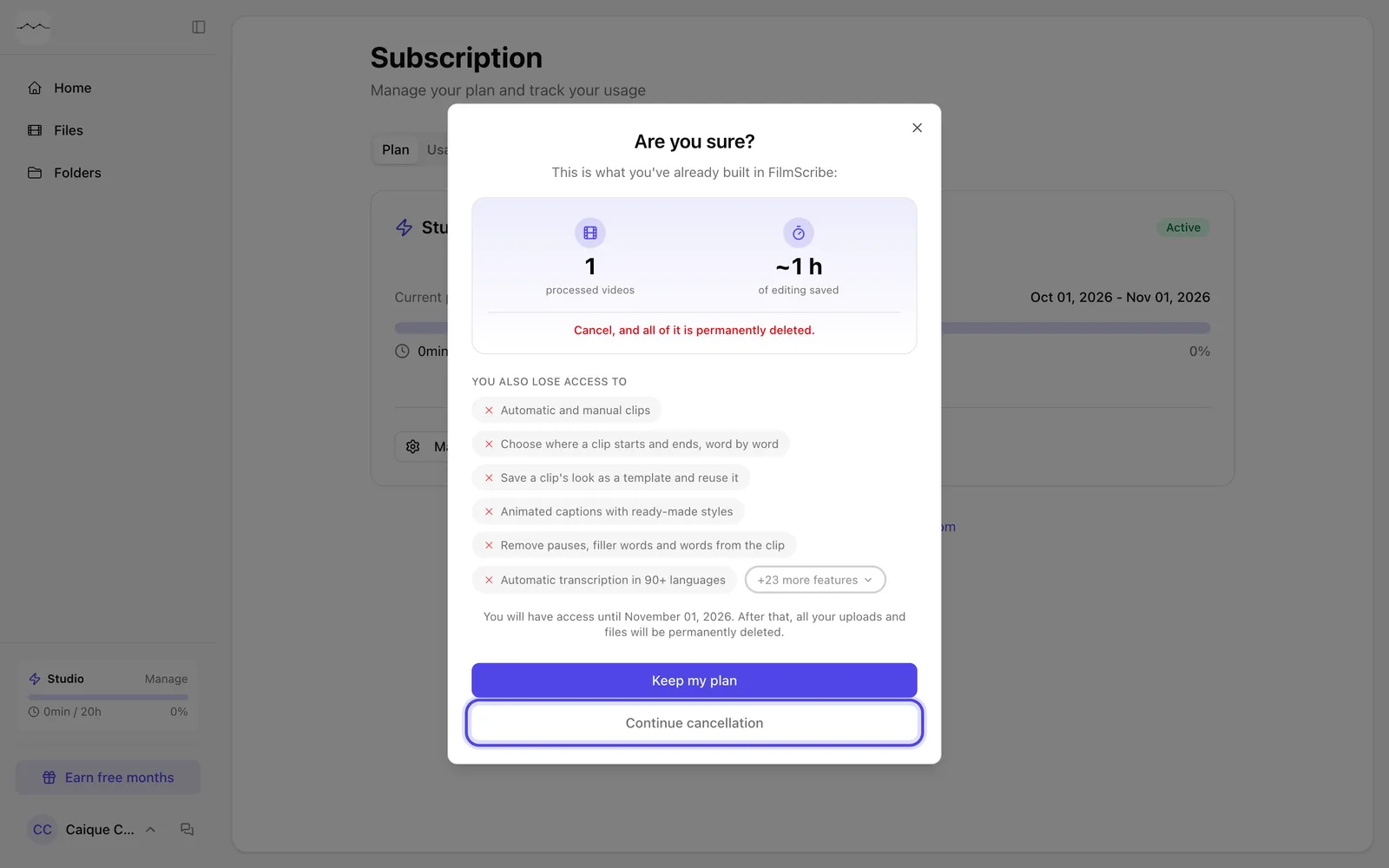
App screenshot The Are you sure? screen, with Continue cancellation. -
Step 2: Choose the reason
Choose the reason and write the comment. If your case falls under the policy, Cancel with refund shows up.
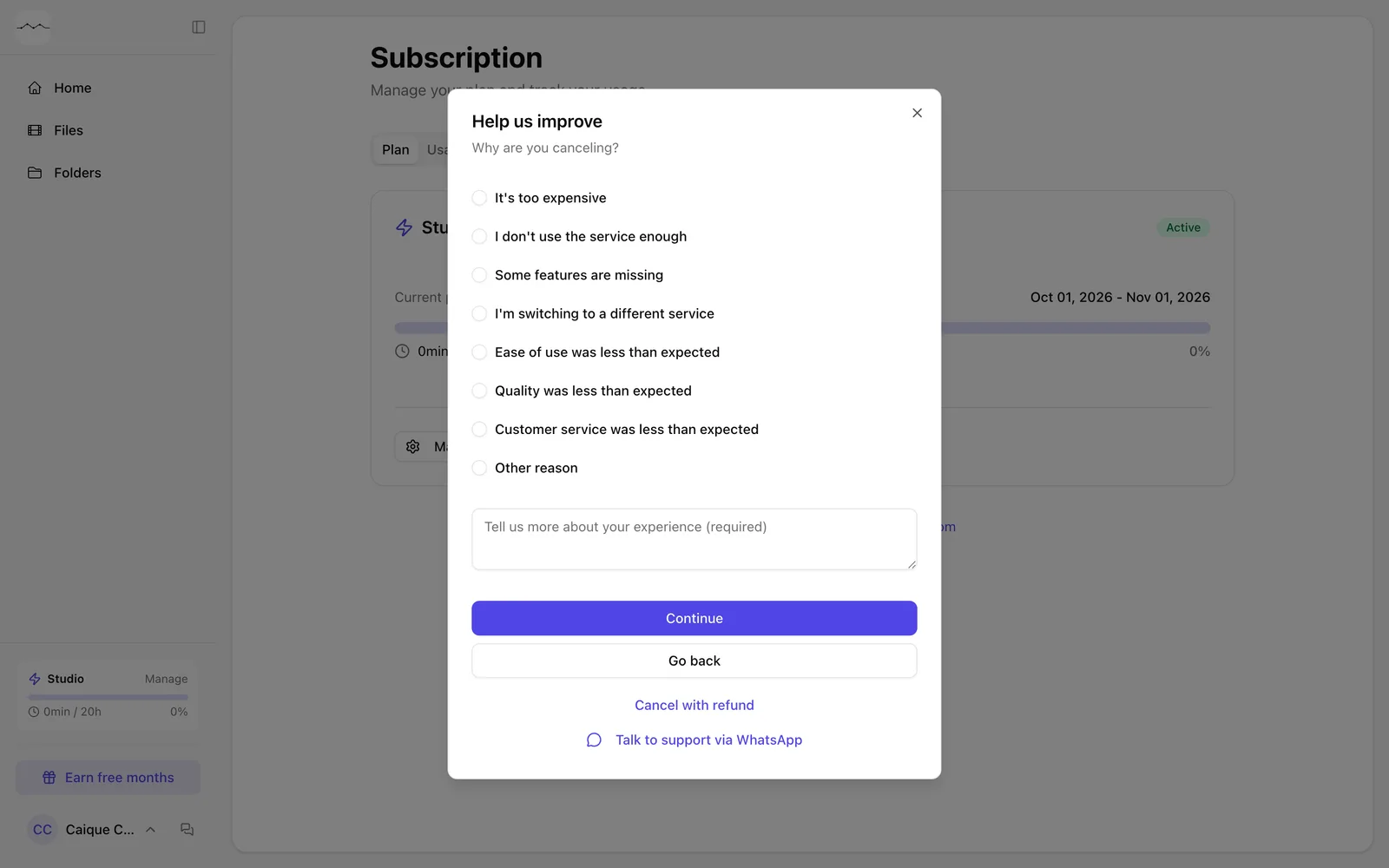
App screenshot The reason step on an account that fits the policy, with Cancel with refund below. -
Step 3: Confirm
Click Cancel with refund. Access ends right away and the refund is sent.
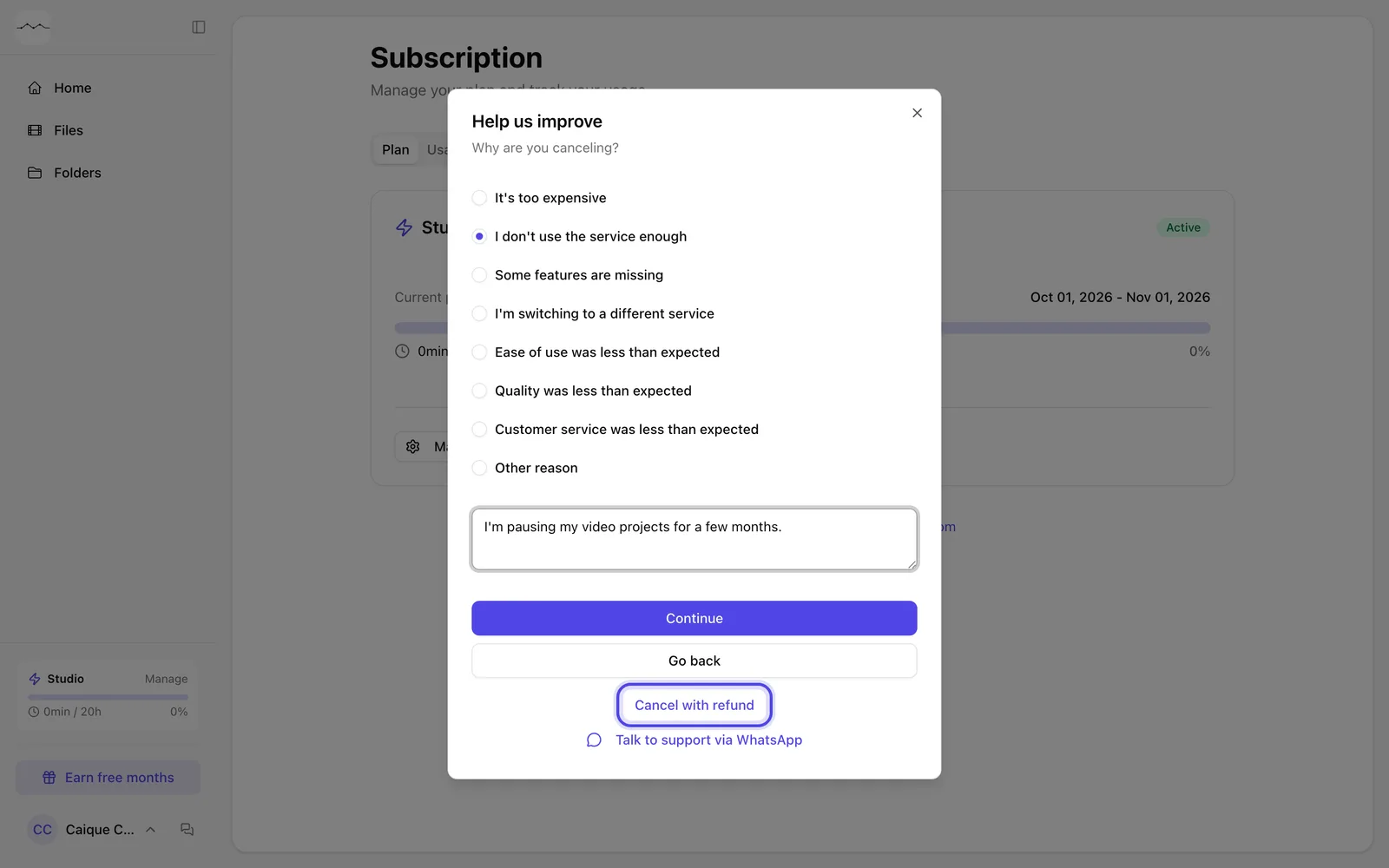
App screenshot Cancel with refund, after the reason and the comment.