
Plan and account
How to change plans

Short answer
On the Subscription page, click Manage subscription and then Update plan. Choose Monthly or Annual and click Change to on the plan you want. When you move up, the price difference is charged right away; when you move down, the credit is applied right away.
Step by step
-
Step 1: Open Update plan
On the Subscription page, click Manage subscription and then Update plan.
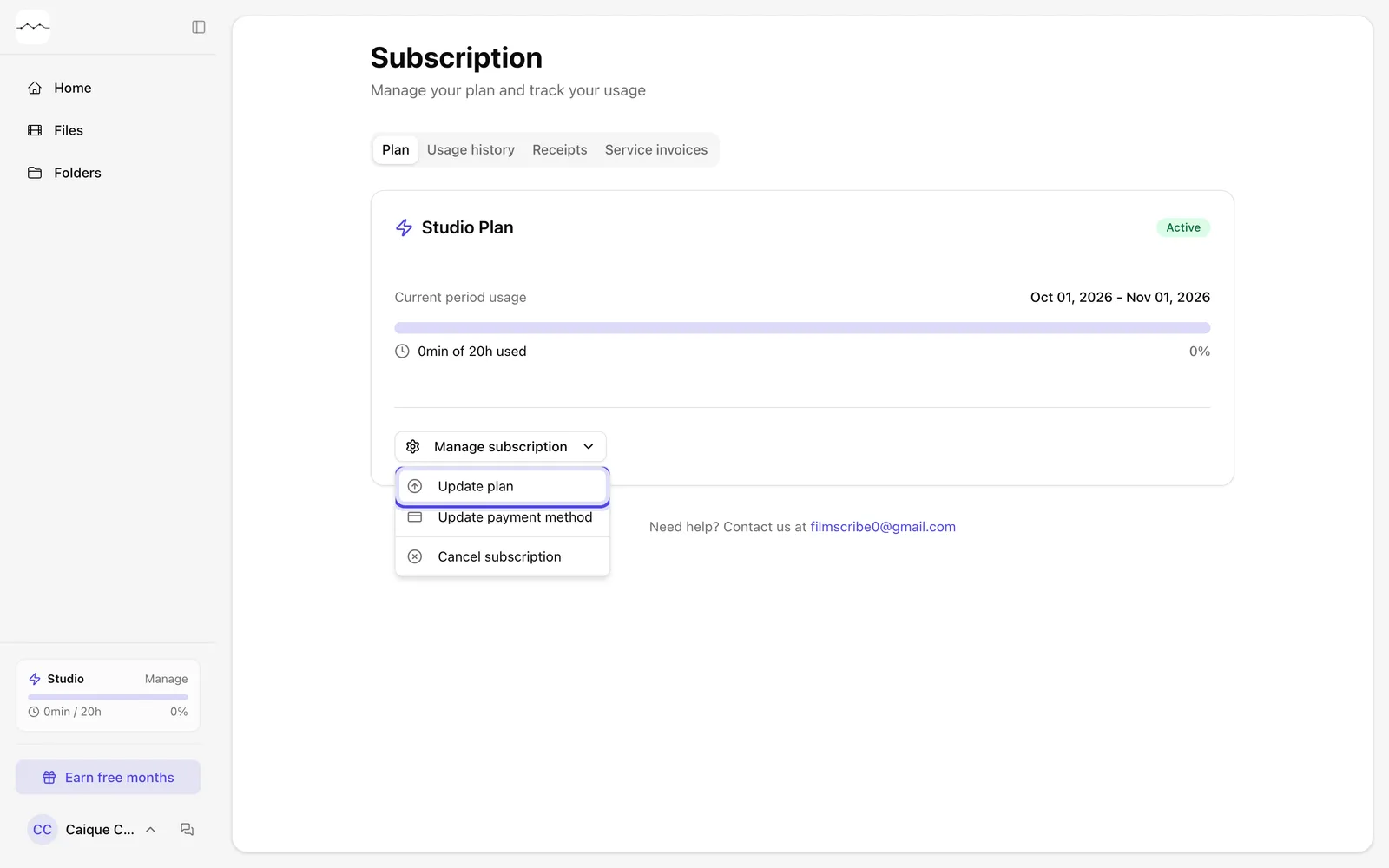
App screenshot The Manage subscription menu. -
Step 2: Choose the plan
In the Update Plan window, choose Monthly or Annual and click the change button on the plan you want. The change takes effect right away.
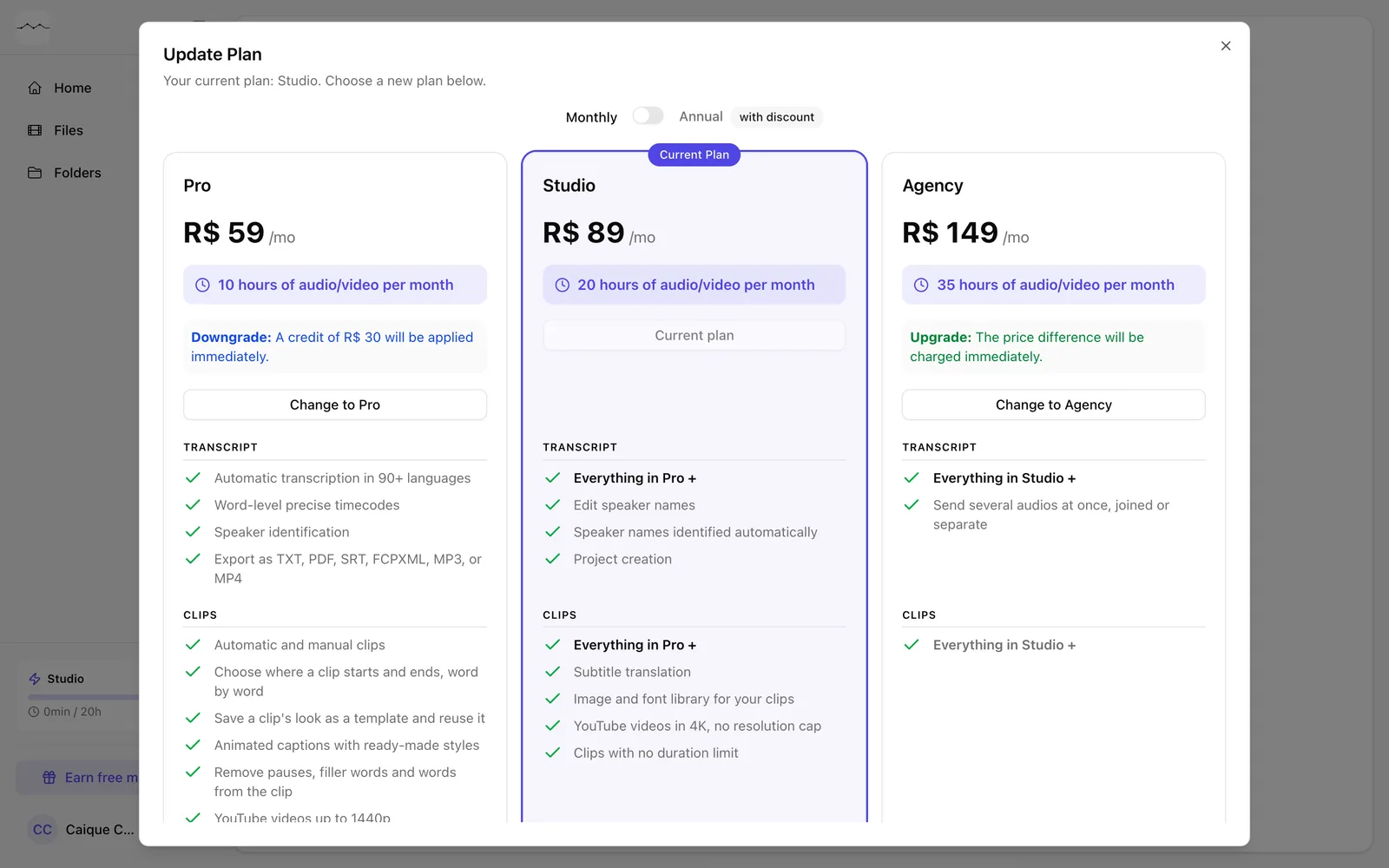
App screenshot The Update Plan window, with the plans and prices.