
How to cancel your subscription

On the Subscription page, click Manage subscription and then Cancel subscription. Check until when you have access, click Continue cancellation, choose the reason, write a comment and finish. You can cancel whenever you want, with no fee, and you keep using FilmScribe until the end of the paid period.
Step by step
-
Step 1: Open Cancel subscription
On the Subscription page, click Manage subscription and then Cancel subscription.
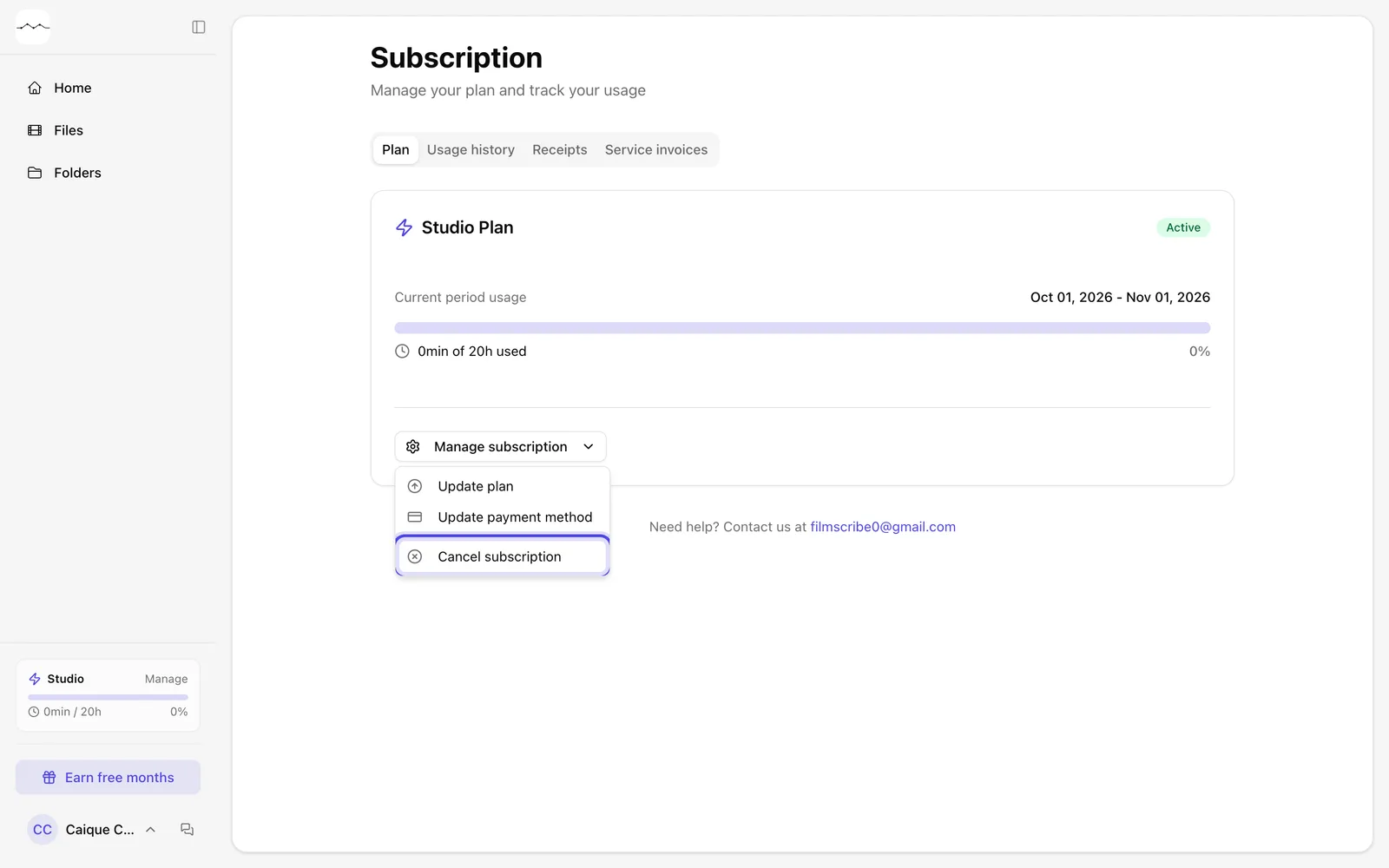
App screenshot Cancel subscription, in the Manage subscription menu. -
Step 2: Check and continue
The first screen, Are you sure?, shows what you have in your account and until when you keep access. Click Continue cancellation.
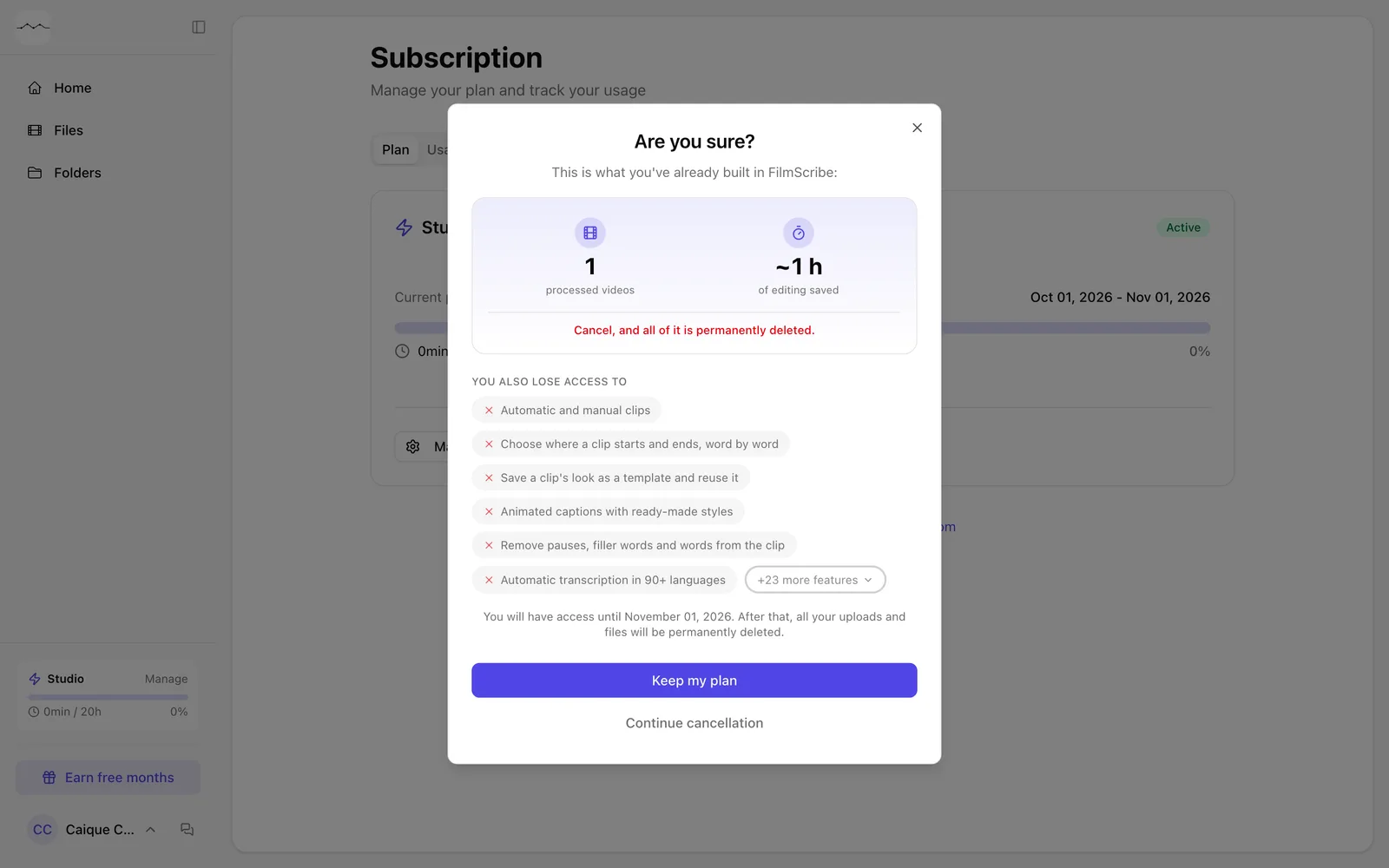
App screenshot The Are you sure? screen. -
Step 3: Give the reason and finish
In Why are you canceling?, choose the reason, write a comment, which is required, and click Continue. Keep going until you see Cancellation scheduled.
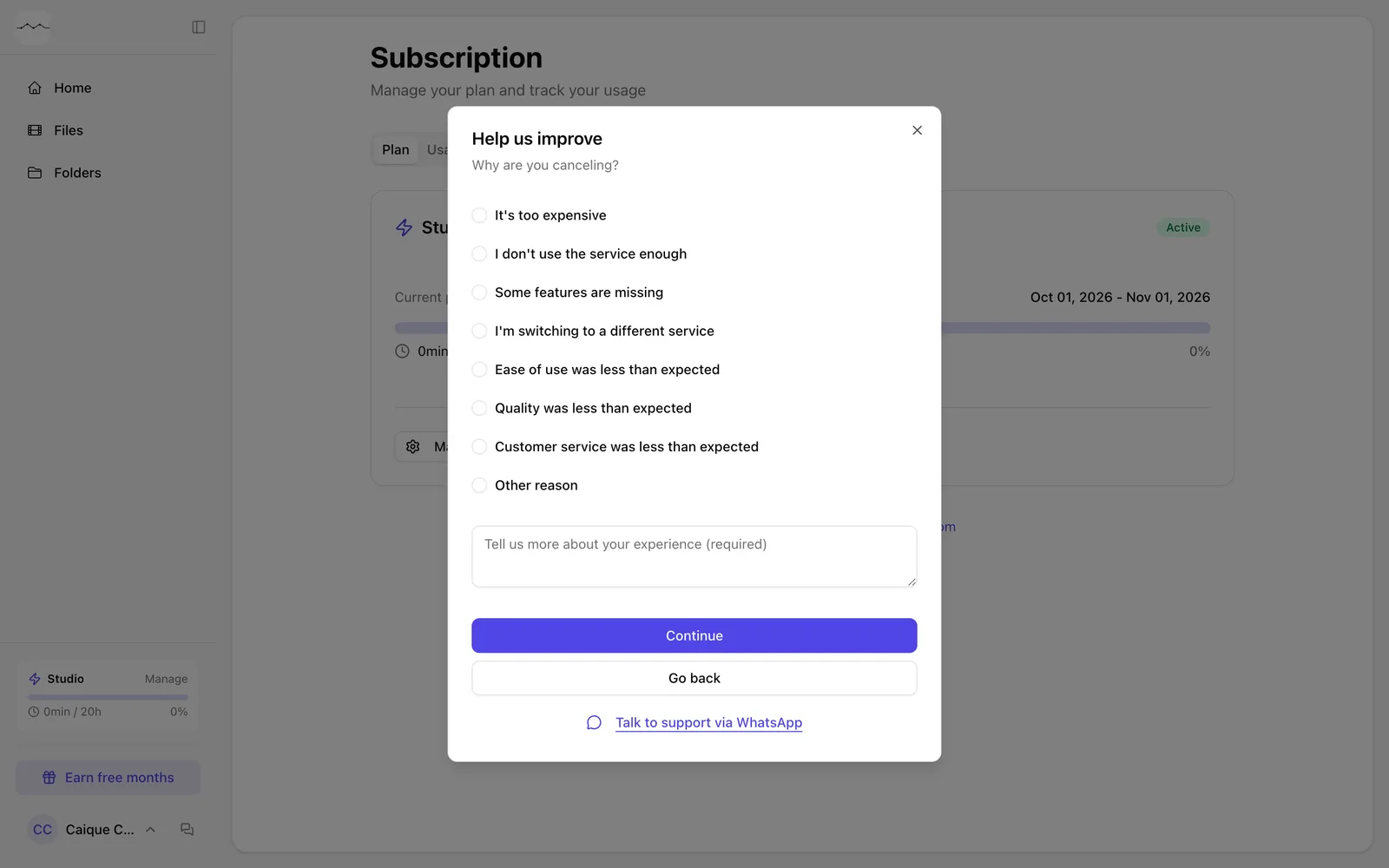
App screenshot Choosing the reason for canceling.
Optional steps
You don't need these steps to finish the task. Use them if you want.
-
OptionalChange your mind
While the cancellation is scheduled, the page shows Reactivate subscription. Click it to keep your plan.
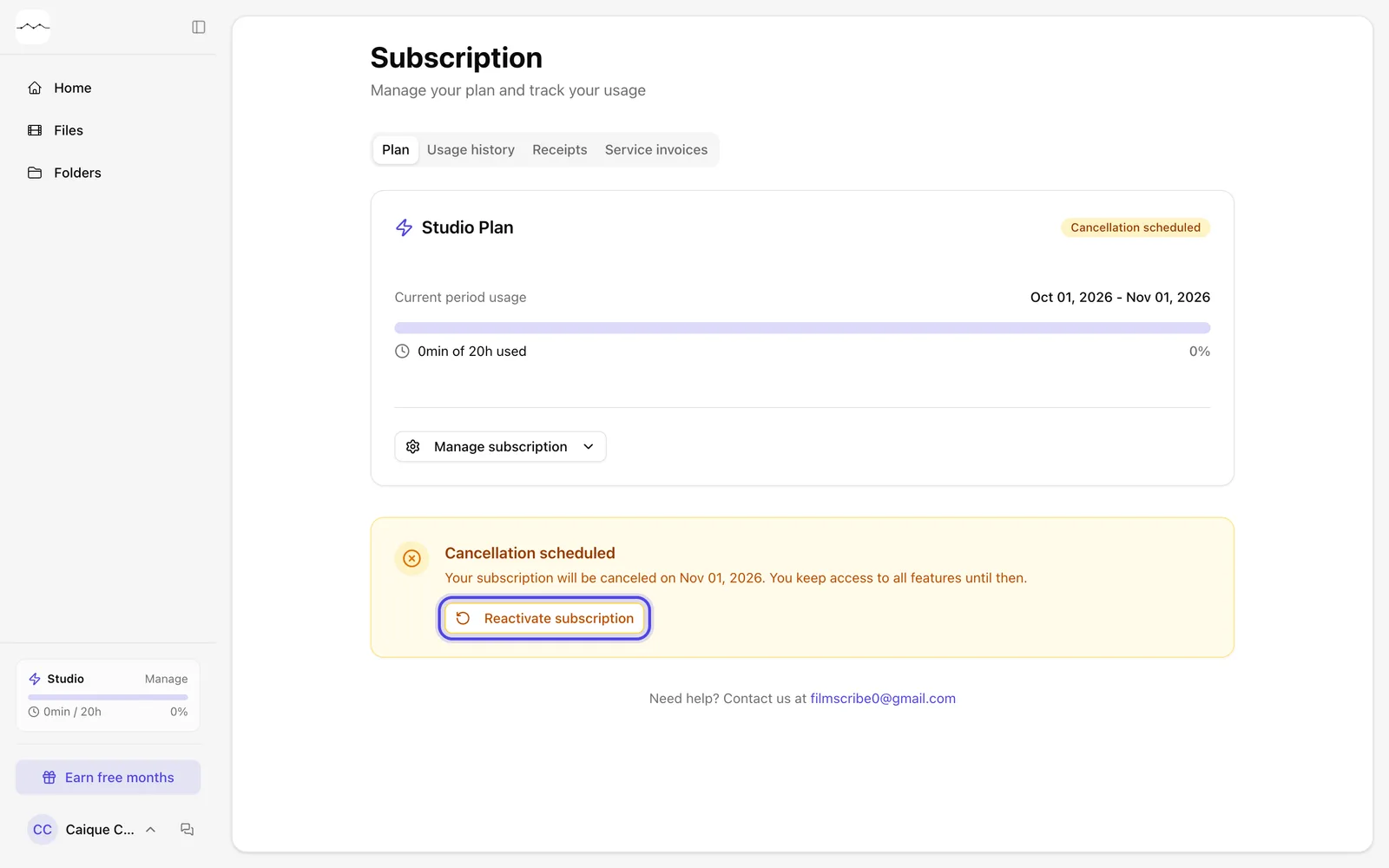
App screenshot The Cancellation scheduled notice, with Reactivate subscription.