
Plan and account
Where to download receipts and service invoices

Short answer
On the Subscription page, the Receipts tab has the proof of each card charge, to view or download as a PDF. The Service invoices tab has the Brazilian service invoice (NFS-e) for each payment. To have the invoice issued in your name, fill in CPF or CNPJ in your Profile.
Step by step
-
Step 1: Open Receipts
On the Subscription page, open the Receipts tab. Each charge has View receipt and PDF.
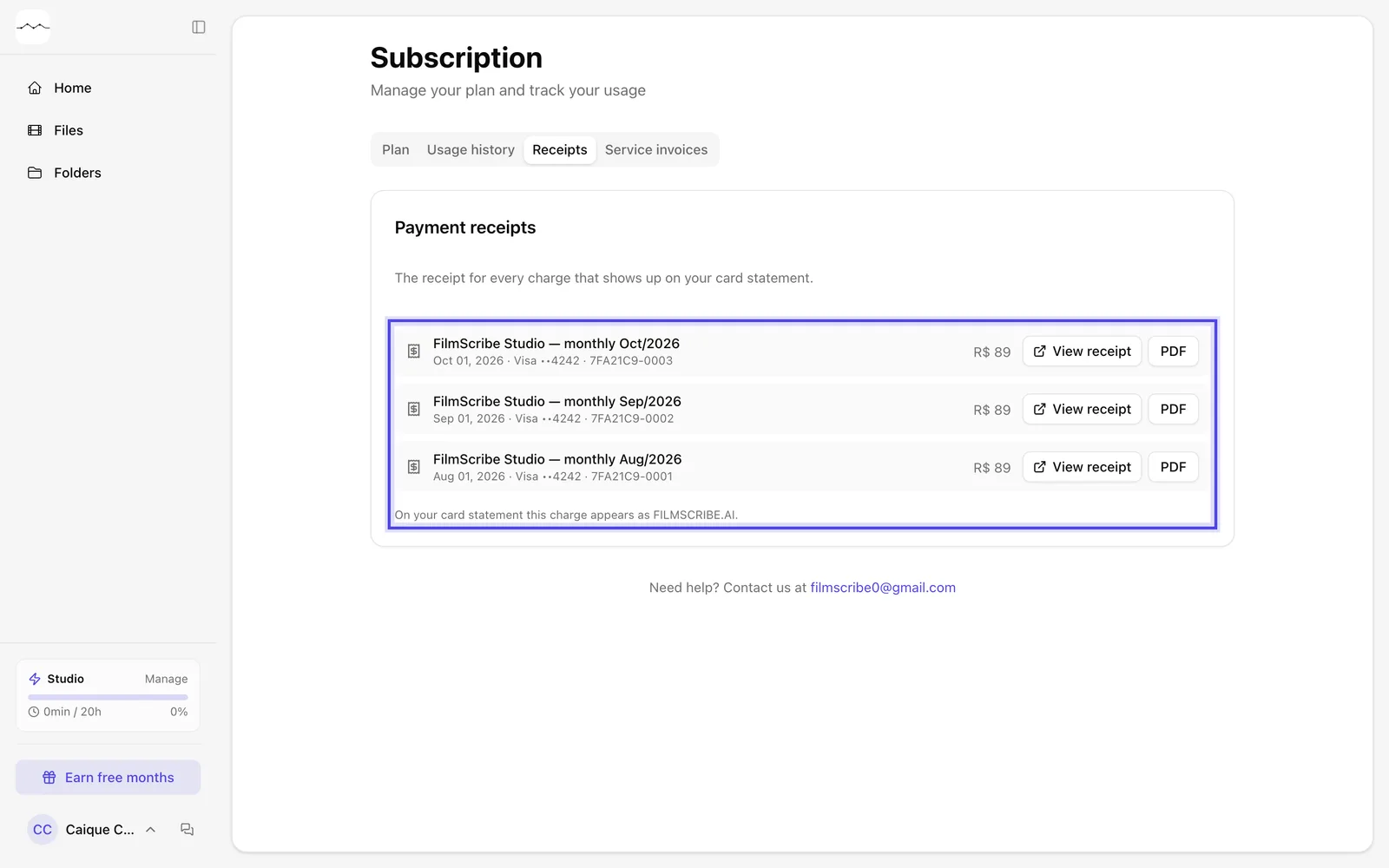
App screenshot The Receipts tab, with one charge per month. -
Step 2: Open Service invoices
The Service invoices tab holds your Brazilian service invoices (NFS-e), one for each payment. They show up after each payment.
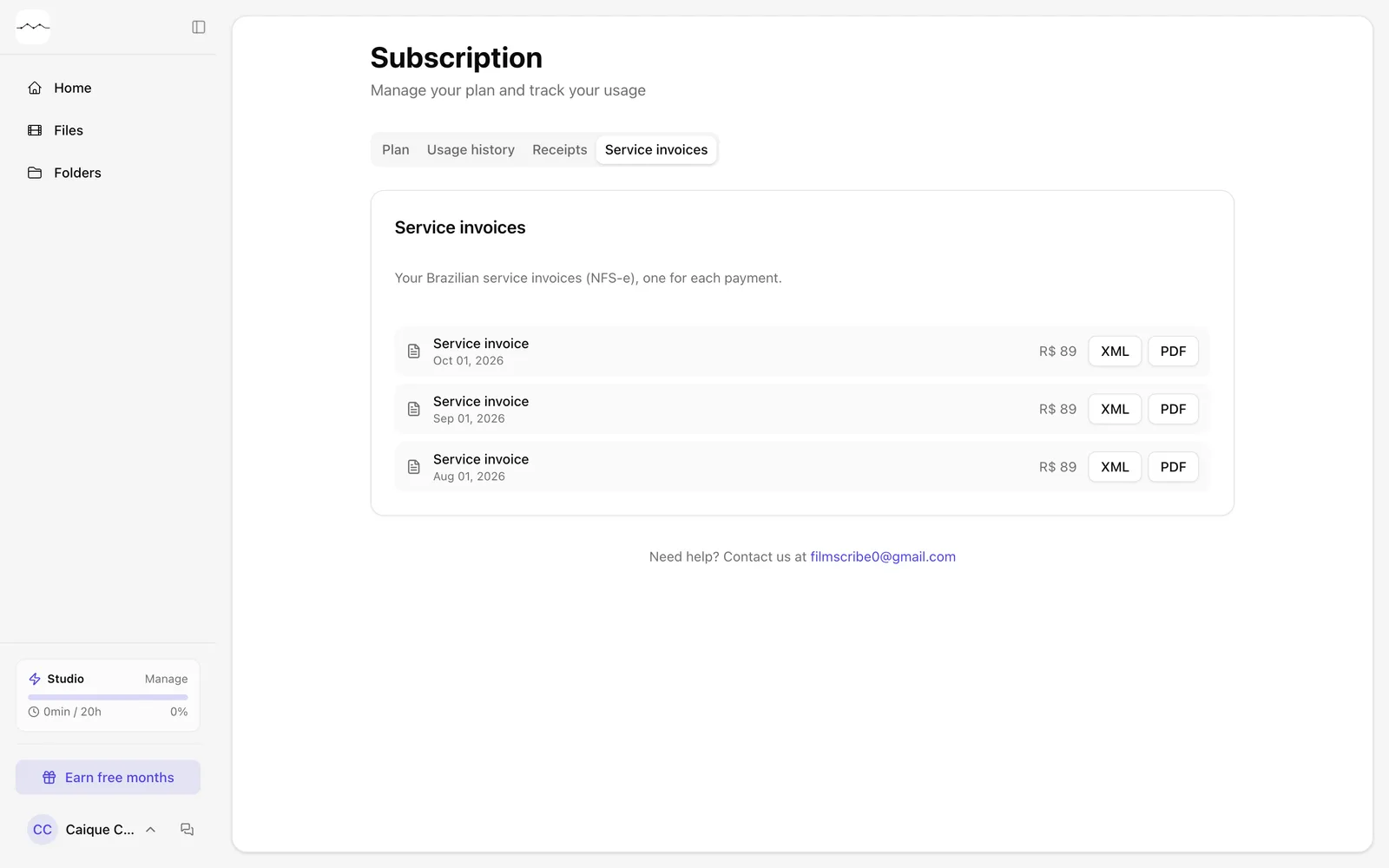
App screenshot The Service invoices tab, with one invoice per payment.
Optional steps
You don't need these steps to finish the task. Use them if you want.
-
OptionalPut the invoice in your name
On the Account tab of your Profile, fill in CPF or CNPJ (optional) and click Save.
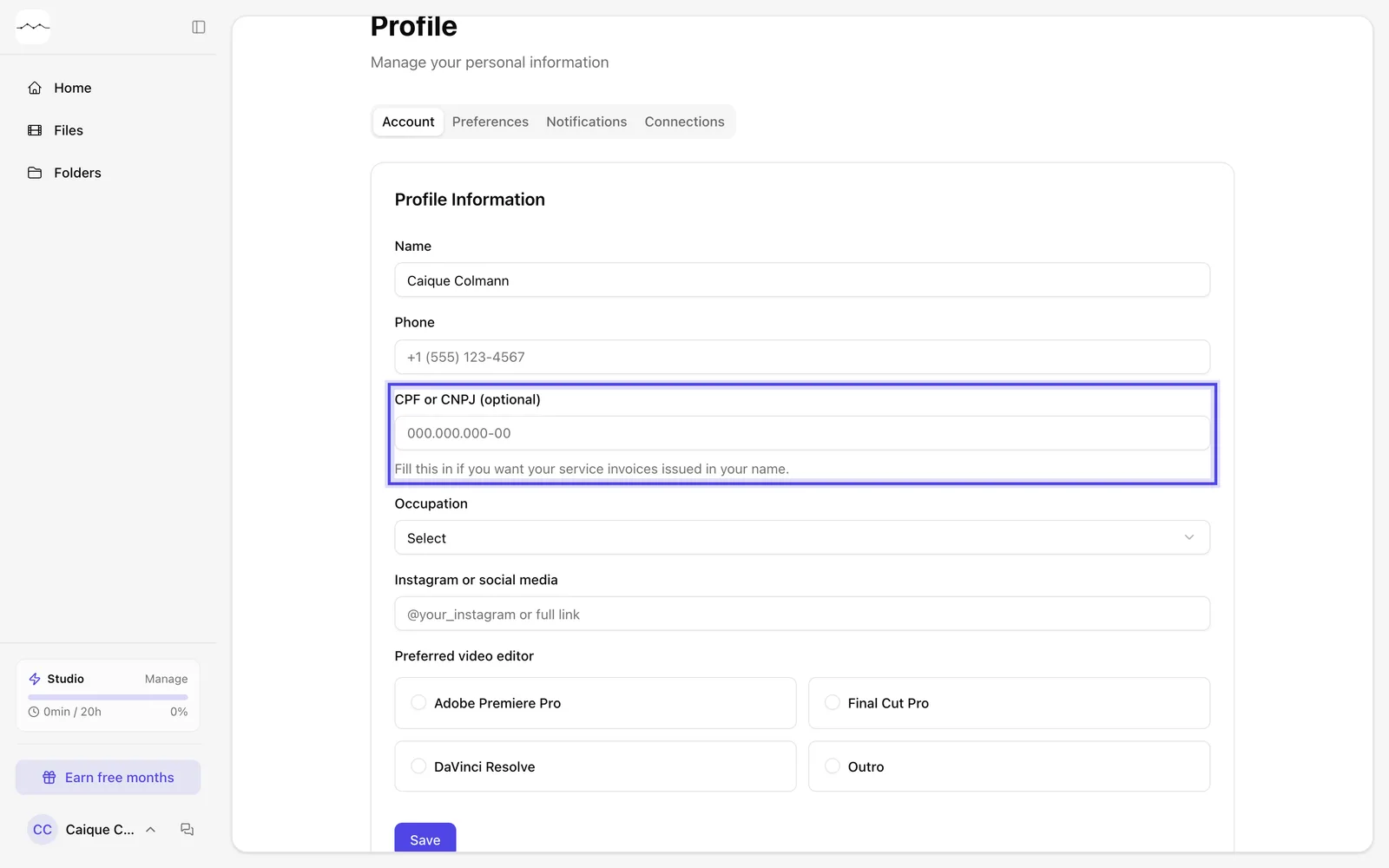
App screenshot The CPF or CNPJ (optional) field, on the Account tab of the Profile.