
How to update, undo and cancel in the plugin

When something changes, the plugin tells you: the pill at the top says how many changes there are or that the timeline changed, and each module shows if it is applied, outdated or not applied. Updating replaces only what that module brought. Removing a module undoes it, undoing everything undoes them all, and cancel stops a job halfway.
Step by step
-
Step 1: See if the timeline changed
If you changed the timeline's audio after sending it, the top of the plugin shows Timeline changed and the home page says how much audio was added or removed. Click Update FilmScribe to send the new audio, or Keep as is.
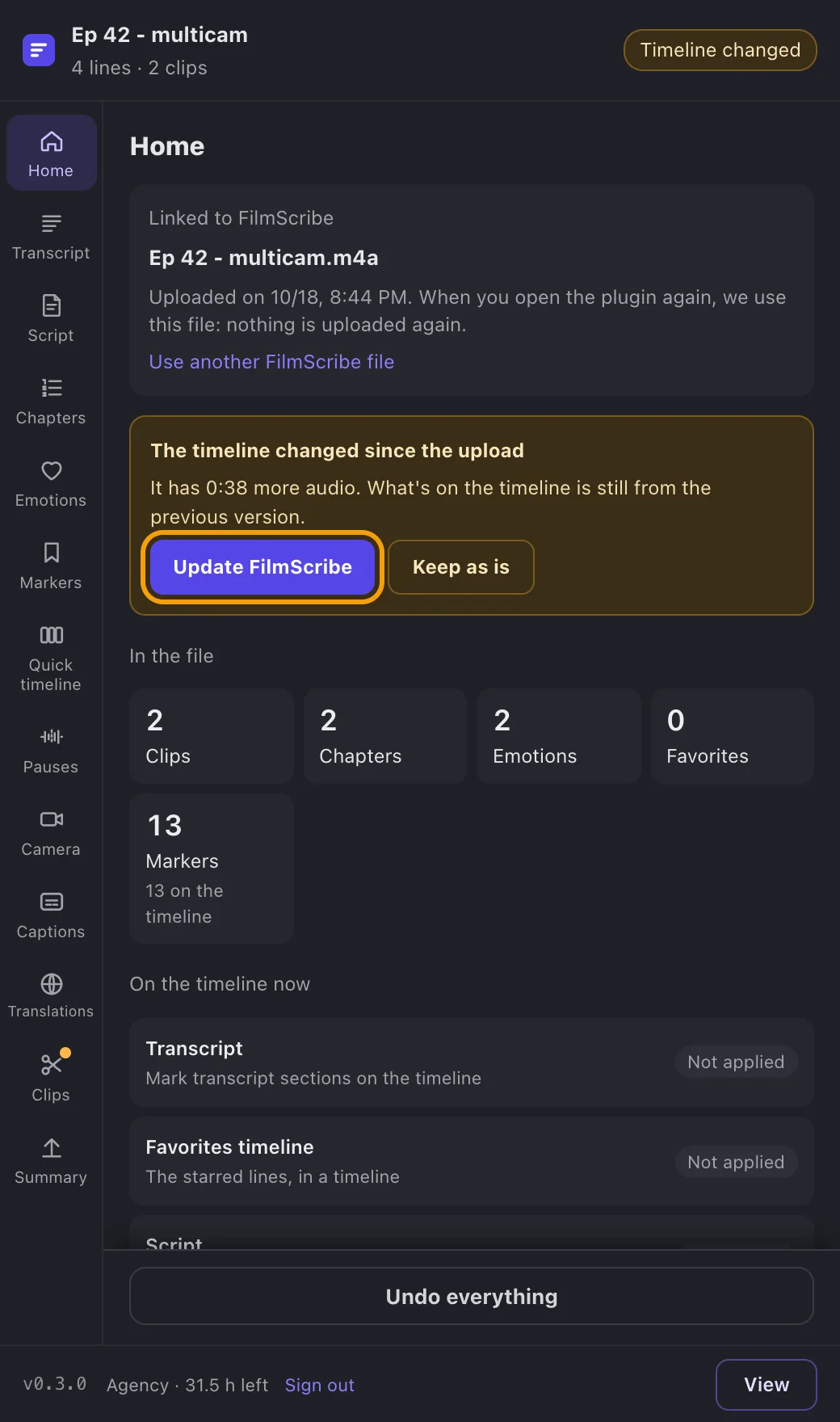
App screenshot The timeline changed warning, with Update FilmScribe and Keep it as is. -
Step 2: Update what is outdated
On the home page, under On the timeline now, each module shows Applied, Outdated or Not applied. Open an outdated module and click Update: only what that module brought is replaced, and what is yours stays as it is.
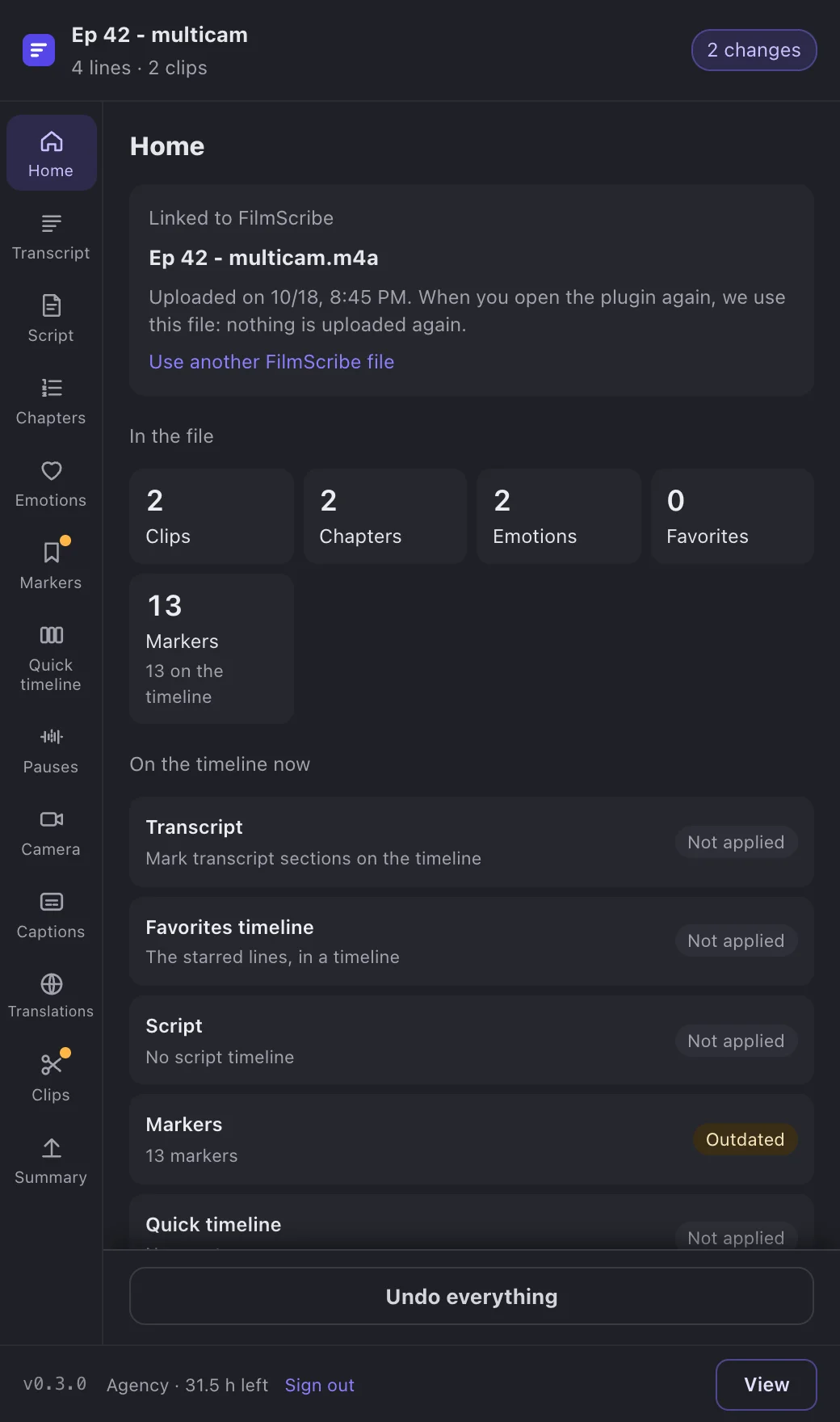
App screenshot The home page with outdated modules and the changes counted at the top. -
Step 3: Undo one module or everything
In each module, Remove from timeline takes out only what it brought. On the home page, Undo everything takes out everything the plugin brought and leaves the project as it was. Your own markers, timelines, tracks and clips are never touched.
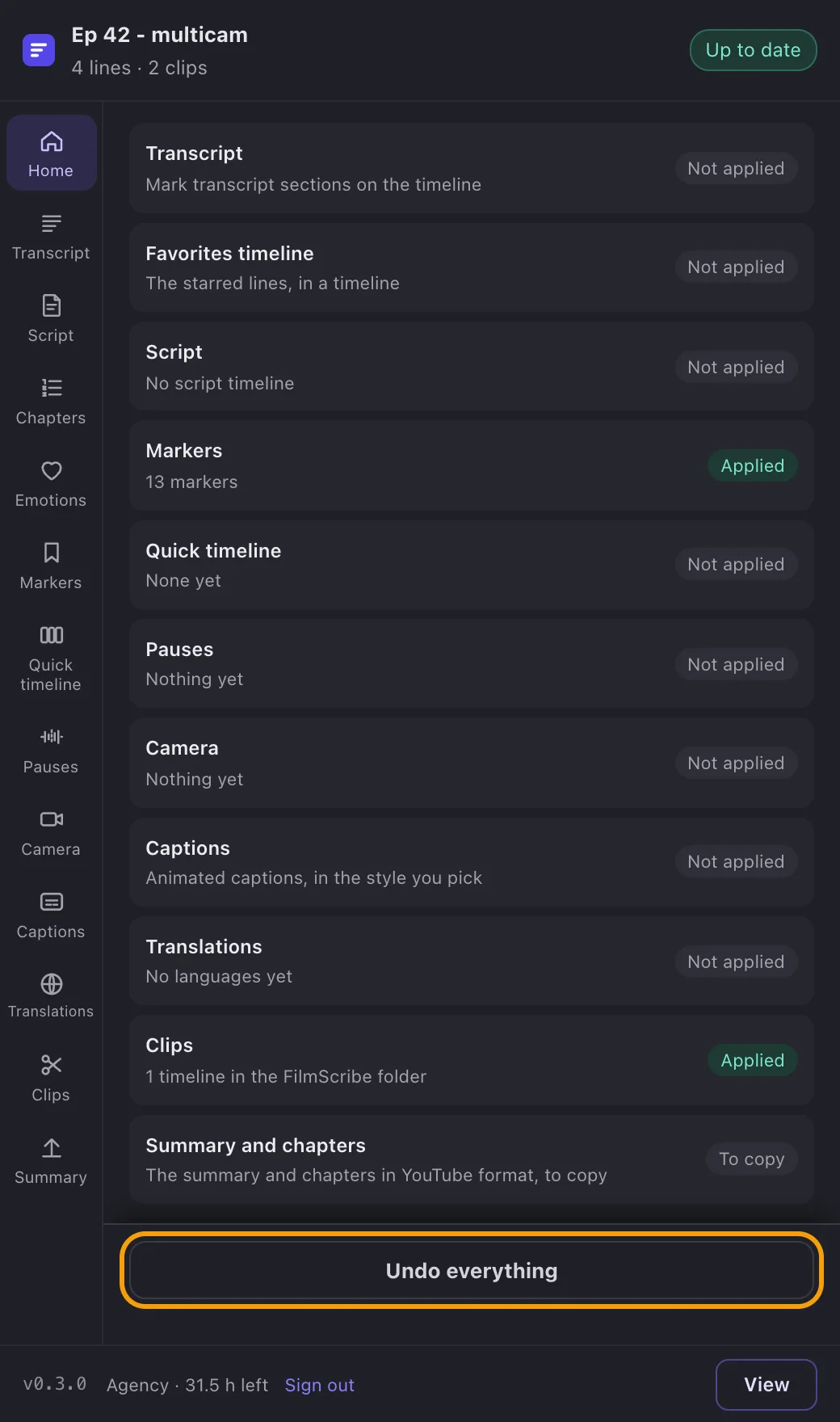
App screenshot Undo everything, on the plugin's home page.
Optional steps
You don't need these steps to finish the task. Use them if you want.
-
OptionalCancel a job
While a job runs, the bar at the top has Cancel. The plugin takes out what had already gone in and the timeline stays as it was. Once a swap has started in DaVinci, the button turns off and says why.
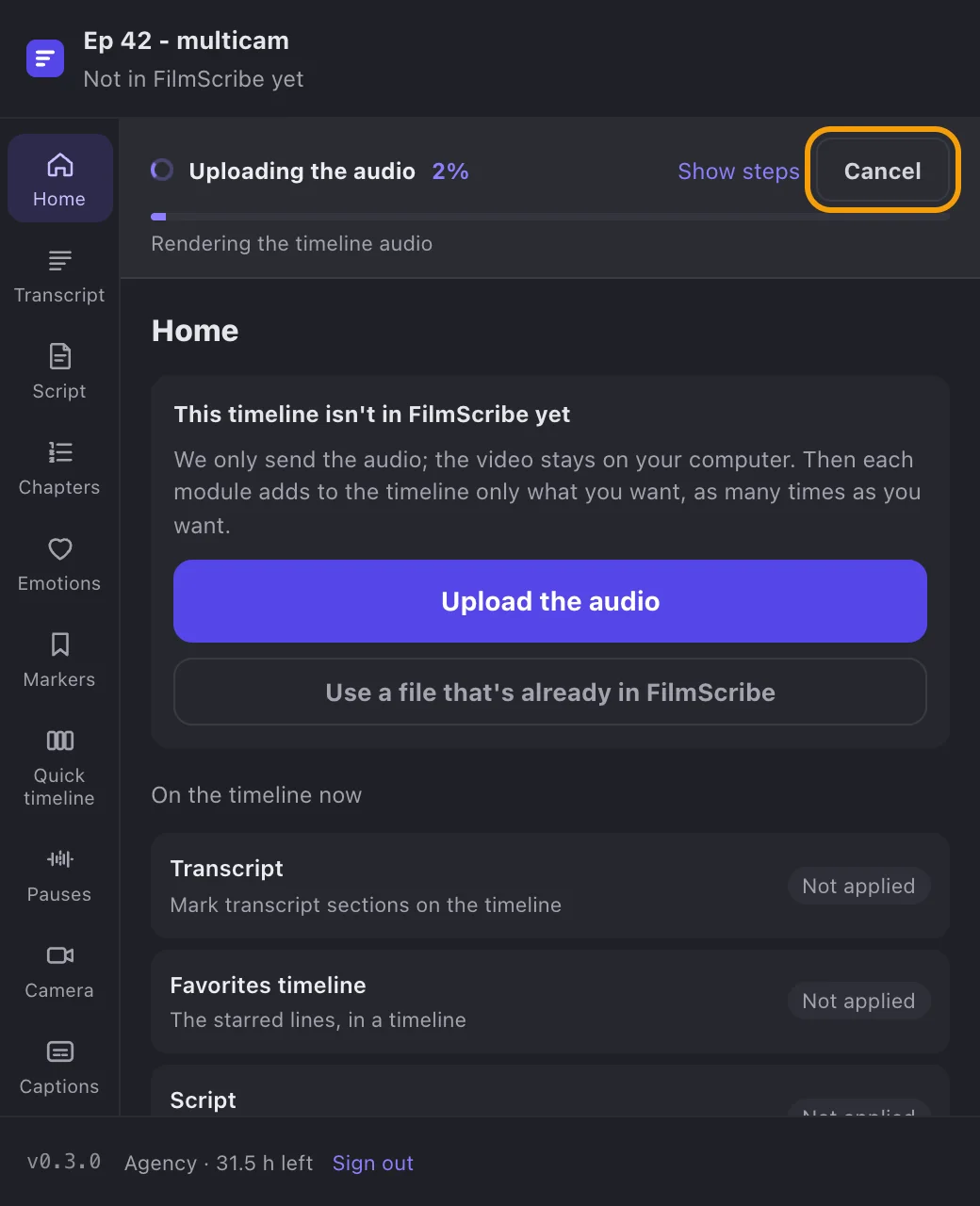
App screenshot The bar of a running job, with Cancel.