
How to use the transcript, scripts and quick timeline in DaVinci

In Transcript, the line playing in DaVinci is highlighted and clicking a line moves the playhead there. Pick lines to mark a passage on your timeline or to build a quick timeline, with the passages in any order you like. In Script, ask for a script and bring its timeline, cut from yours.
Before you start
Send the timeline from the plugin and wait for the file to be ready.
Step by step
-
Step 1: Open the transcript
In the left column, click Transcript. Each line has its time and speaker, and the line playing in DaVinci is highlighted. Click a line and DaVinci's playhead goes there.
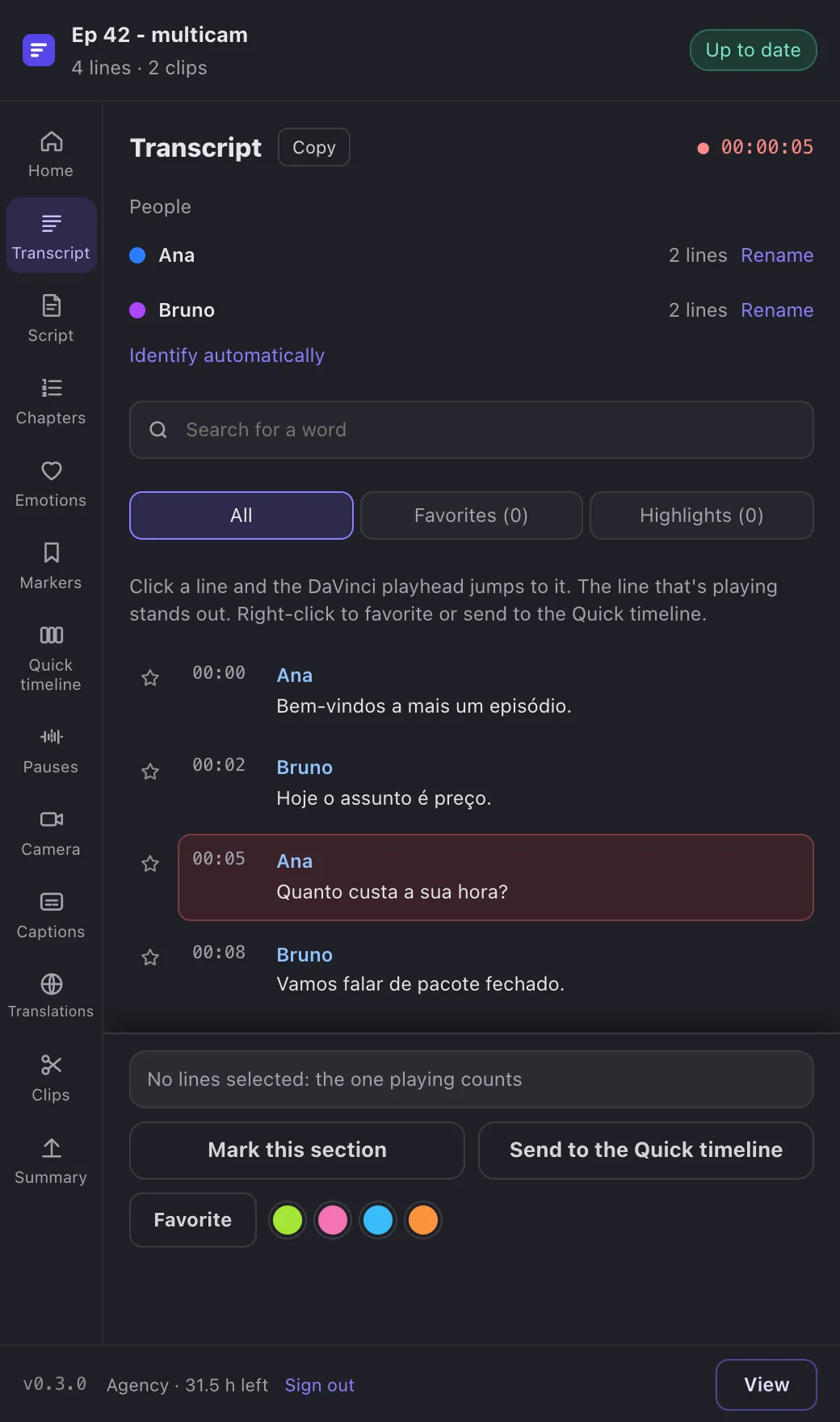
App screenshot The transcript in the plugin, with the line that's playing highlighted. -
Step 2: Mark a passage
Tap lines to pick a passage and click Mark this section. A marker goes on your timeline, with the start of the line in its name and the full line in its note.
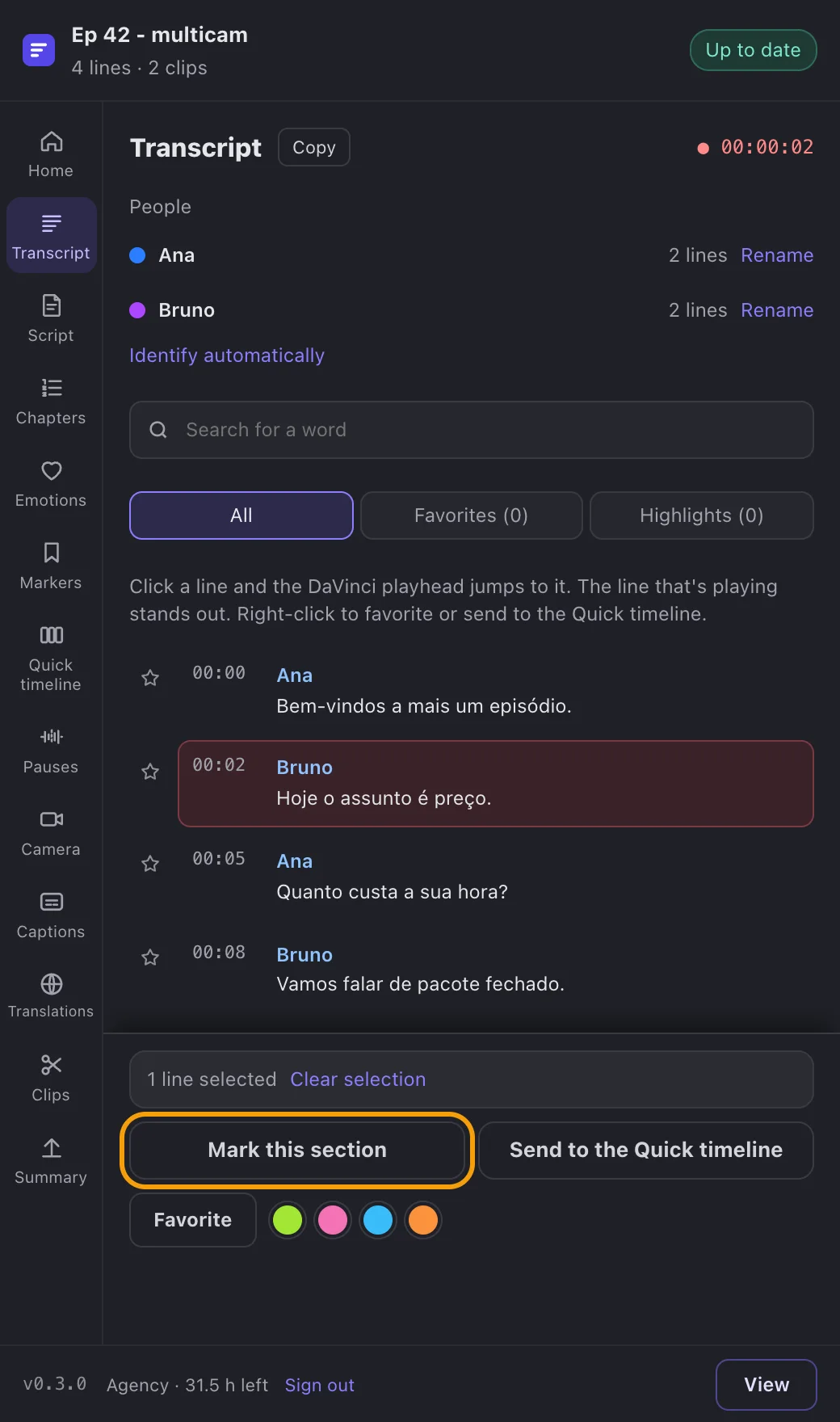
App screenshot One line picked and the Mark this passage button. -
Step 3: Build a quick timeline
Pick lines from anywhere and click Send to the Quick timeline. In the quick timeline, change the order, give it a name and the gap between passages, and click Create the timeline with N sections. It comes out cut from your timeline, with your cameras.
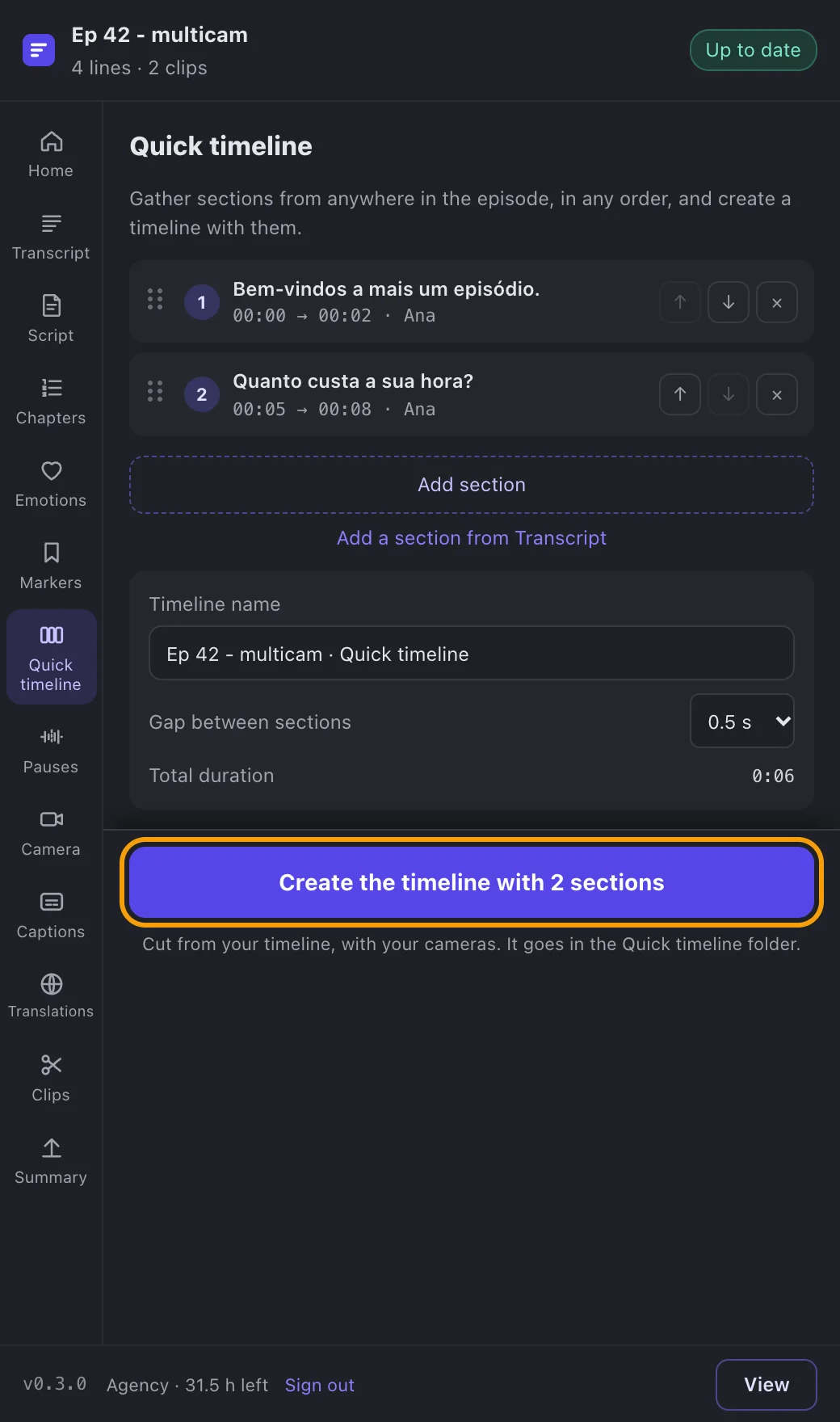
App screenshot The quick timeline with the picked passages and the button that creates it. -
Step 4: Bring a script's timeline
In Script, click New script, choose Teaser or Full film and click Write directly. When the script is ready, click Add the script timeline: we cut your timeline on the lines it quotes.
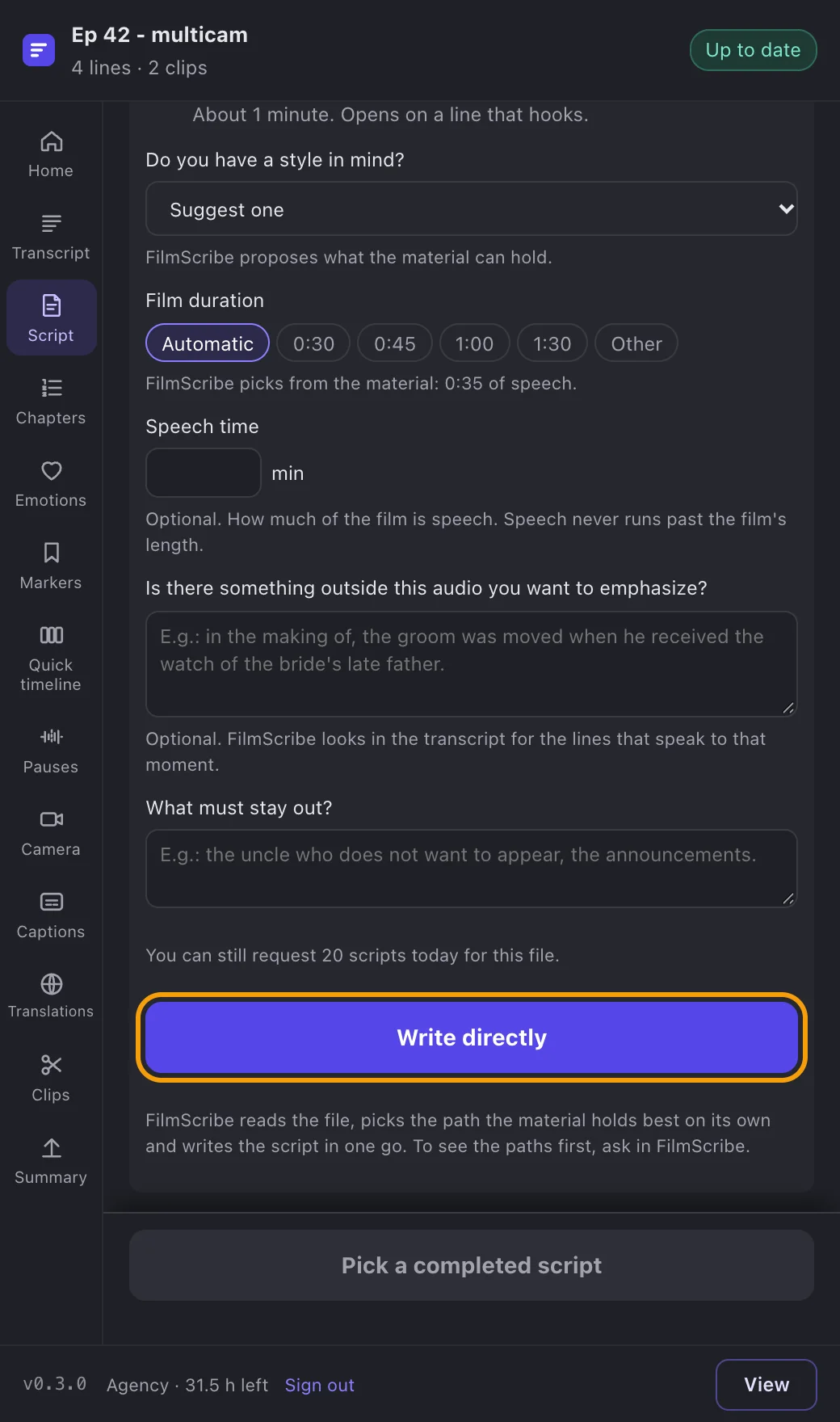
App screenshot A new script in the plugin, with the app's questions.