
How to choose and save a caption style

In the Download clip window, open Captions in the right menu. On the Styles tab, filter by category or search and click a style: the caption shows up in the preview. After adjusting the font and effects, Save caption style keeps everything under a name, and Use as default applies that style automatically to your next clips.
Step by step
-
Step 1: Open Captions
In the Download clip window, open Captions in the right menu. The Styles tab shows the styles by category, such as All, Viral and Karaoke, and the Search style, font or effect box.
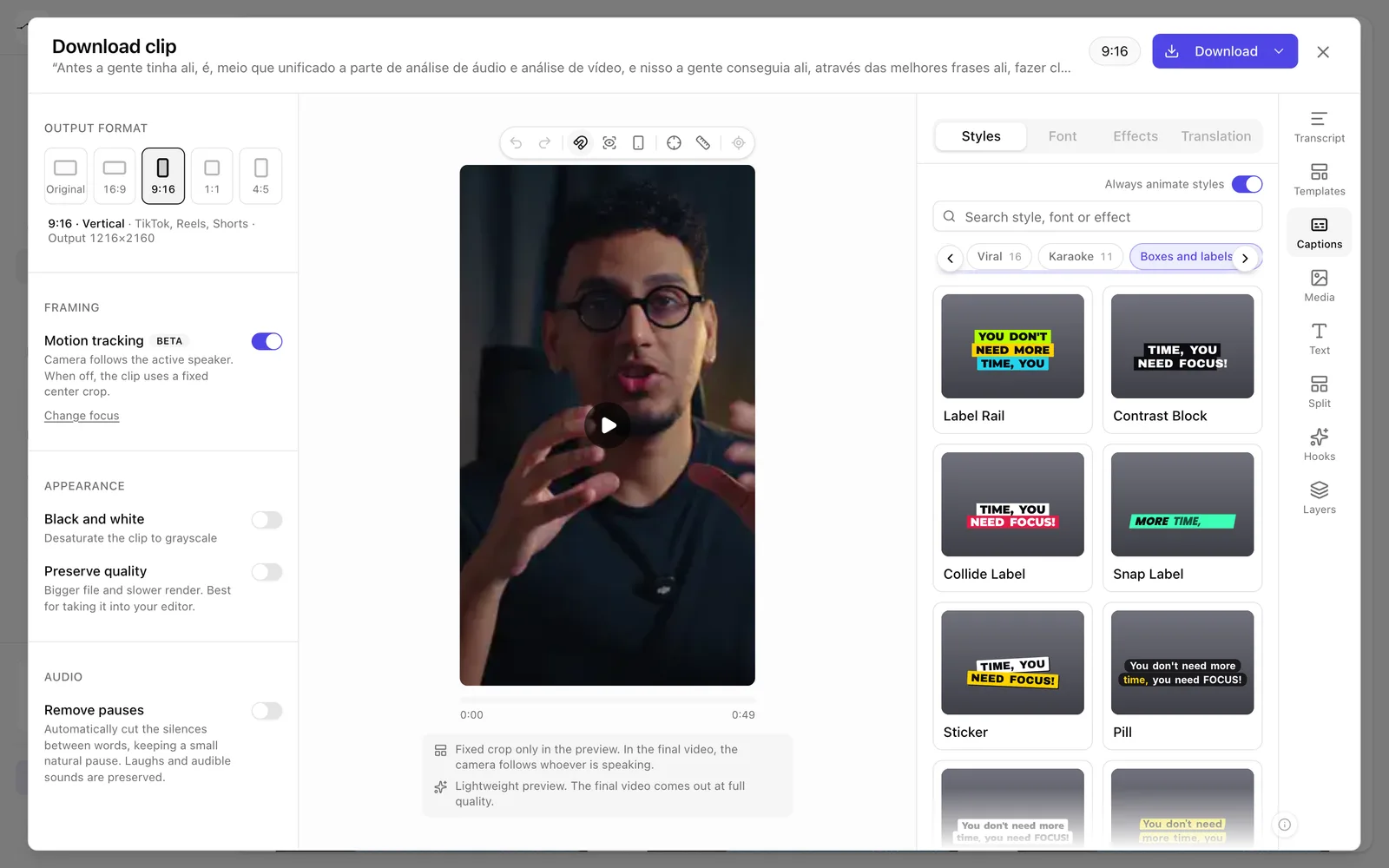
App screenshot The Styles tab, with the categories. -
Step 2: Click a style
Click the style you want. The caption shows up in the preview, and the Font, Effects and Translation tabs unlock.
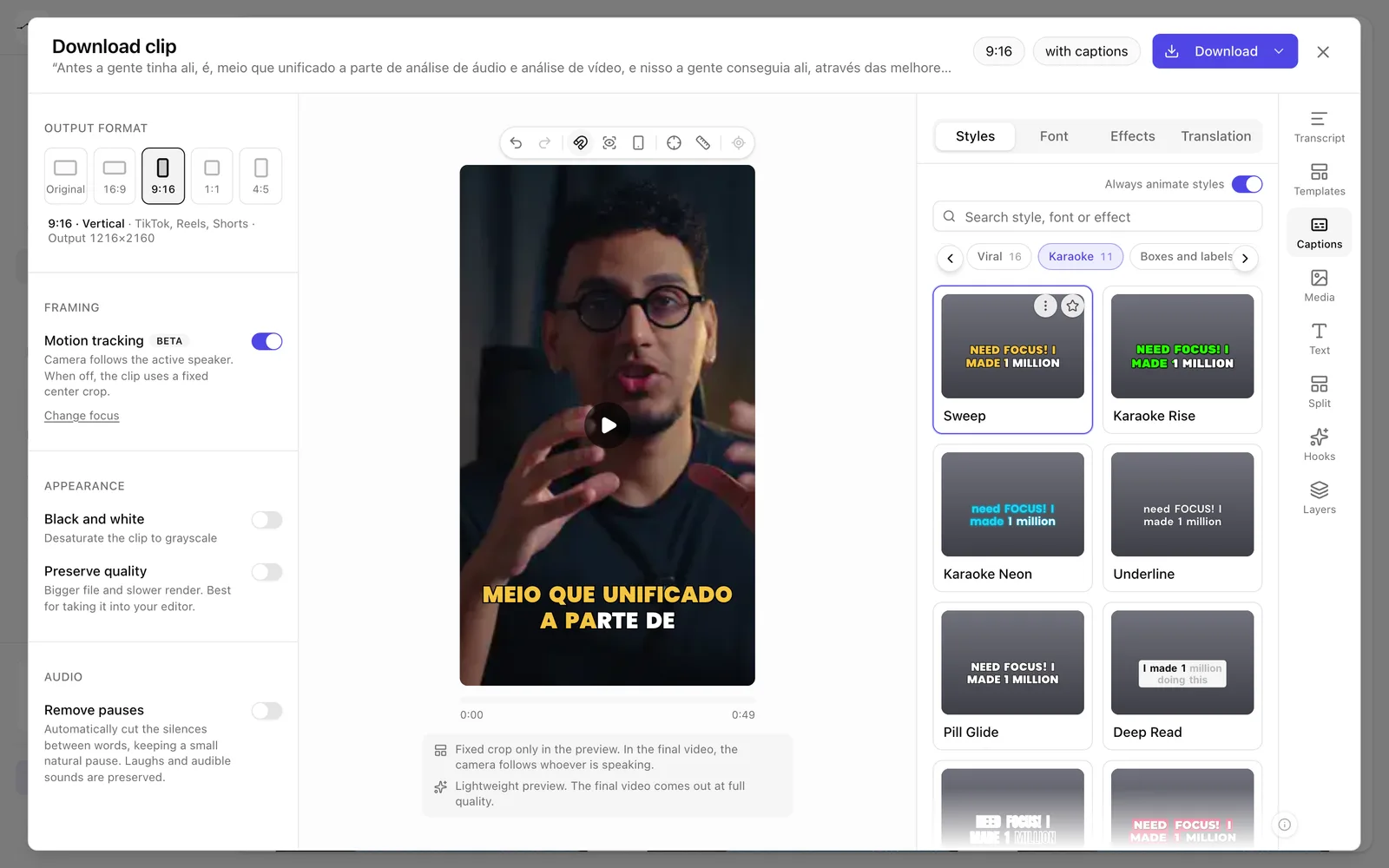
App screenshot A chosen style, with the caption in the preview.
Optional steps
You don't need these steps to finish the task. Use them if you want.
-
OptionalSave your style
After adjusting, click Save caption style, give it a Name and click Save style. Check Use as default so it's already applied next time. Yours sit in My styles.
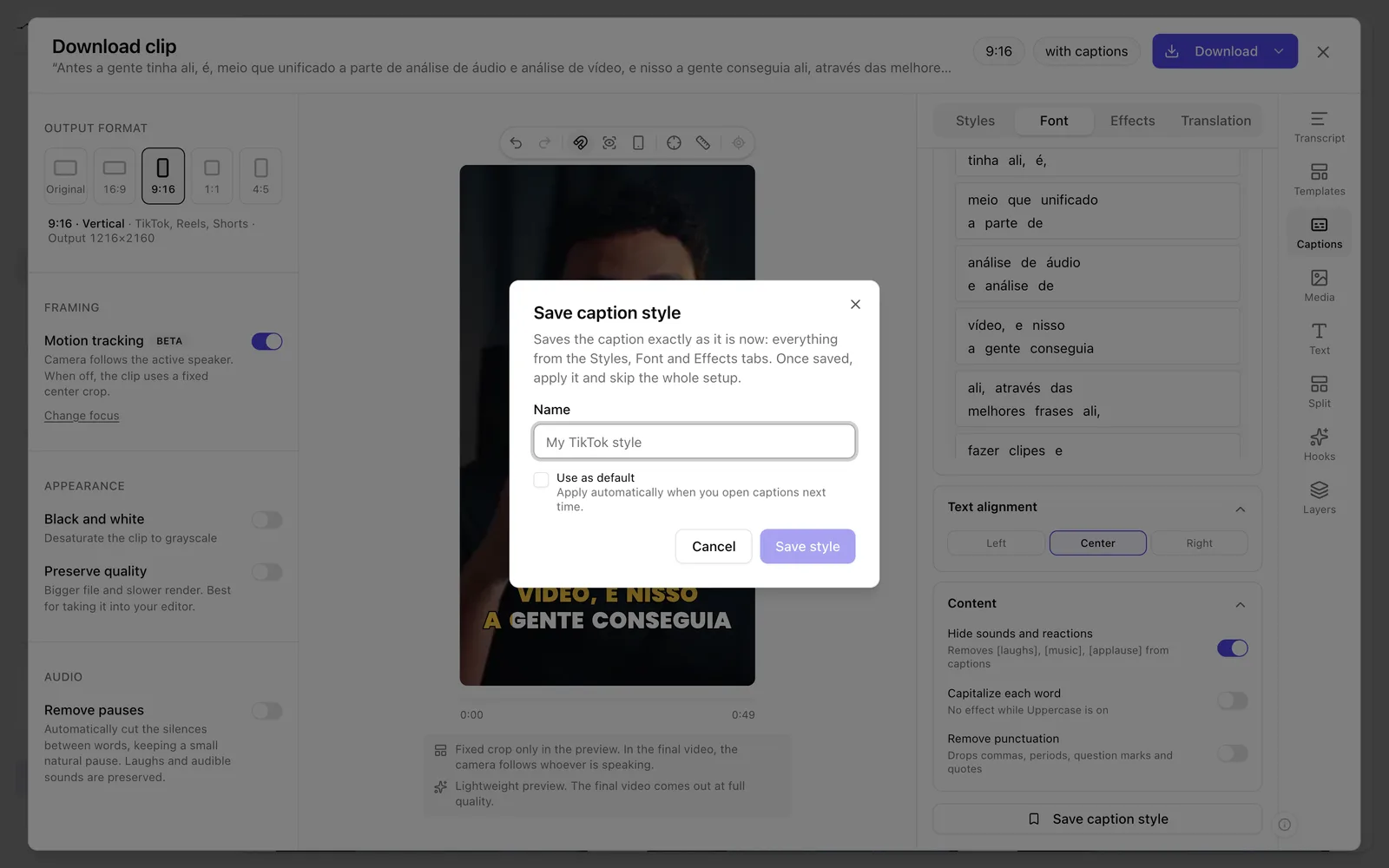
App screenshot The Save caption style window. -
OptionalFavorite styles
Click a style's star to add it to Favorites.
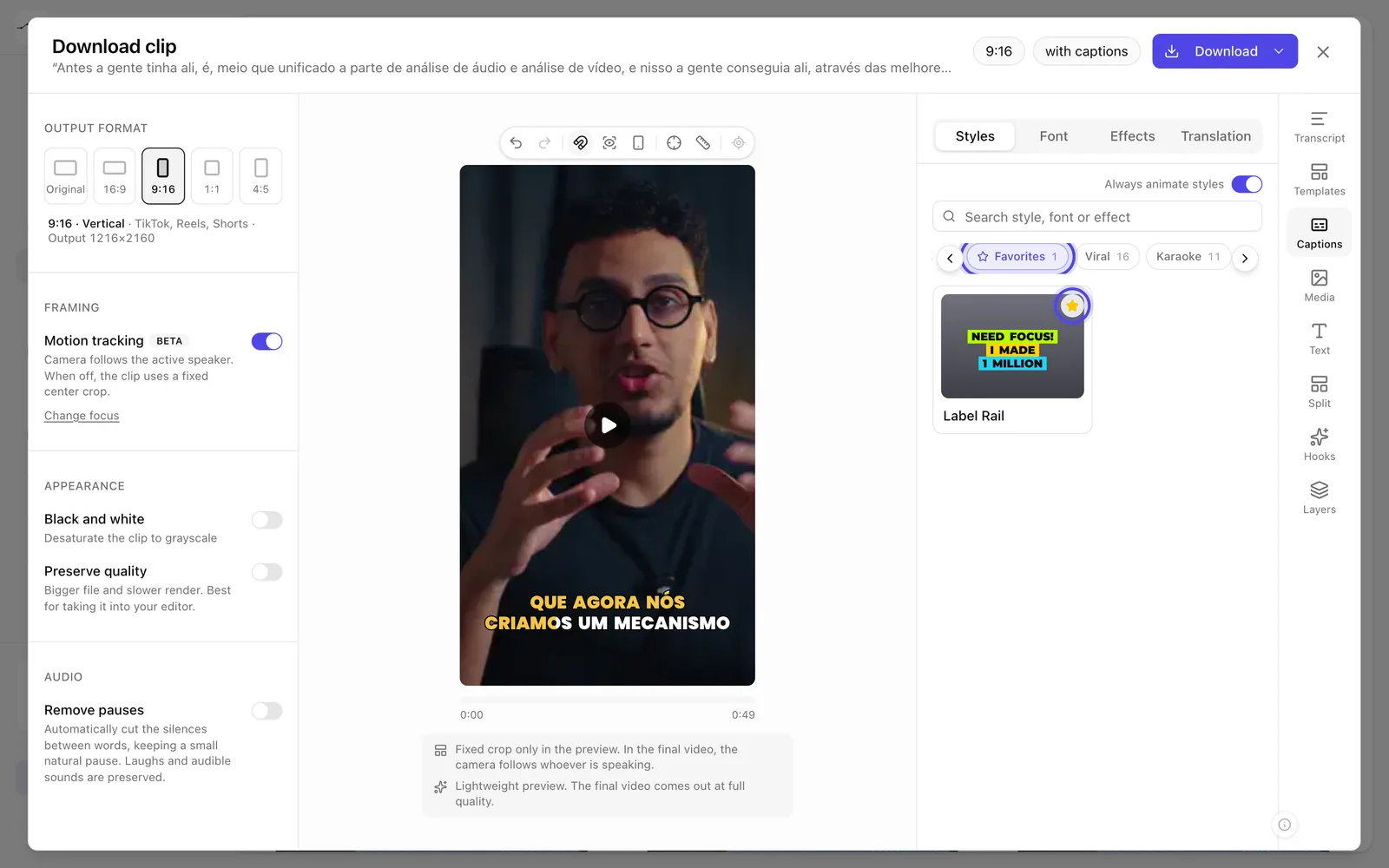
App screenshot A starred style, under Favorites.