
How to remove pauses and filler words

In the Download clip window, scroll down to Audio and turn on Remove pauses. The silences between words are cut, while laughter and audible sounds stay. Choose the intensity, Light, Balanced or Strong, and turn on Remove filler words to take out interjections like uh, um and hmm.
Step by step
-
Step 1: Open Download clip
On the Clips page, click Download clip on the card.

App screenshot The Download clip button on the card. -
Step 2: Turn on Remove pauses
In the left panel, under Audio, turn on Remove pauses. The silences between words are cut, leaving a short natural pause, while laughter and audible sounds stay.
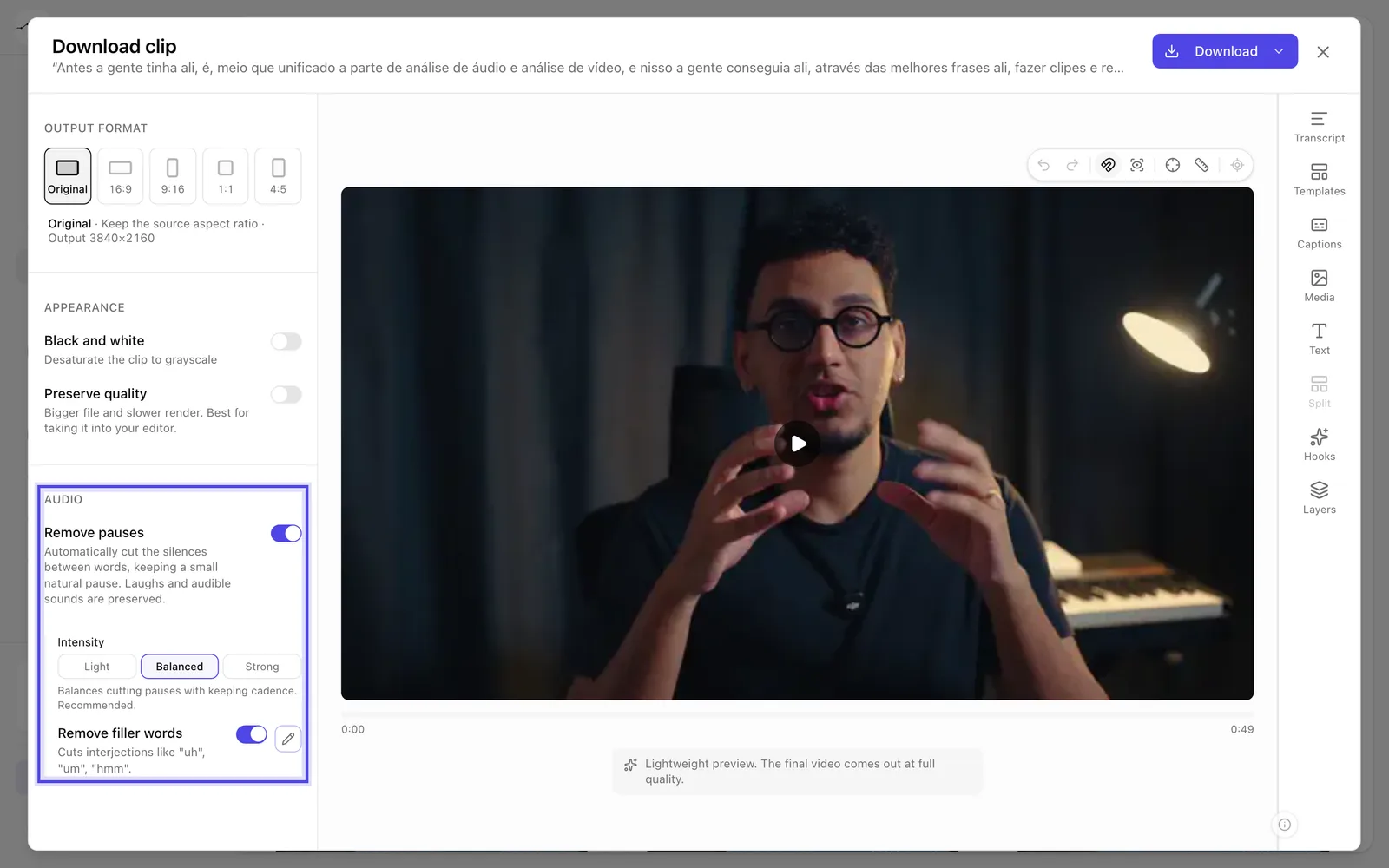
App screenshot Remove pauses turned on, with the intensity and Remove filler words. -
Step 3: Choose the intensity
In Intensity, choose Light, which only removes long silences, Balanced, the recommended one, or Strong, which removes as many pauses as possible.
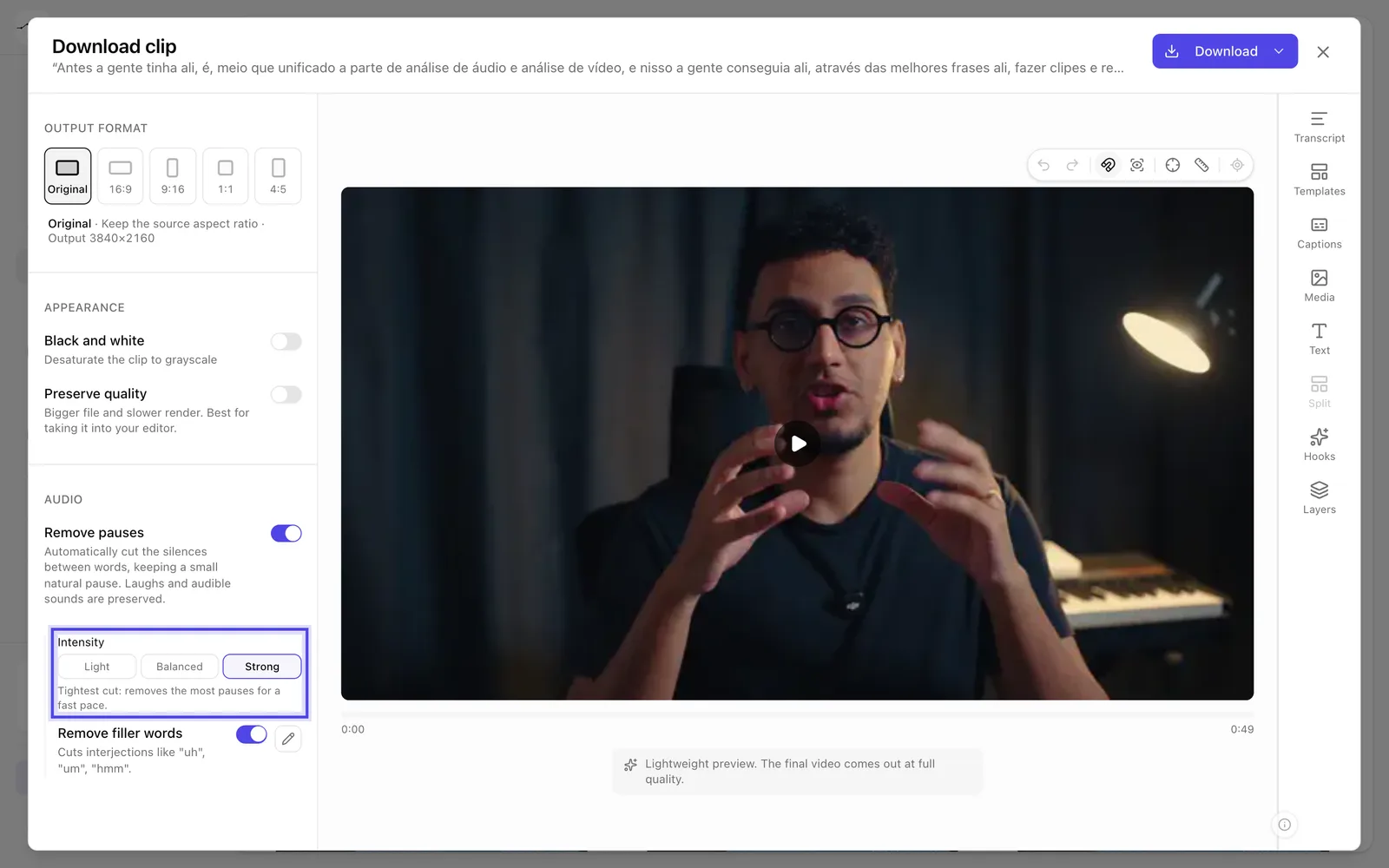
App screenshot Intensity with Strong chosen and what each option does.
Optional steps
You don't need these steps to finish the task. Use them if you want.
-
OptionalTake out filler words
Turn on Remove filler words to cut interjections like "uh", "um" and "hmm". The pencil (Edit list) shows the words that come out; they're removed when they appear on their own, and you can add your own, separated by commas.

App screenshot The filler word list opened by the pencil.