
How to choose the clip's format and framing

In the Download clip window, choose the format in Output format: 9:16 for Reels, TikTok and Shorts, 1:1 or 4:5 for the feed and 16:9 for YouTube. In any format other than Original, Framing shows up: with Motion tracking on, the camera follows whoever is speaking.
Step by step
-
Step 1: Open Download clip
On the Clips page, click Download clip on the clip's card.
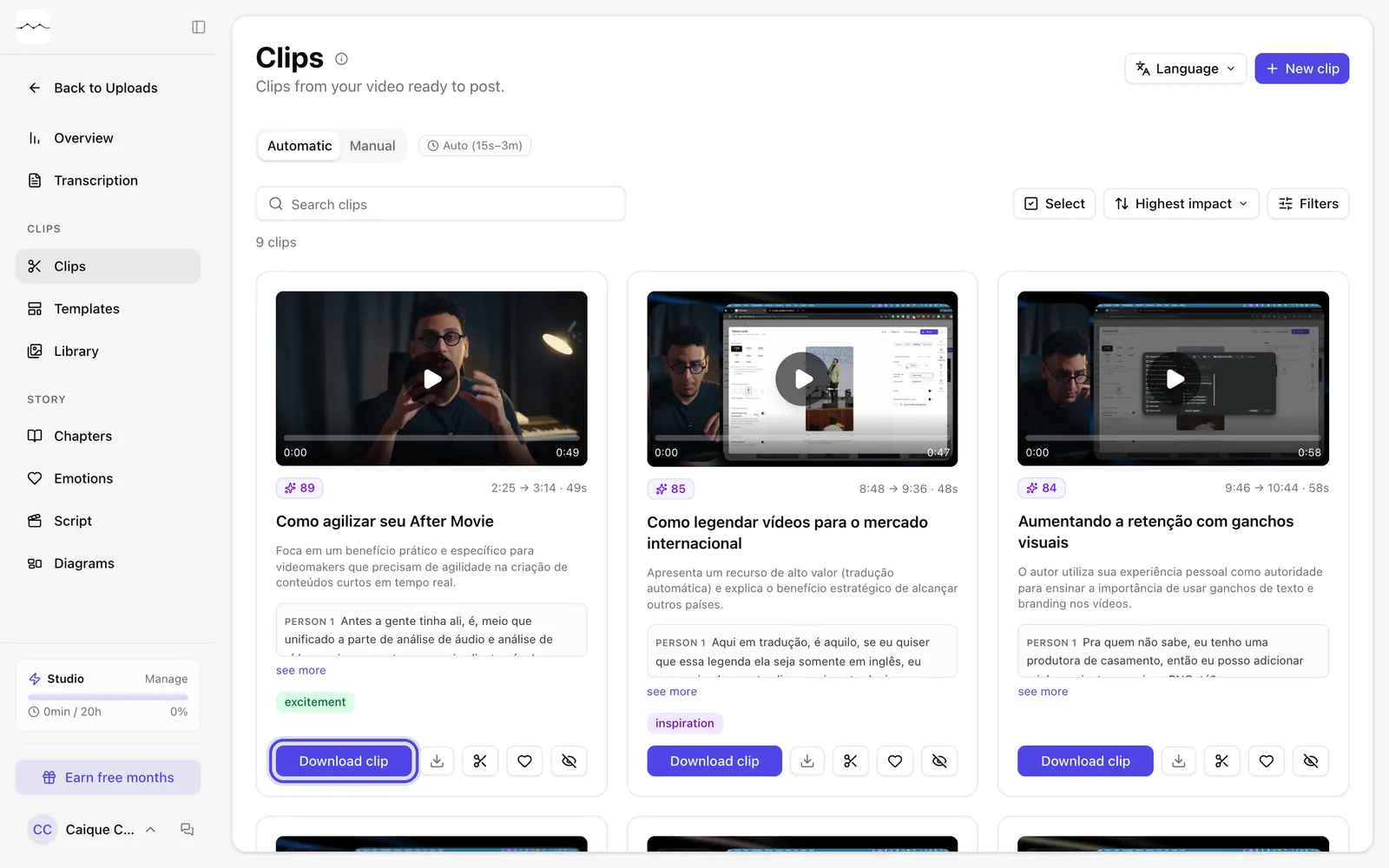
App screenshot The Download clip button on the card. -
Step 2: Choose the format
In Output format, click Original, 16:9, 9:16, 1:1 or 4:5. Below the buttons you see what the format is for and the output size.
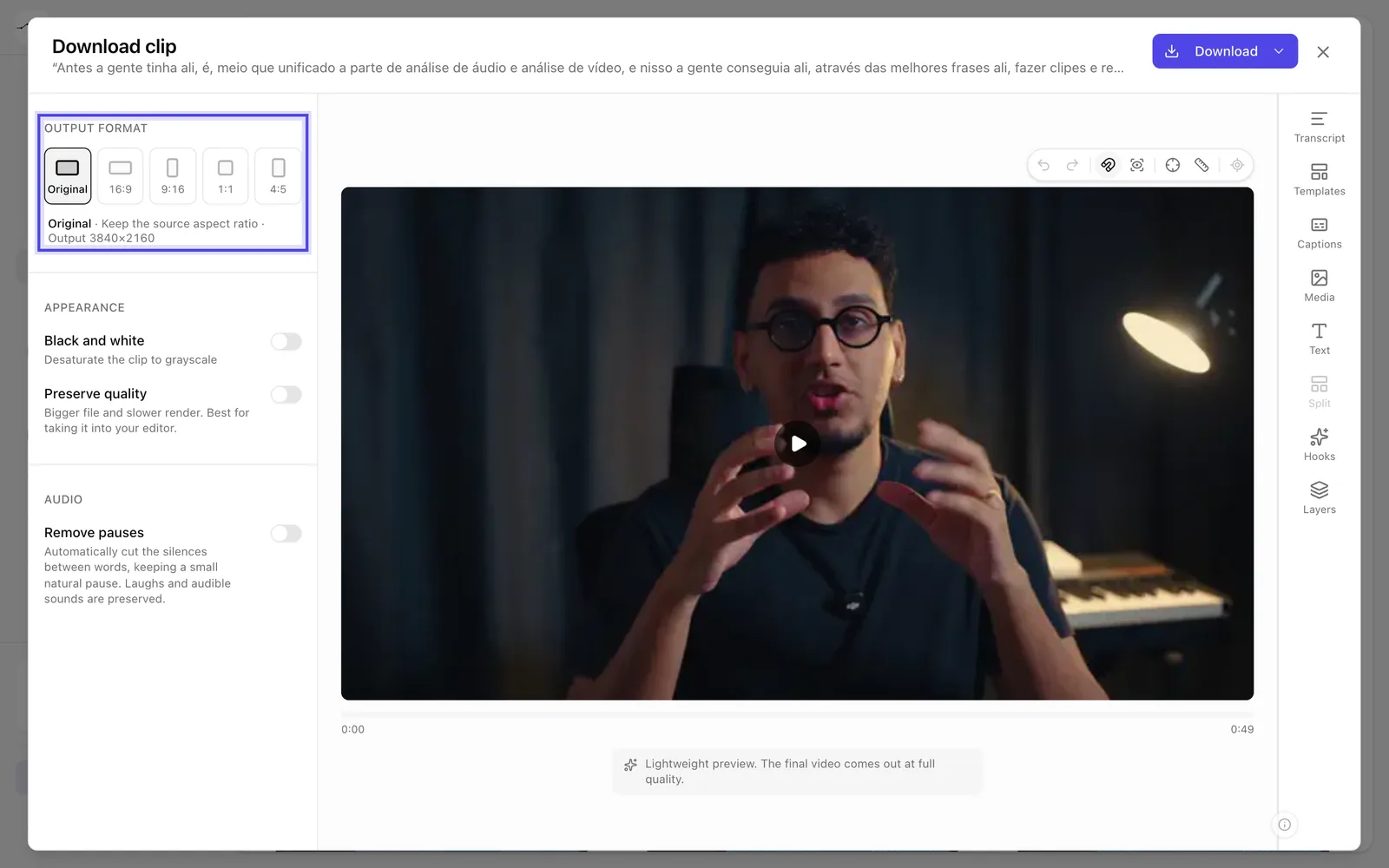
App screenshot The output formats. Original keeps the video's format. -
Step 3: Check the framing
In 9:16, 1:1, 4:5 and 16:9, Framing shows up, with Motion tracking already on: the camera follows whoever is speaking. When it's off, the clip uses a fixed center crop.
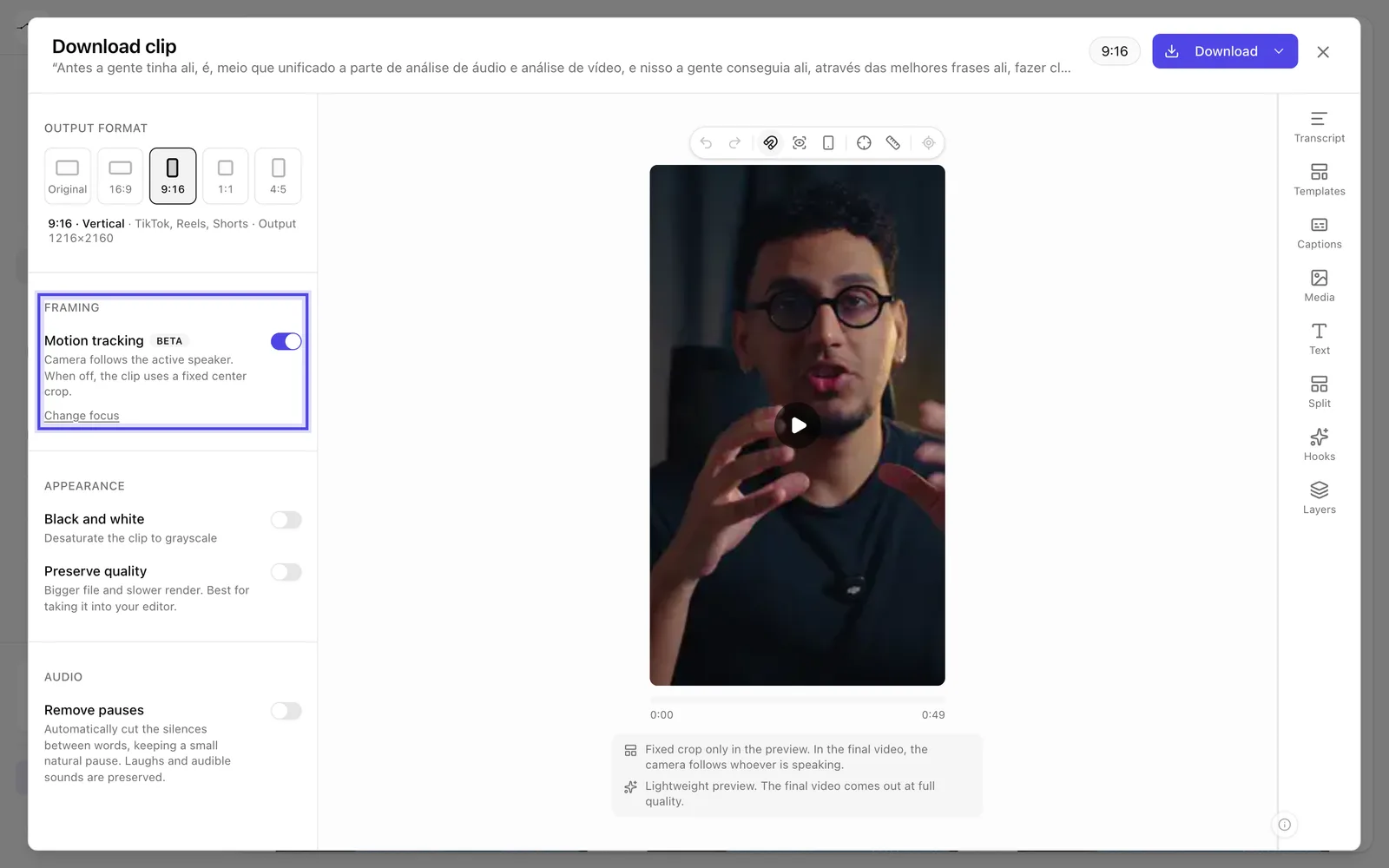
App screenshot Framing with Motion tracking turned on.
Optional steps
You don't need these steps to finish the task. Use them if you want.
-
OptionalChoose who the camera follows
If a clip you already made didn't follow the right person, click Change focus and drag over the frame to mark the person the video should follow.
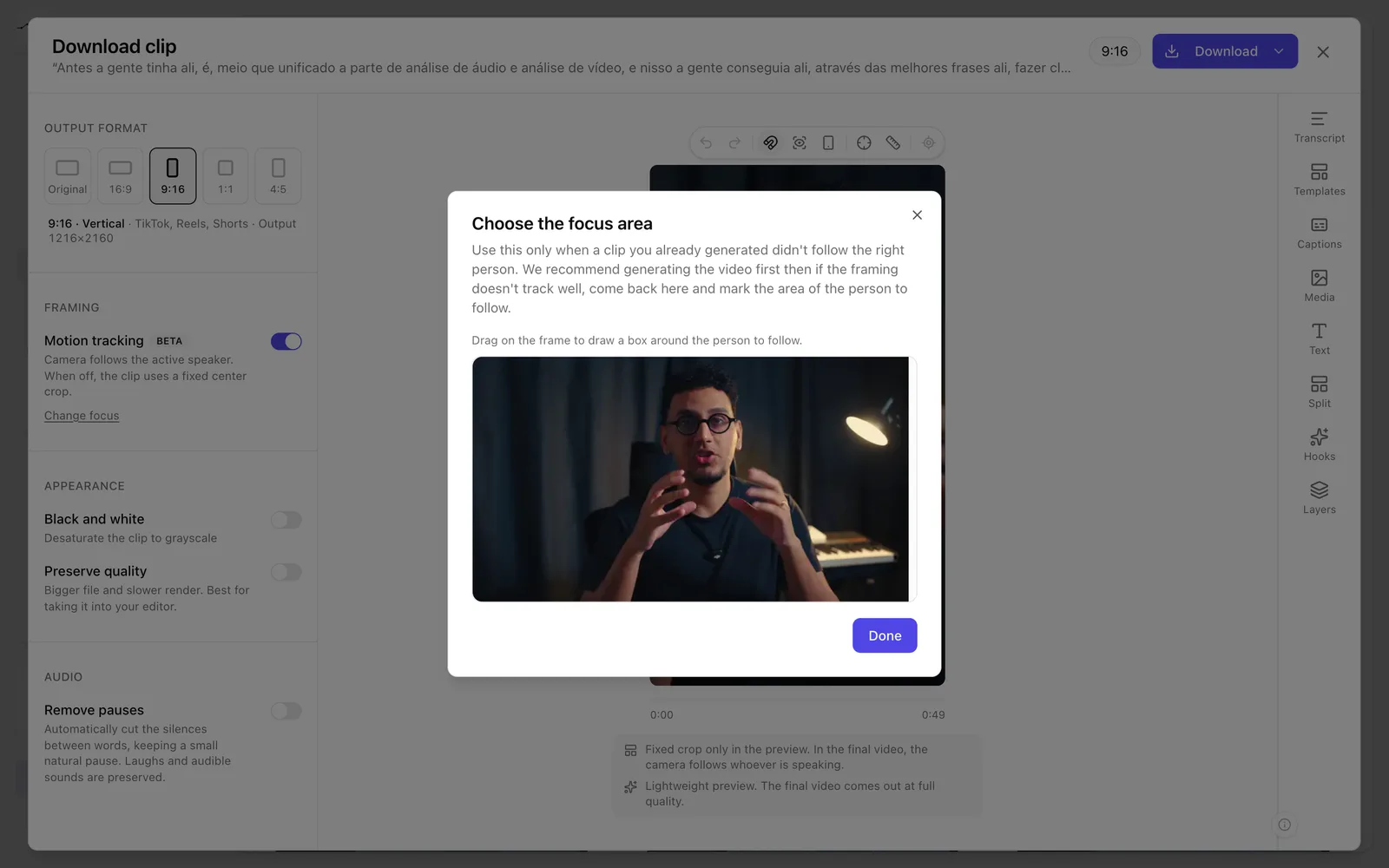
App screenshot The Choose the focus area window. -
OptionalUse hard cuts or a split screen between speakers
When the passage has two or more people speaking, Hard cuts between speakers and Split screen between speakers show up.
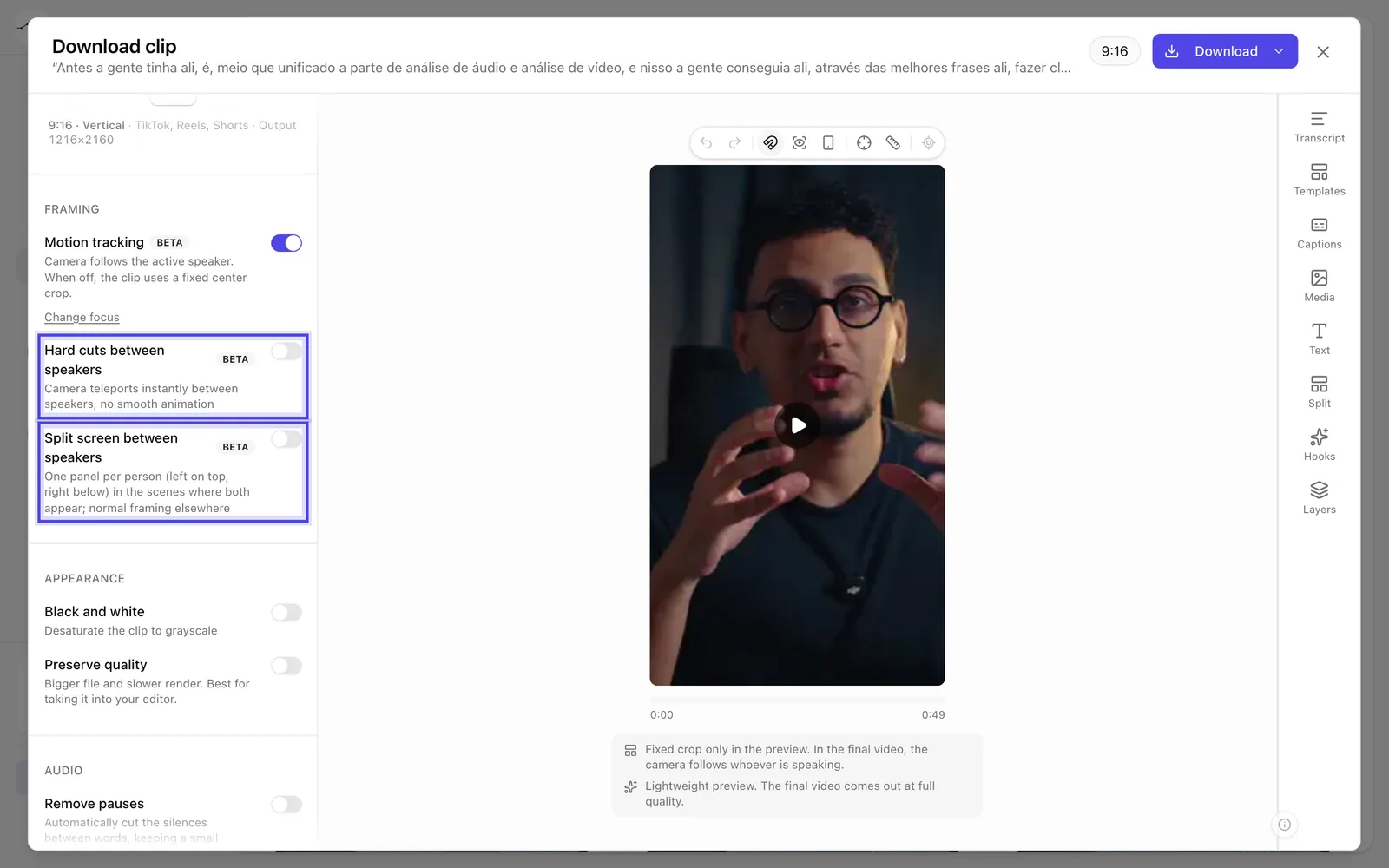
App screenshot Hard cuts between speakers and Split screen between speakers, in a passage with two people talking (example data).