
How to filter the transcript

On the Transcription page, click Filters. Choose Favorites only, a chapter, an emotion or a person, then click the button to see the results. The transcript then shows only the passages that match what you chose. Clear all brings back the whole text.
Step by step
-
Step 1: Open the filters
On the Transcription page, click Filters.
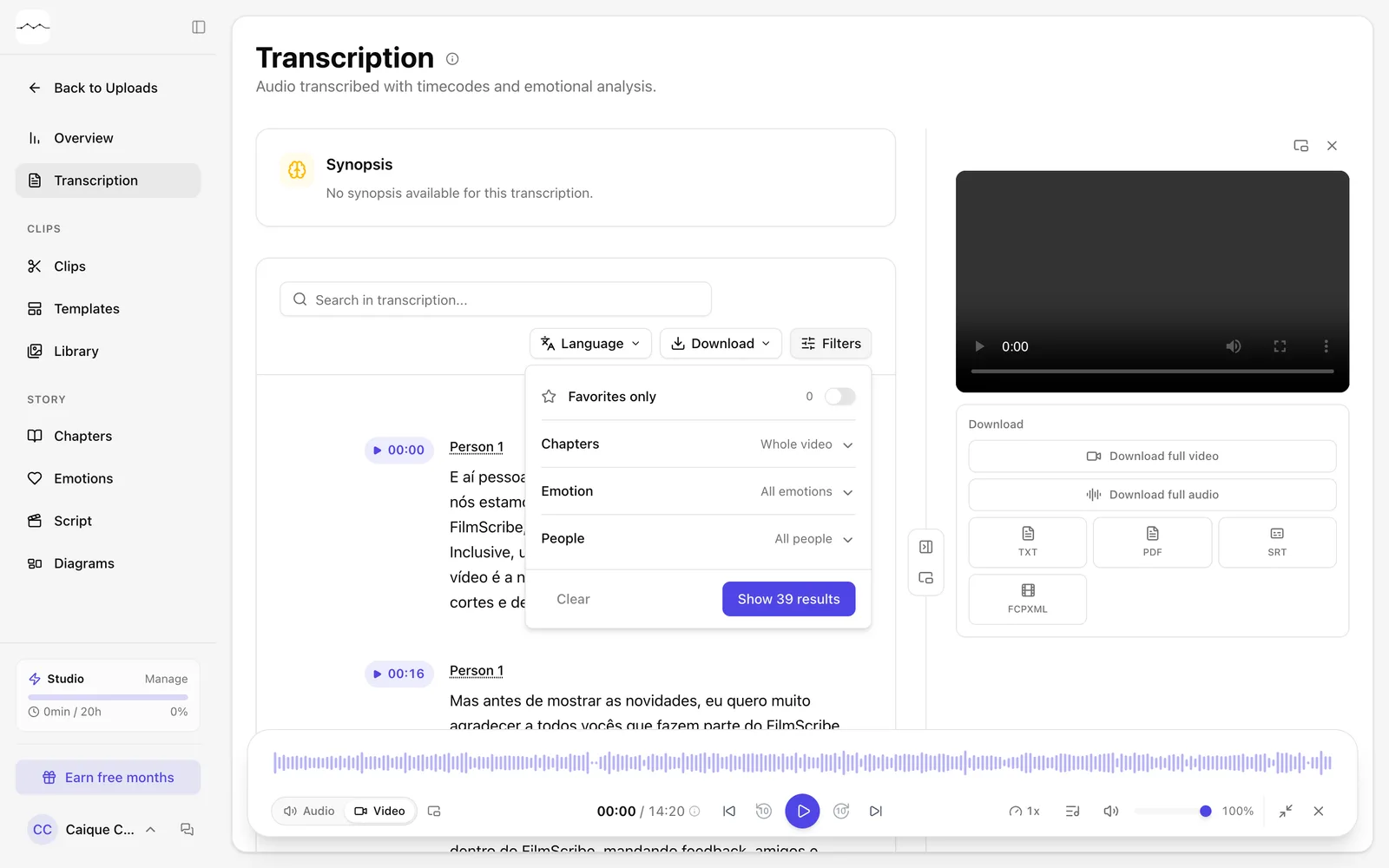
App screenshot The transcript's Filters panel. -
Step 2: Choose what to show
Turn on Favorites only, choose a chapter in Chapters, an emotion in Emotion or a person in People.
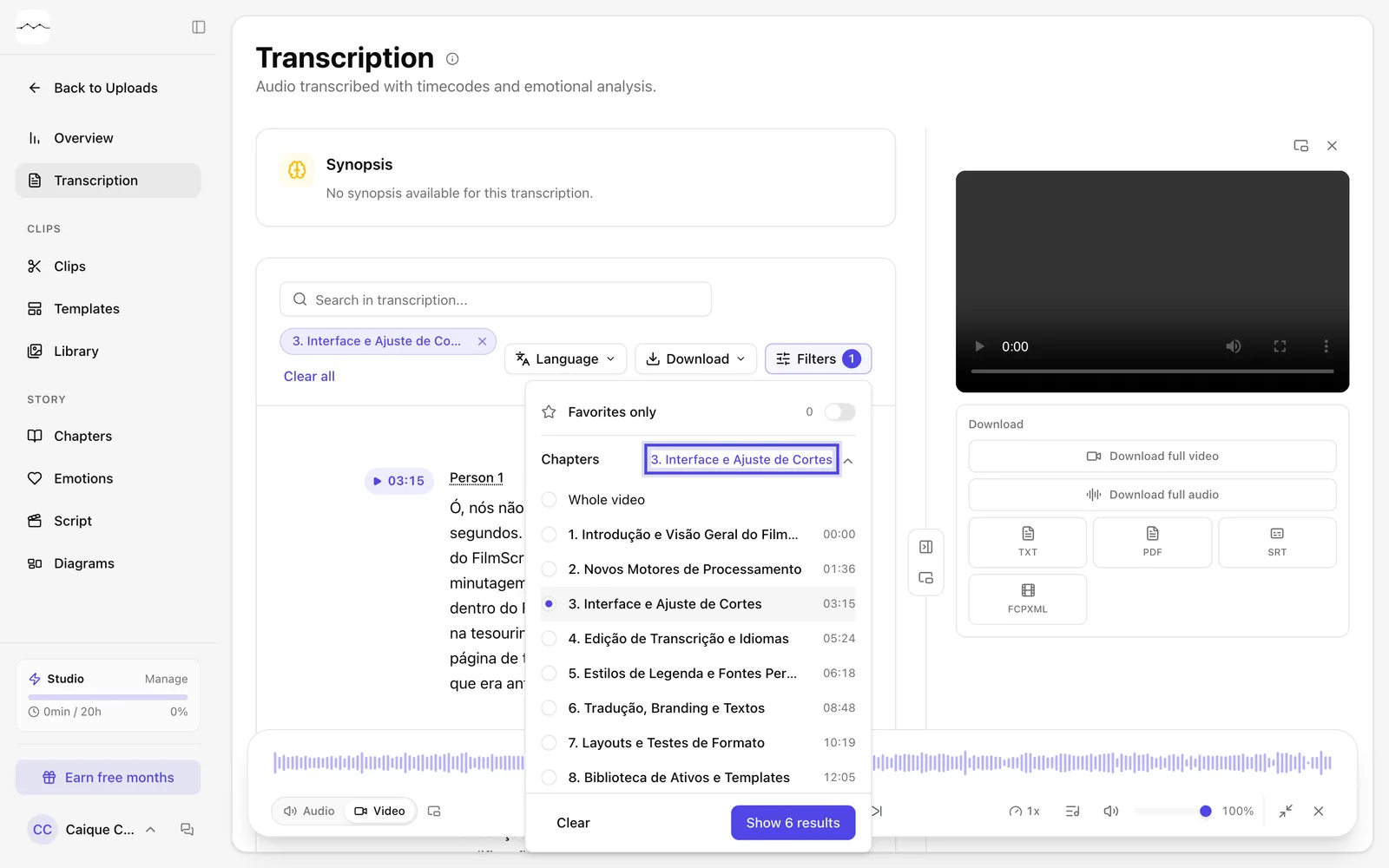
App screenshot A chapter picked in Chapters, in the Filters panel. -
Step 3: See the results
Click the button to see the results. To go back to the whole text, click Clear all, next to the applied filters.
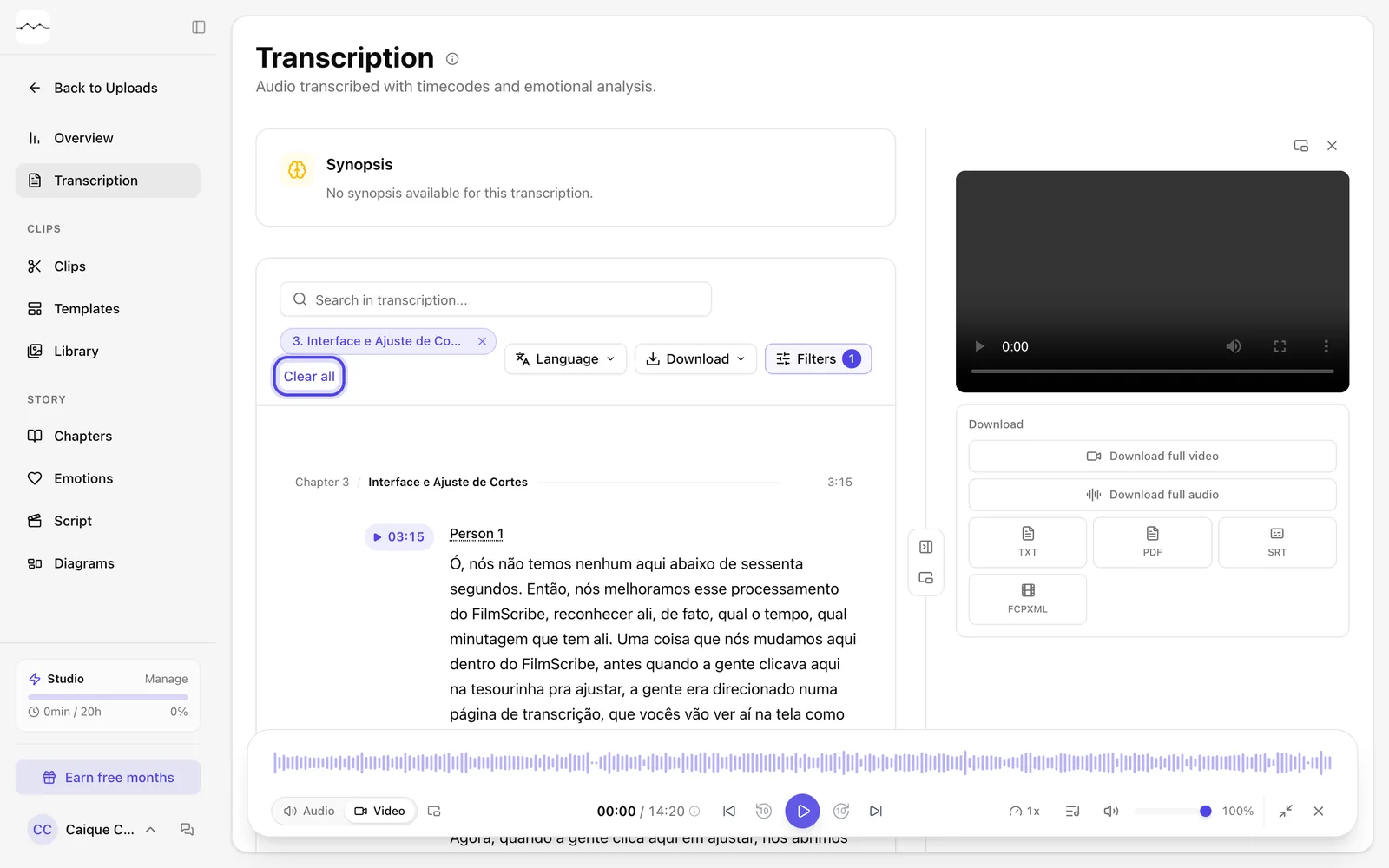
App screenshot The transcript filtered by a chapter, with Clear all next to the applied filter.
Optional steps
You don't need these steps to finish the task. Use them if you want.
-
OptionalShow the chapters inside the text
Below the Chapters list, turn on Show chapters and moments in the text to see where each chapter starts, and its moments, inside the transcript. To remove them, turn the same switch off.
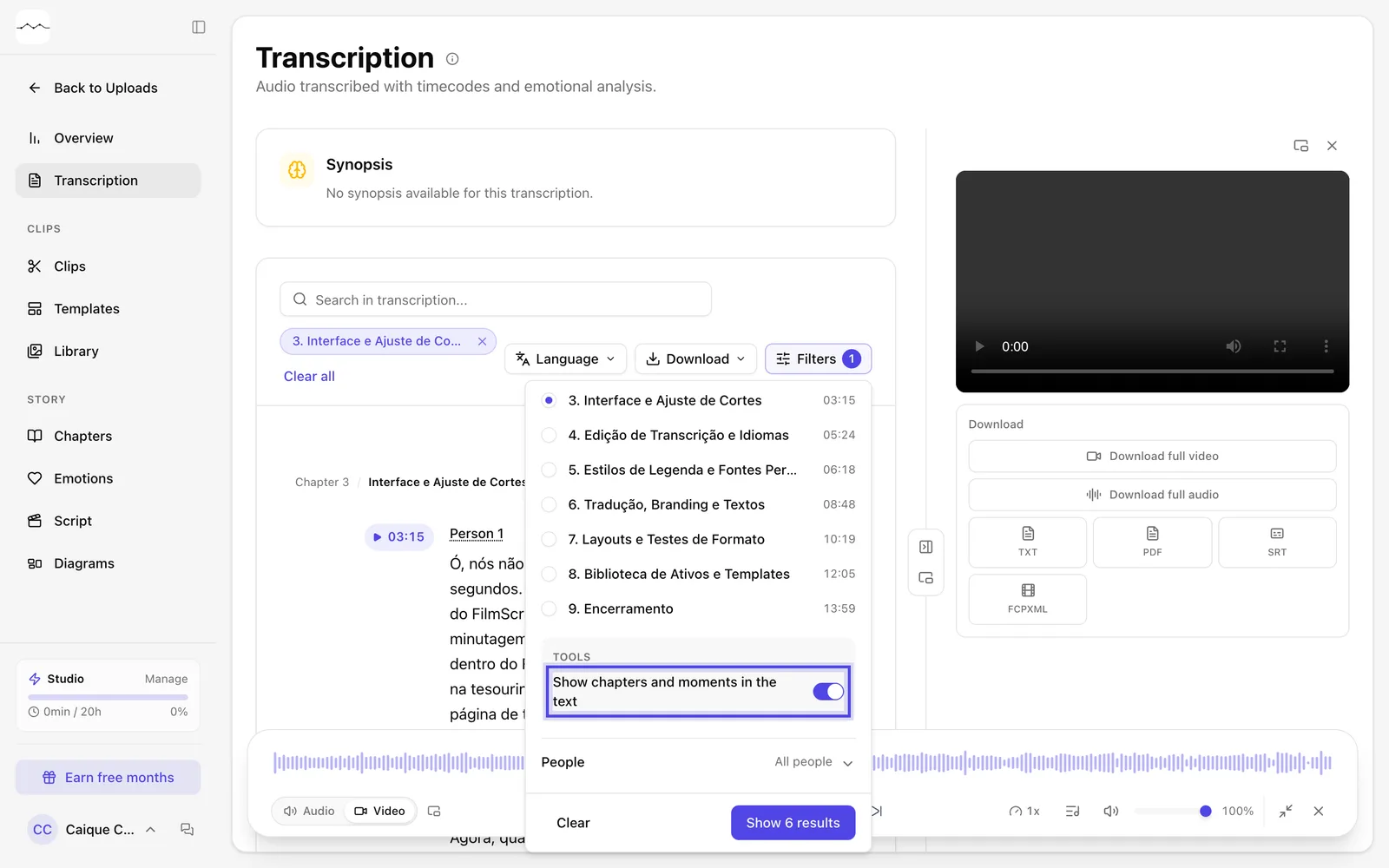
App screenshot Show chapters and moments in the text, turned on below the chapter list.