
Captions
How to add translated captions to a clip

Short answer
With a style chosen in Captions, open the Translation tab. In Caption language, choose Translated, for captions only in the other language, or Bilingual, for both languages together, and choose the language. If the content hasn't been translated into it yet, click Translate now.
Available on Studio and Agency
Before you start
Choose a style on the Styles tab first: the Translation tab unlocks after that.
Step by step
-
Step 1: Open the Translation tab
In the Download clip window, under Captions, open the Translation tab.
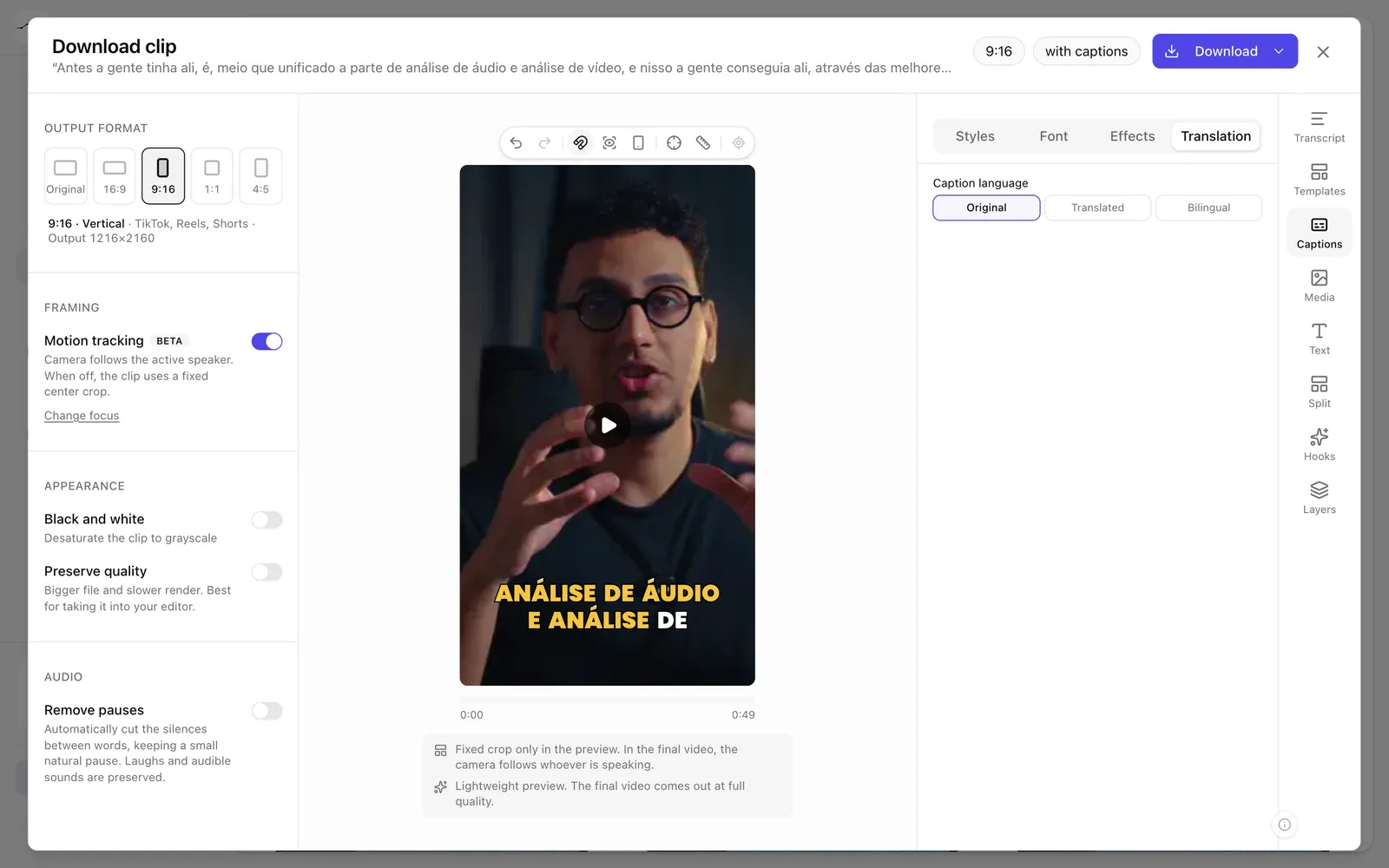
App screenshot The captions' Translation tab. -
Step 2: Choose the mode and the language
In Caption language, choose Translated or Bilingual and the language. If the language hasn't been translated yet, click Translate now.
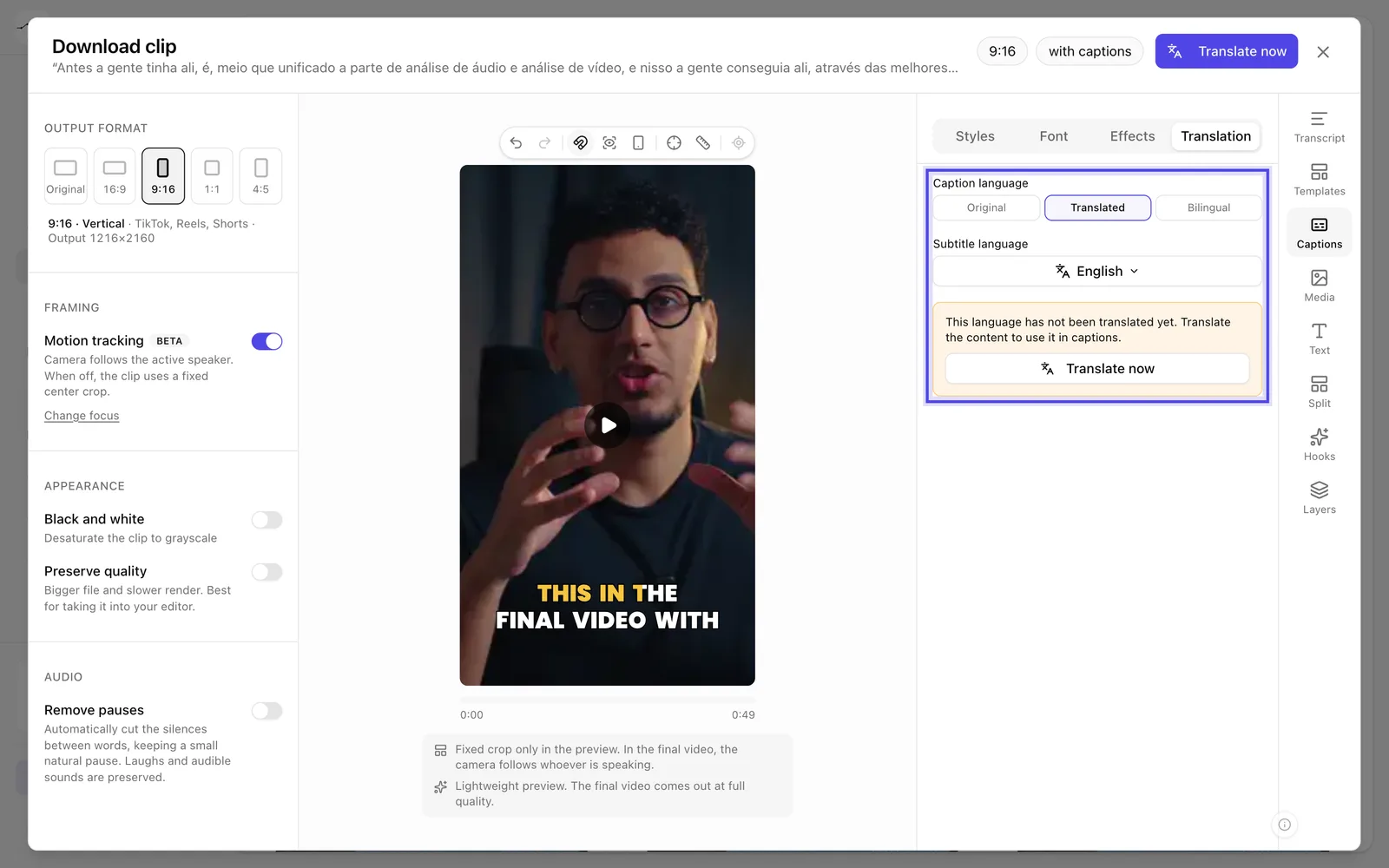
App screenshot Translated chosen, with the language and Translate now.
Optional steps
You don't need these steps to finish the task. Use them if you want.
-
OptionalAdjust the translated line
In Bilingual mode, change the Translated line size and the Translated line color.
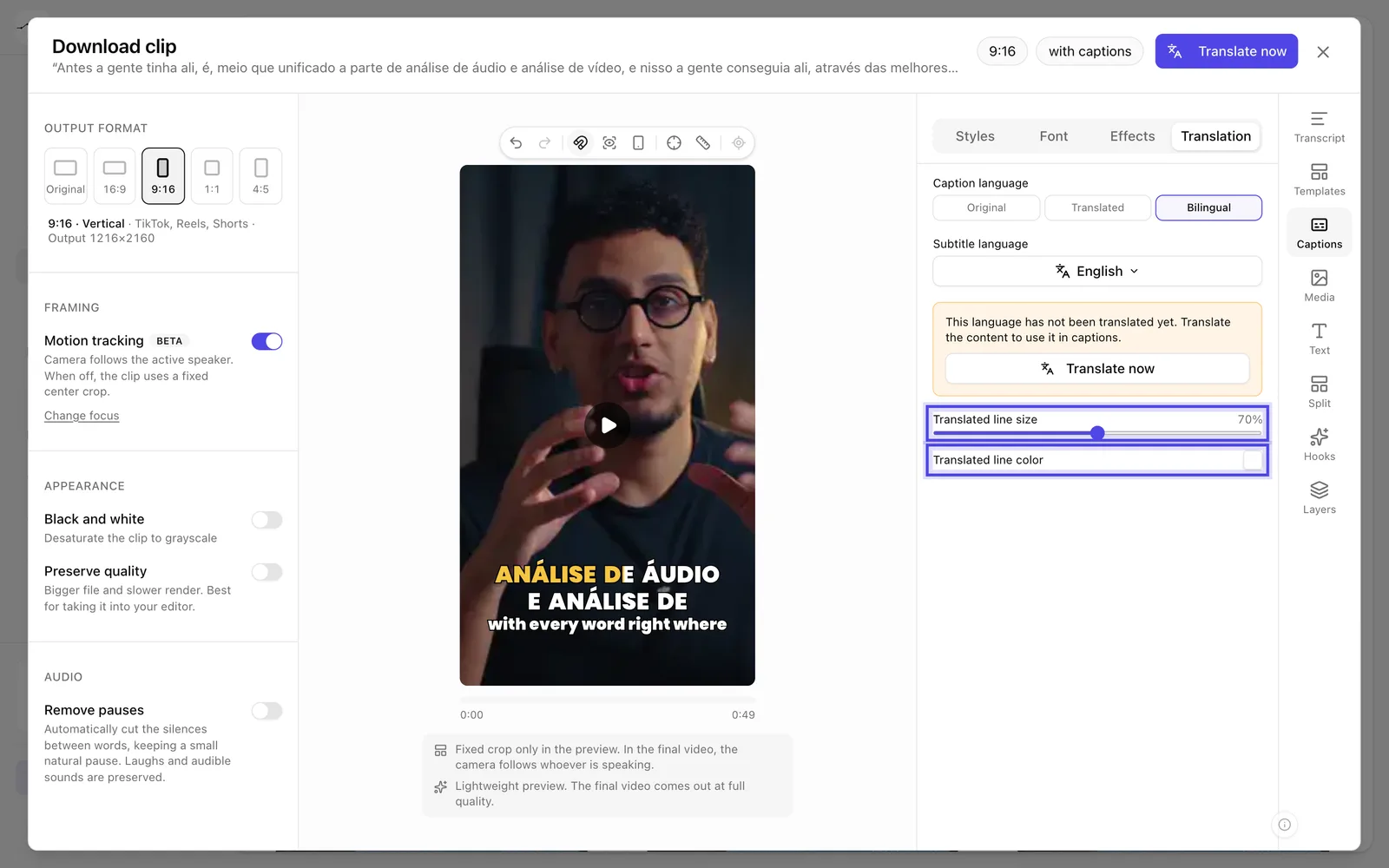
App screenshot Bilingual, with the translated line's size and color.