
What happens if I go over my plan's hours

You keep processing as usual, and usage beyond the included hours is charged as extra hours: R$ 9 per hour on Pro, R$ 8 per hour on Studio and R$ 7 per hour on Agency. Close to the limit, FilmScribe tells you the price of the extra hour. Extra usage is charged to your card automatically, during the cycle and when the period closes.
Step by step
-
Step 1: Track your usage
On the Subscription page, on the Plan tab, Current period usage shows the hours used. Close to the limit, FilmScribe tells you the price of the extra hour.
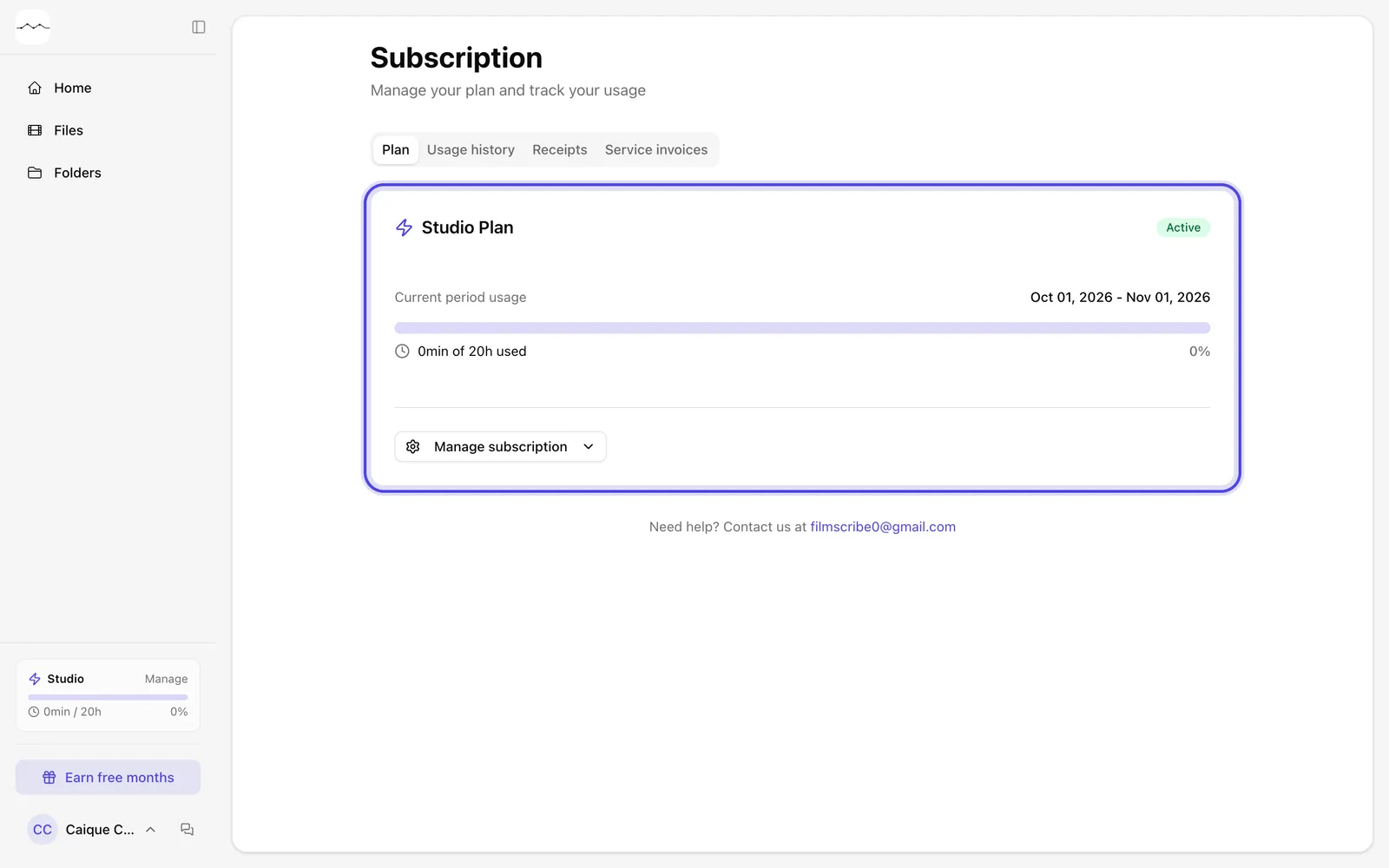
App screenshot The period's usage on the Subscription page. -
Step 2: Confirm the upload
Close to the limit or past it, clicking Start Processing opens the Extra usage window, with the hours you have used and the price of the extra hour. If there is a plan above yours, it also shows that plan's hours and extra hour. Click Got it, continue to process; with Cancel, processing doesn't start.
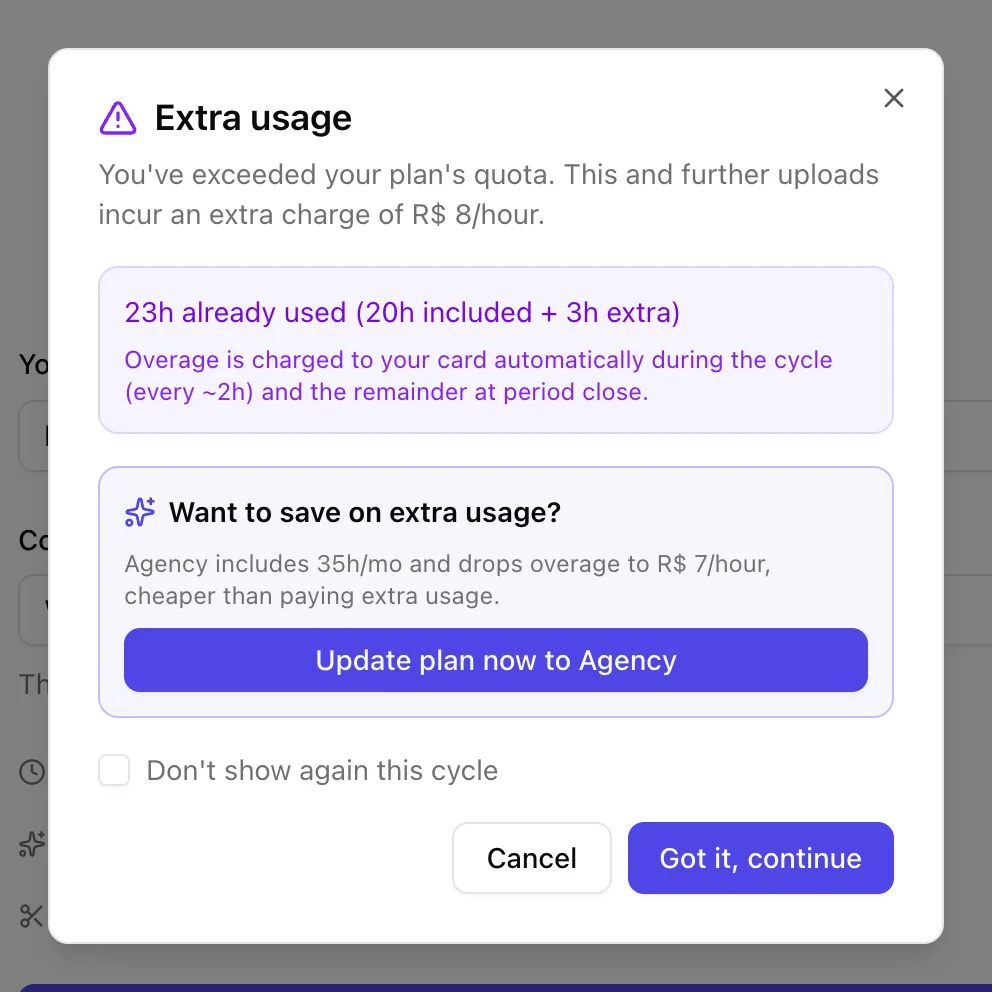
App screenshot The Extra usage window, before an upload, on an account already past its included hours. -
Step 3: Check your extra usage
When you go over the included hours, the plan card in the menu turns into Extra Usage, with the included hours and the extra ones. On the Subscription page, the period's usage shows the extra hours, the price per hour and the estimated cost.
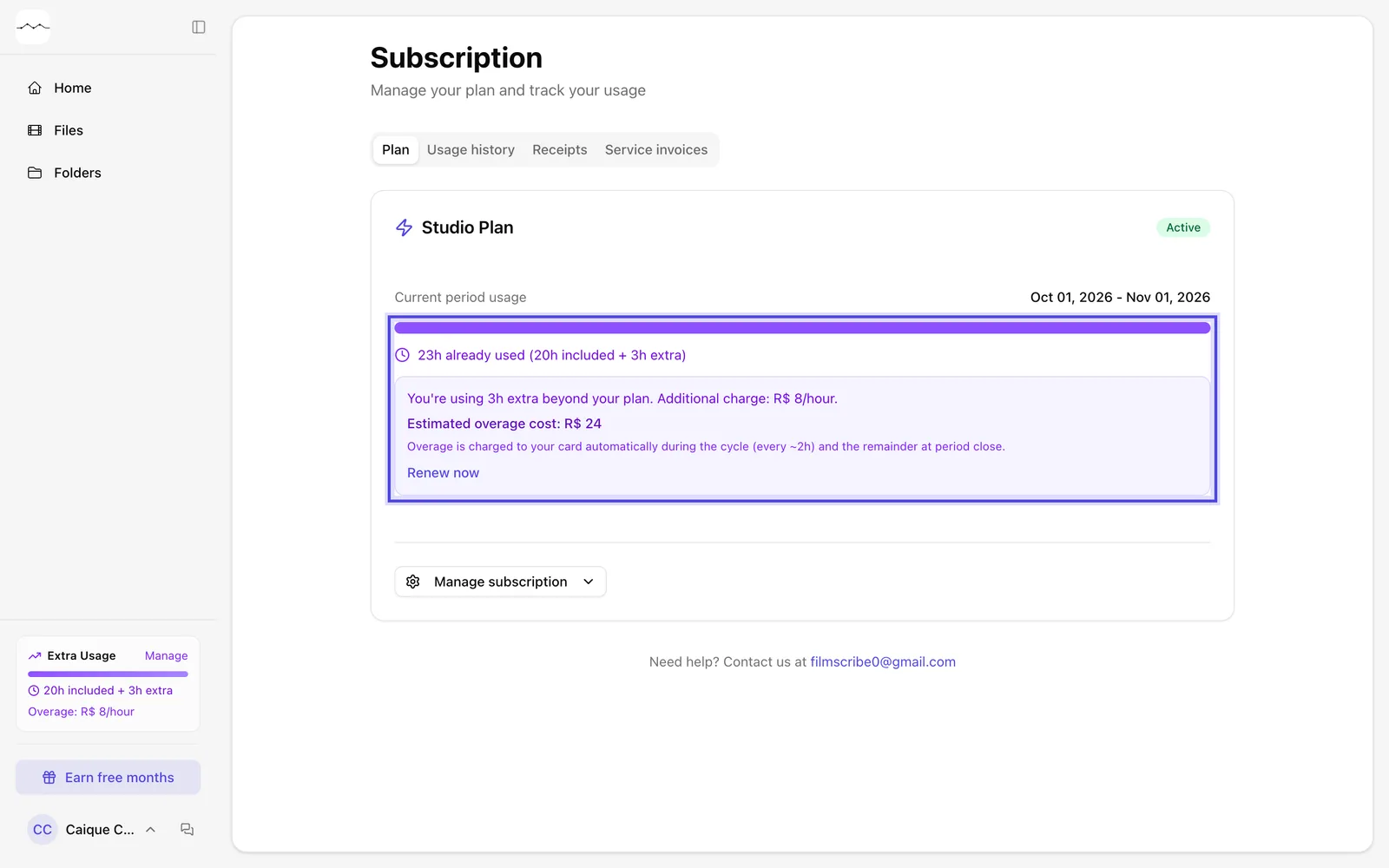
App screenshot The period's usage with extra hours, on the Subscription page. 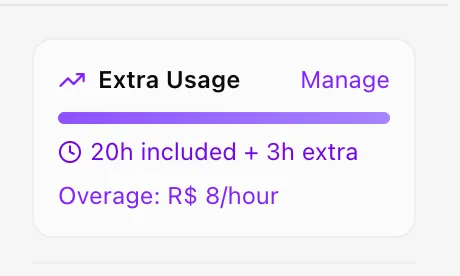
App screenshot The plan card in the menu, as Extra Usage.
Optional steps
You don't need these steps to finish the task. Use them if you want.
-
OptionalRenew or change plans
To get more hours, use Renew now, which resets your hours and charges the next monthly fee today, or move to a plan with more hours in Update plan.
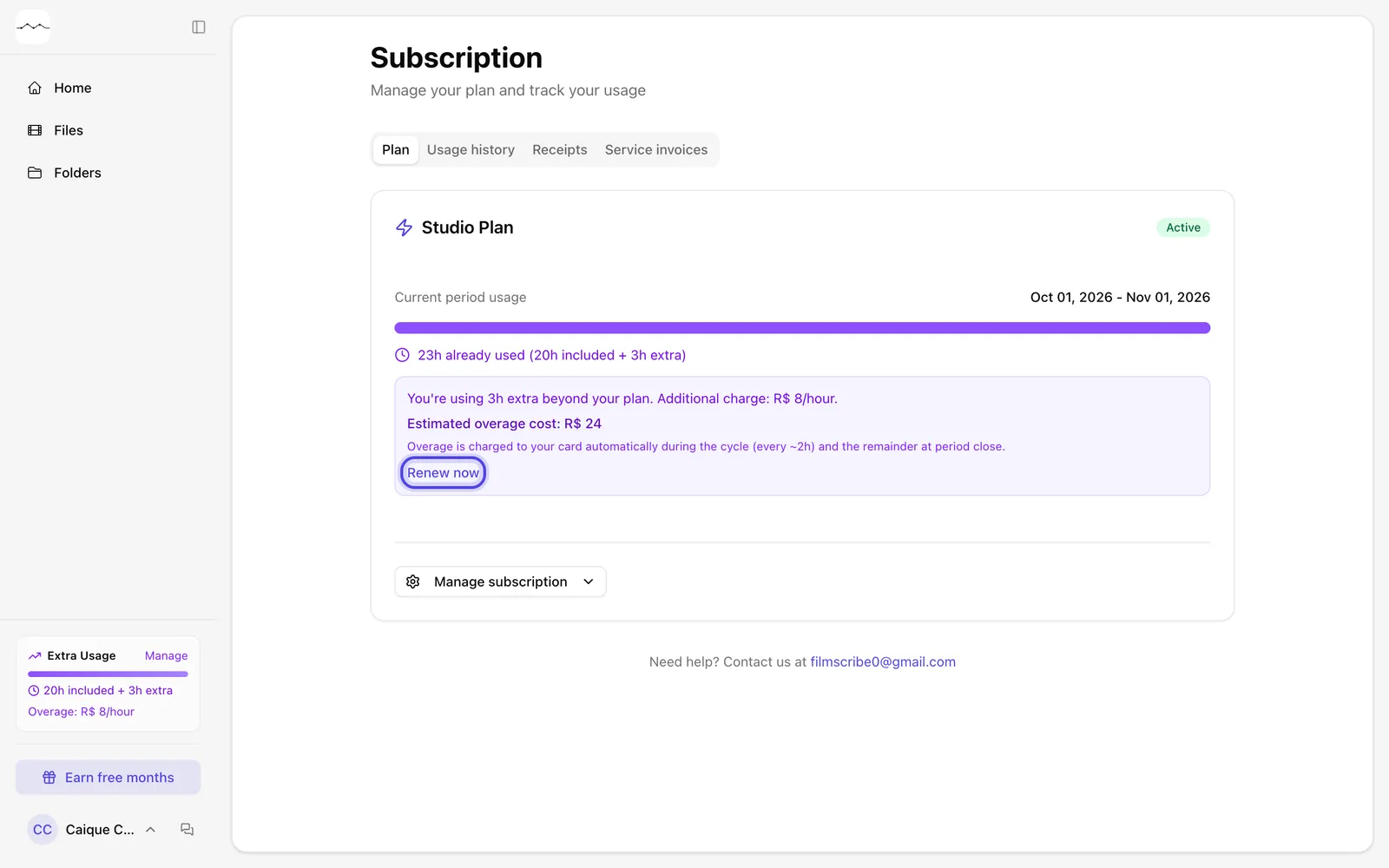
App screenshot Renew now, in the period's usage with extra hours. -
OptionalStop the notice for this cycle
In the Extra usage window, check Don't show again this cycle. The notice comes back in the next period.
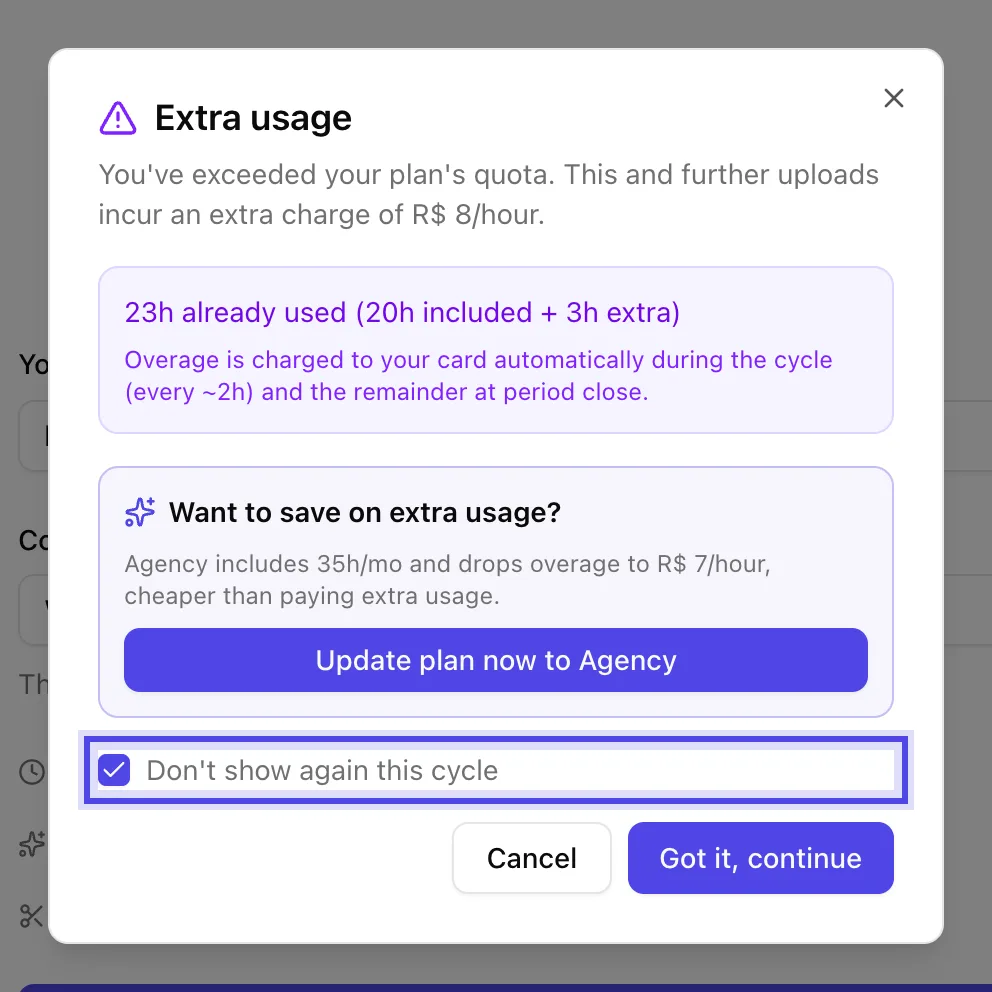
App screenshot Don't show again this cycle, in the Extra usage window.