
How to read and navigate the transcript

Open the file and click Transcription in the menu. Each line shows the time it starts and the name of the speaker. Click a line's time to listen from there; while it plays, the spoken word is highlighted. The player at the bottom controls the speed and skips back or ahead a few seconds.
Step by step
-
Step 1: Open Transcription
Inside the file, click Transcription in the left menu. The page shows the whole speech split into passages, each with its time and speaker. For audio files, the Synopsis sits at the top.
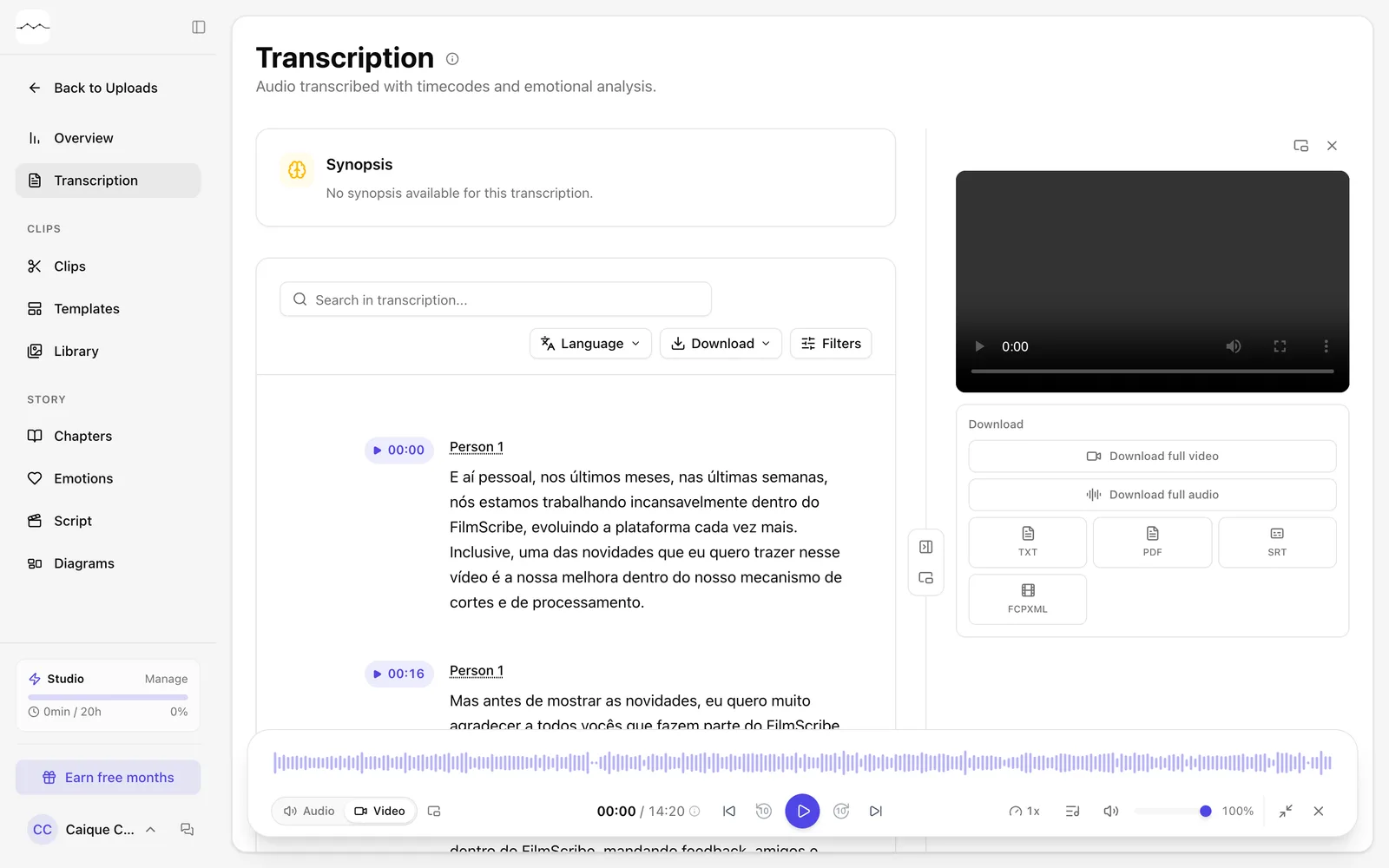
App screenshot The Transcription page, with the lines and the player. -
Step 2: Click the time to listen
Each passage starts with the time the speech begins. Click it to play the audio from that point. While it plays, the spoken word is highlighted in the text.
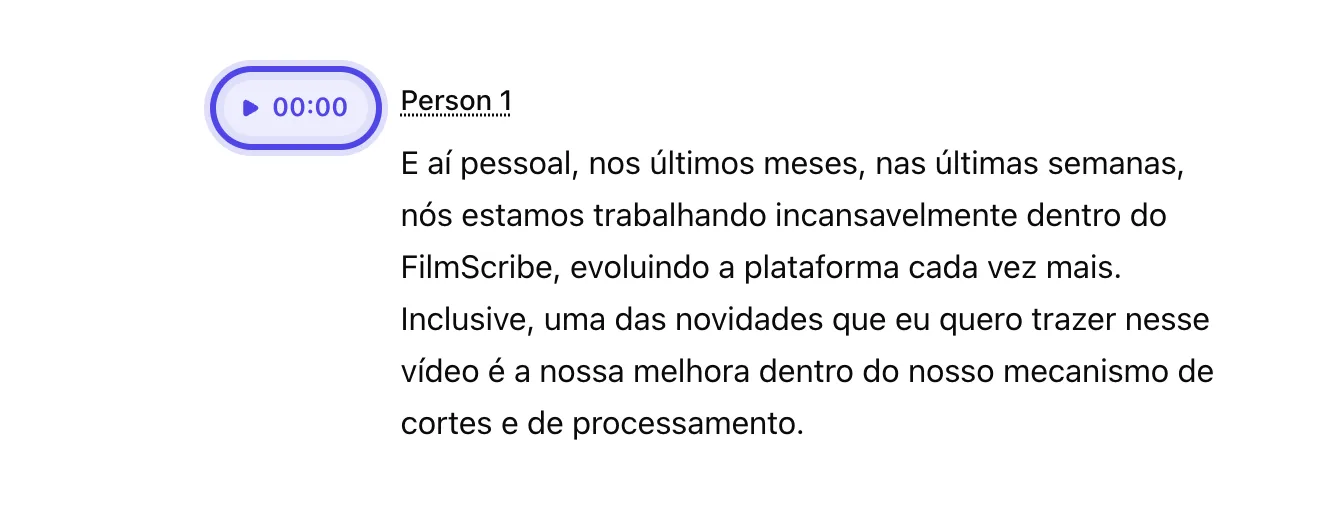
App screenshot A passage's time, which plays the audio from that point. -
Step 3: Use the player
In the player, at the bottom of the page, you can play and pause, skip back or ahead a few seconds, jump between chapters and, in the gear menu (Player settings), change the Speed.

App screenshot The player, with the back and forward arrows and the speed.
Optional steps
You don't need these steps to finish the task. Use them if you want.
-
OptionalChange the time format
In Time format, in the player or on the Preferences tab of your Profile, choose Hours and minutes, which switches to hours after 60 minutes, or Full minutes, which always shows the total minutes.
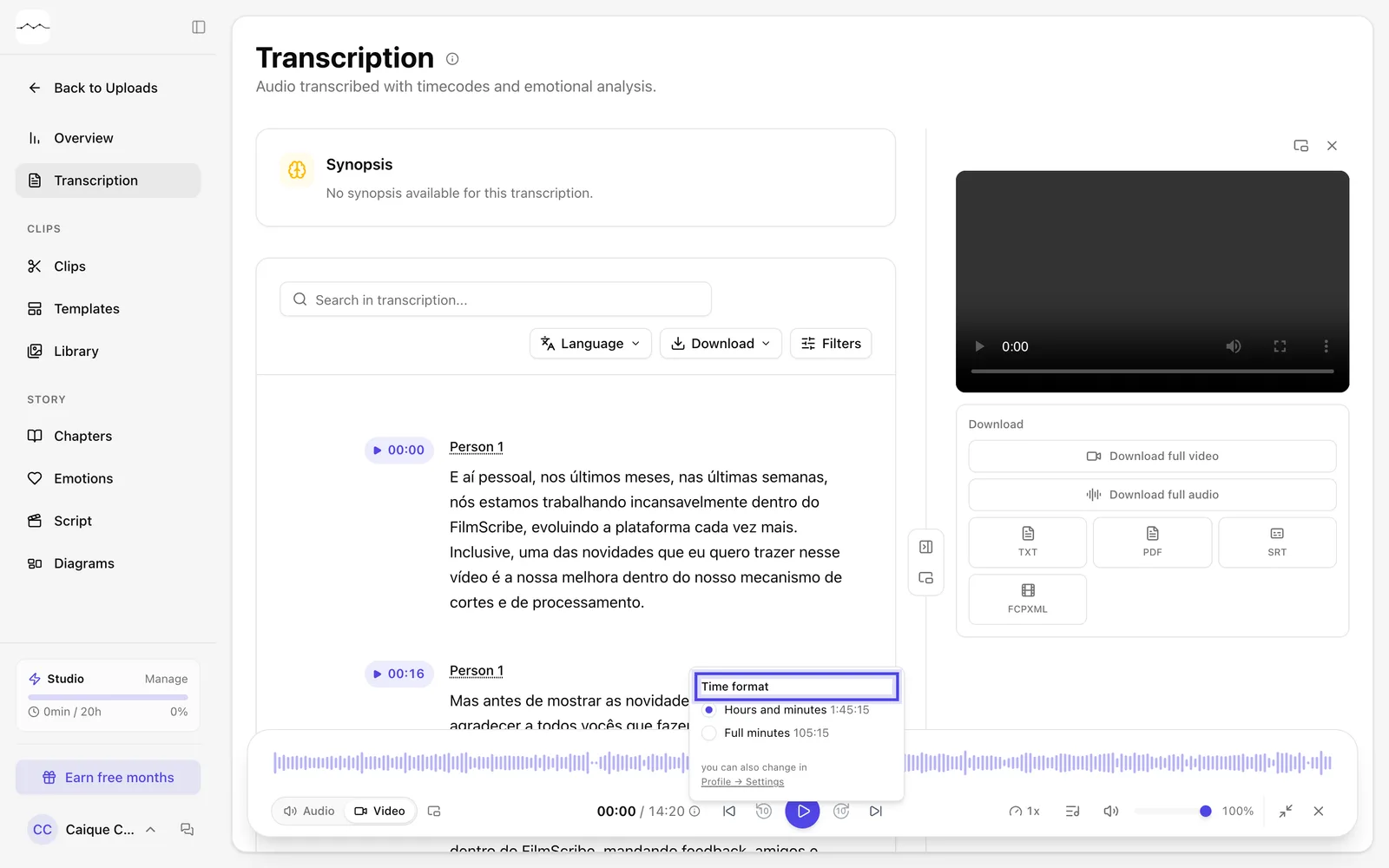
App screenshot Time format, opened from the icon next to the time in the player.